Auto-rebalance
Rebalancing a concentrated liquidity (CL) position withdraws its liquidity, swaps tokens as needed, and creates a new position around the current price. An out-of-range position holds only one of the pool’s tokens; optional negative buffers can also trigger a rebalance while a position is still in range.
Auto-rebalance checks enabled positions against their configured trigger range, cutoff prices and delay. When a position qualifies, it requests swap routes and simulates a rebalance. Execution must satisfy your dust, slippage and price-impact limits; unsuccessful attempts are retried according to the automation status.
Normally, automation waits until its fee can cover the estimated gas cost. There is no fixed dollar minimum across chains: the required position size depends on gas prices, the pool fee tier and the transaction. When depositing without an enabled gas account, check the single funding warning above the deposit button. It shows the estimated minimum position size for your selected automation. Eligible Sickles with prepaid gas can pay for an otherwise uneconomic execution from that balance, within their configured limits.
When prepaid gas is activated, the deposit funding warning is hidden and the status shows no minimum position size. For fee-funded automation, the estimated size is informational. Failure reasons and gas-account warnings come from the API’s reported outcome; the interface does not infer a failed rebalance from the position size or gas estimate.
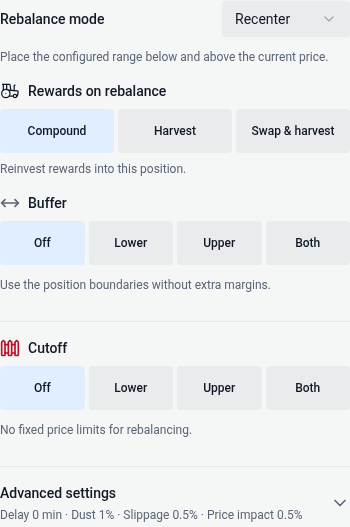
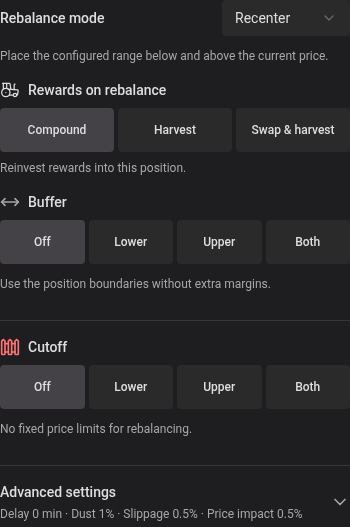
Use the Rebalance mode dropdown to choose Recenter or Custom and control where the new range lands. Both modes keep auto-rebalance active on the replacement position with the same settings. Tick spacing and rounding mean the displayed percentages may differ slightly.
Enabling auto-rebalance can be done in two places: under Automate → Rebalance when opening a new position, or through the bot button in the overview of an active CL position, then enabling the Rebalance card with its checkbox (whether in range or not).
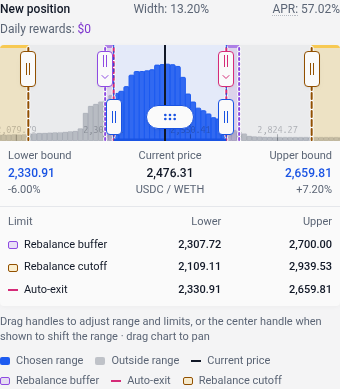
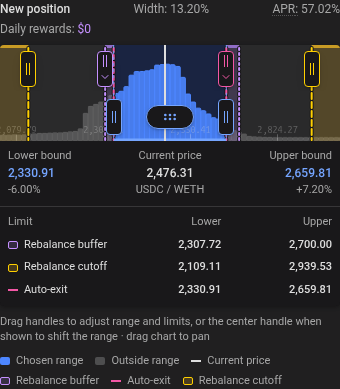
The deposit widget shows the current price in its position range chart above the automation settings. Editing Buffer or Cutoff updates the chart immediately: violet bands show the buffer margins, and amber areas beyond the cutoffs show where rebalancing is paused. Lower and upper prices for each configured limit appear beneath the chart. Drag a violet buffer handle or amber cutoff handle to adjust its limit; the settings fields update together. Handles stay on their price lines. When limits overlap, tap the handle with an arrow and choose the limit to drag. Handles separate automatically as their lines move apart. Blue range handles remain below the automation handles. Arrow keys make precise adjustments. A zero margin has no buffer band; a negative margin moves its band inside the chosen range. Turning a side off removes its overlay. The chart fits configured limits on either side and preserves their prices when the displayed price is inverted. The separate settings modal also includes a current-price row.
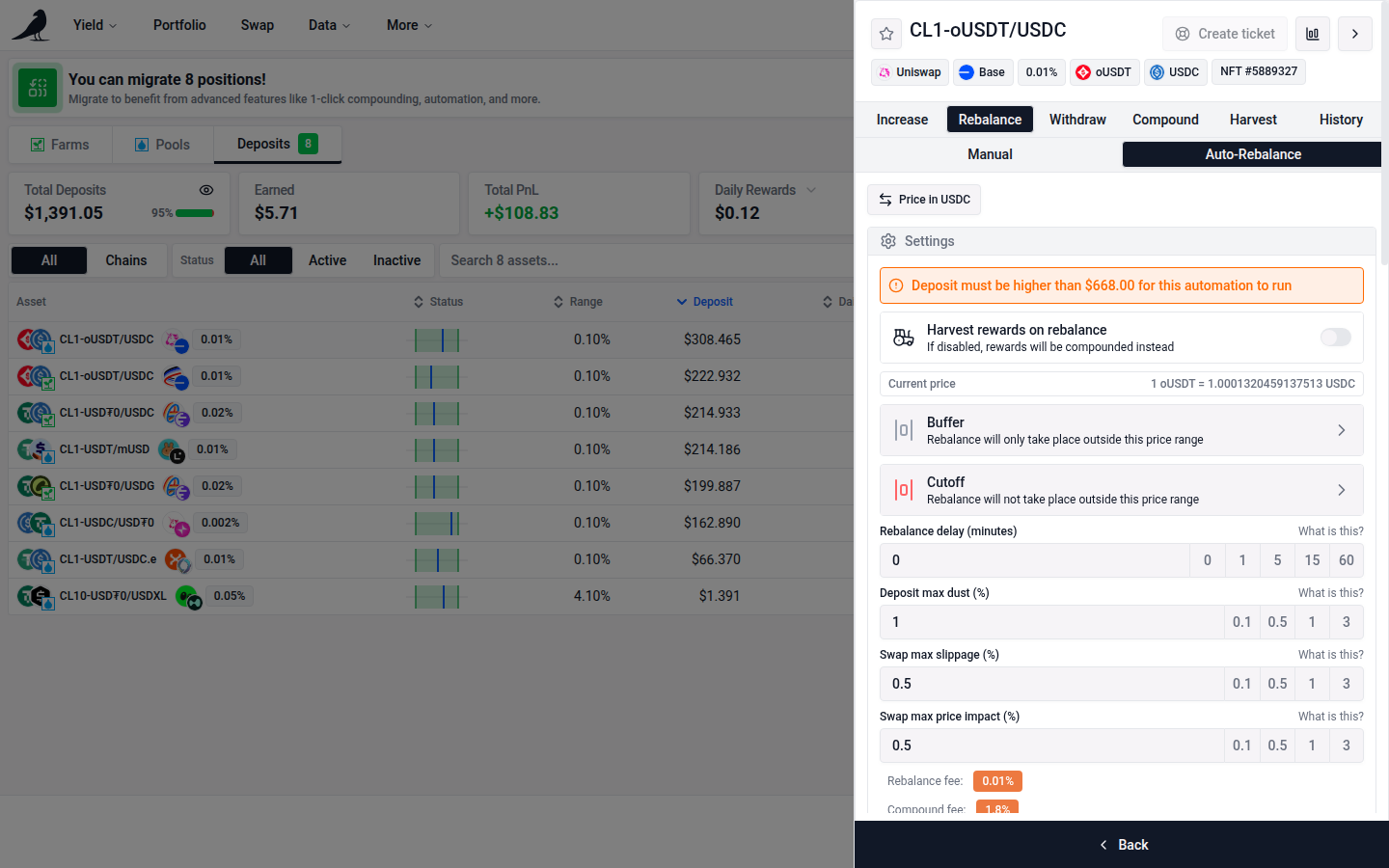
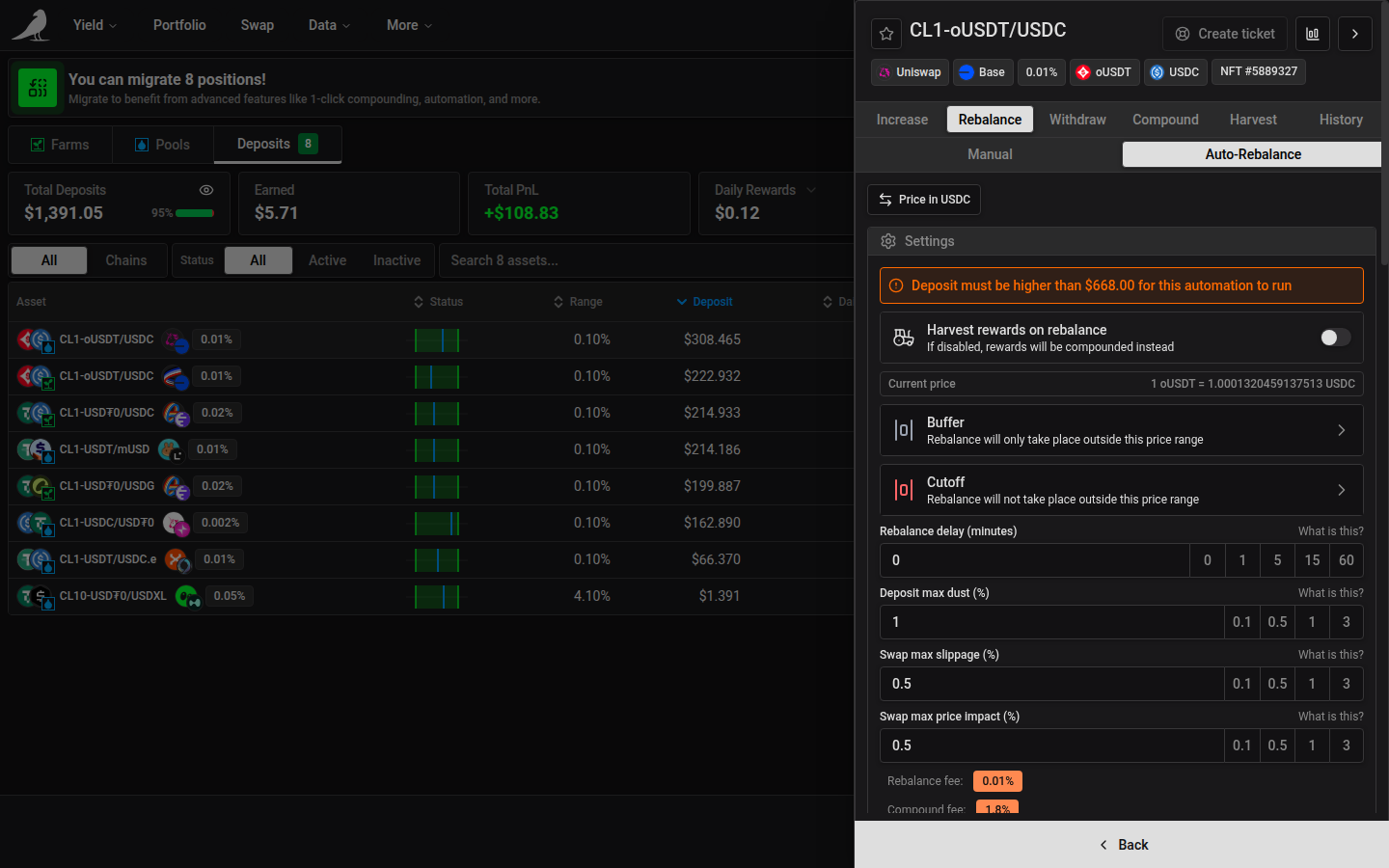
Required configuration
Rebalance mode
Recenter places the configured range below and above the current price, aligned to the pool’s tick spacing. Existing positions keep this mode unless you change it.
Custom preserves the old position’s width and follows price. Set a percentage offset from the boundary price crossed: the new upper range boundary when the displayed price rises, and the new lower range boundary when it falls. Small offsets keep price near that boundary, so you can move the range a little without moving price deep inside it. Token swaps may still be required; the amount depends on market price and the position’s token balances.
The percentages are linked by default. Editing either input requests the same percentage in both directions, using the range percentage convention selected in App Settings. In Actual price change mode, each direction rounds separately to the pool’s tick spacing. Click the Linked chain button beside the range width to set different percentages; it changes to Independent. Saved settings with different displayed percentages open unlinked. Linking them again uses the most recently edited percentage, or the rising-price percentage if neither has been edited.
0% places price just inside the chosen boundary. Increasing the offset moves price farther inside; negative offsets can leave price outside that boundary. The default Tick-based convention uses 100 ticks per percentage point, with offsets aligned to the pool’s tick spacing. In Actual price change mode, a 10% rising-price offset targets a price 10% below the upper boundary, while a 10% falling-price offset targets a price 10% above the lower boundary. Tick spacing rounds those price offsets inward toward the range, so the previews can differ slightly from your requested percentages. Switching conventions preserves the saved offsets.
The live previews show total range width, the old range as a muted band and the new range in blue, with a labeled guide marking price. The percentage badge shows your offset from the chosen boundary; for nonzero offsets, a line beneath the new range shows the distance. Flipping the displayed price swaps the rising and falling inputs and previews. Existing saved settings retain their on-chain behavior.
Offsets that pass the opposite boundary put price outside the range. Buffers and the market price at execution determine how far the range moves.
Buffers, cutoff prices, delay, reward handling and transaction limits also apply to Custom. Negative buffers can trigger a shift before the old range is crossed. The contracts verify the exact new range and reject unchanged ranges, ambiguous overlapping triggers and repeat cycles within the same tick-spacing interval. A rejected rebalance waits for conditions to change; it does not fall back to Recenter.
Custom is available when the selected chain and position type have a verified deployment. As of September 13, 2026, the current deployments support it on 35 of vfat.io’s 36 configured chains; ZetaChain needs a contract upgrade. Older Sickle automation generations may require the migration shown in the app. Enabling the mode requires saving the position’s settings and the usual automation consent.
Rewards
Choose Compound to reinvest rewards into the new position, Harvest to receive the original reward tokens, or Swap & harvest to convert them into one selected token before sending them to your wallet. Reward handling can carry a separate harvest or compound fee in addition to the rebalance fee; review the fees shown with your settings.
Dust, slippage and price impact
Open Advanced settings to change dust, slippage, price impact and rebalance delay. The closed section summarizes your current limits. Opening or closing it only changes what is visible; it does not enable or disable any setting. Invalid limits remain visible until corrected.
Dust: after the swap and liquidity deposit, small token amounts may be left over. This leftover (“dust”) is sent to your wallet. Set a maximum dust % (initial default 1%, configurable in App Settings); if a rebalance would exceed it, the transaction cannot proceed with that route.
Slippage: the % difference between the expected and executed swap price. If price moves more than your slippage tolerance between quote and execution, the rebalance is skipped and retried.
Price impact: the aggregator-estimated % price difference between the asset sold and bought. If it exceeds your threshold, the rebalance is skipped and retried.
The rebalance itself carries a fee based on the pool’s own fee tier: 0.01% of position value for pools with a ≤0.05% fee, 0.03% for ≤0.3% fee pools, and 0.05% for higher-fee pools. This is the same rate as a manual rebalance.
Advanced configuration
Buffer and cutoff settings define where auto-rebalance should act. Rebalance delay defines how long the trigger must persist. Without these settings, the price trigger is simply leaving the position’s range; execution still depends on fees, gas and your transaction limits.
Buffer
Choose Off, Lower, Upper or Both to select the active margins, then edit the inputs directly below. Off removes both margins; selecting a side again restores its unsaved input value.
Adds a buffer on either side of the position range in which rebalancing is held off. Tick-based (current) is the default: a 1% margin means 100 ticks from the position boundary. Select Actual price change in App Settings to enter a price change from each boundary instead. The following price examples use Actual price change mode. For a position in the 3000–3300 range, a 1% buffer on the lower side targets 2970; a 1% buffer on the upper side targets 3333. Each threshold rounds outward to an available tick, so the applied percentage can differ slightly from the requested value. Buffers remain relative to the replacement position after rebalancing.
In Actual price change mode, a 10% lower buffer uses 1,054 ticks, while a 10% upper buffer uses 954 ticks. In Tick-based mode, both use 1,000 ticks. Existing saved settings keep their exact trigger ticks; opening settings, switching conventions or flipping the price display does not rewrite them. The displayed percentages may therefore differ from the old tick-based approximation.
The supported buffer distance remains 10,000 ticks in either direction: −100% to 100% in Tick-based mode. In Actual price change mode, the lower margin can range from approximately −171.81% to 63.21%, and the upper margin from −63.21% to 171.81%. A 100% lower margin or −100% upper margin would require a zero price and is invalid.
Use −/+, ↑/↓, or the mouse wheel while the input is focused to adjust a buffer by 0.1 percentage points. The outward-arrow icon represents the range beyond which rebalancing can start.
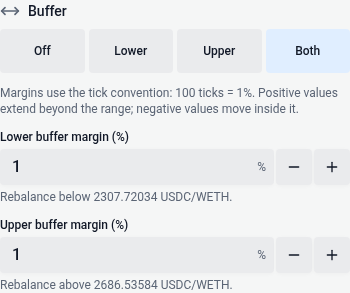
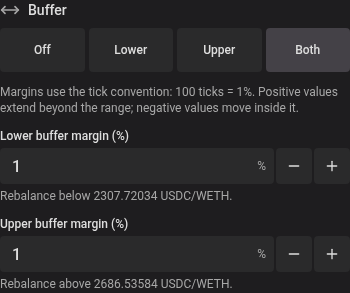
Negative buffers are also allowed: in Actual price change mode, a −1% lower buffer in the example above means rebalance is held off between 3030 and 3300, but triggers once price drops below 3030, even while technically still in range.
Cutoff
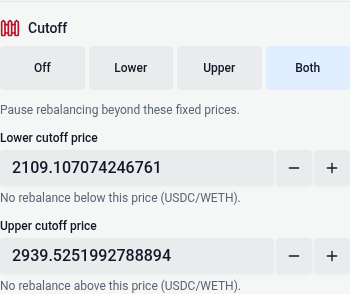
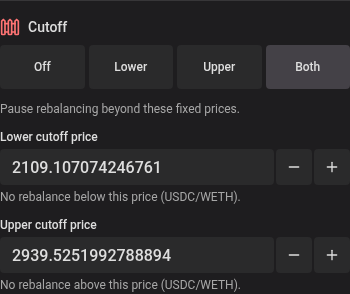
Choose Off, Lower, Upper or Both to select the fixed limits. Off removes both cutoffs without discarding your unsaved prices.
Fixed prices outside which auto-rebalance will not execute. Continuing the example, a lower cutoff of 2700 prevents rebalancing below 2700; an upper cutoff of 3600 prevents it above 3600. Cutoffs stay fixed across rebalances and may be rounded to the nearest available tick. Crossing a cutoff doesn’t close the position or turn off its automation setting: rebalancing can resume if the price returns within the cutoffs and the other conditions are met.
Cutoff price inputs use the same adjustment controls as the position range. Each adjustment moves to the next pool tick-spacing price and stops before entering the position’s range. Inverting the price display reverses the tick direction automatically. The boundary icon marks the limits beyond which rebalancing stops.
Rebalance delay
Set Rebalance delay (minutes) from 0 to 255. The position must remain outside its configured rebalance range for that many continuously observed minutes before it qualifies. Returning inside that range resets the timer. A delay of 0 adds no waiting period.
While a timer is available, Rebalance and the Auto-rebalance status card show elapsed and required minutes, progress, the eligibility time, and any reported clock resets. The rebalance range includes your buffers: with negative buffers, the delay can run while the position still earns fees inside its liquidity range. Returning inside the rebalance range displays Back in rebalance range until the timer snapshot refreshes.
Once the timer expires, Delay met means the delay requirement is satisfied; the remaining execution checks still apply. A scheduled retry or a position below the required size keeps its corresponding queue label. If no timer is reported, no delay notice appears.
Putting it together
For the example 3000–3300 position, positive 1% buffers and cutoffs at 2700 and 3600 create two trigger regions: between the lower cutoff and lower buffer (2700–2970), and between the upper buffer and upper cutoff (3333–3600). Rebalancing still waits for any configured delay and must pass the execution checks.
See also Auto-exit if you’d rather close a position automatically at a price than keep rebalancing it.