Deposits View
The Deposits tab lists every Sickle position you currently hold, whether opened through Yield or migrated in.
Metric positions use the usual range indicator and percentage width in the table, with empty gaps between held bands. Each native salt stays separate; the salt itself is available under Position details. Open Manage to review token balances, use the shared Position range widget and deposit amount controls, add liquidity, or withdraw part or all of a position through the usual receiving-asset menu and amount slider. Missing position valuation leaves percentage withdrawal available. Recorded pool fees support a position APR estimate when the required valuations are available. Lifetime PnL is unavailable for these positions.
After a transaction confirms, position amounts and ranges may still need time to appear while indexing catches up. VFAT keeps checking for the update on Deposits, Yield, and individual farm pages. You can stay on the current page; temporary connection errors are retried, and an open chain action panel follows refreshed position amounts. Harvests, compounds and automation changes mark the affected positions Updating until position data refreshes after indexing catches up. Compounding rewards into another position also marks that destination Updating. Liquidity Book positions are marked the same way. See While positions update for how totals, the navigation and the position pane show these changes.
After you rebalance an NFT position, its expanded details, action pane, and selected action tab stay open and follow the replacement NFT. While indexing catches up, the previous position stays marked as pending with its actions disabled. Closing the pane or selecting another position keeps that choice when the replacement arrives.
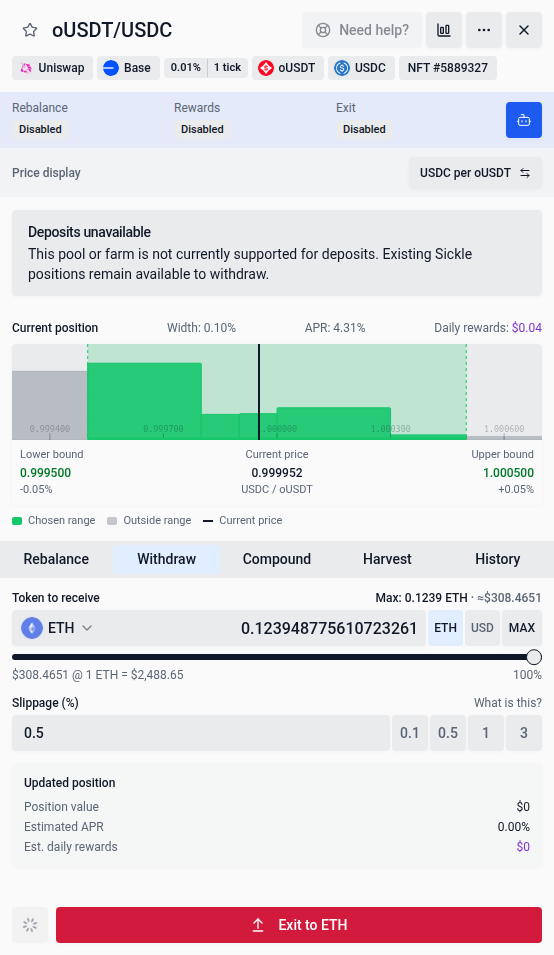
Existing Sickle positions remain visible when their pool or farm is no longer supported for deposits. Their action pane shows Deposits unavailable and keeps withdrawals available, without offering Increase or New position.
When the API reports an excluded token or pool, or tokens with limited support, the position’s action pane shows a Limited support warning. This applies to NFT, LP and bin positions, including supported wallet recovery views. Available management actions still depend on the position and its protocol.
Positions held directly in your wallet remain visible in Wallet positions, including recovery-only holdings and holdings with missing farm details. Unsupported positions are not offered for migration into a Sickle. When protocol details are unavailable, the holding stays visible with management unavailable. Quick Deposit is also unavailable for unsupported pools and farms. A non-whitelisted pool can still accept deposits when it meets VFAT’s support requirements.
Native Aero V2 wallet stakes support claiming emissions and withdrawing LP tokens. Exit unstakes the LP, then claims pool trading fees before requesting approval and removing liquidity, even when no rewards are displayed. Removing a wallet-held LP also claims its pool fees first. The removal keeps a deadline and minimum amounts for both tokens. Some nearly empty stable pools reject removal of the last liquidity; withdrawing the LP tokens from the gauge remains available. Emission APR stays unavailable when no verified rate is supplied.
New Aero pools appear under Aero, with its own logo and a link to app.aero.xyz. Legacy Aerodrome and Velodrome pools keep their existing project names, logos and links. Use the project filter to browse each separately. Native Aero positions are already on Aero and do not appear as sources in Migrate to Aero.
When Aero migration becomes available on a network, Deposits shows Migrate to Aero for eligible Aerodrome and Velodrome positions held in Sickle. Uniswap and other protocols are excluded from this migration. Each source becomes a separate concentrated-liquidity NFT. Use Select next 10 to work through consecutive groups, Select all to queue every eligible position, or select positions individually. Review every selected destination, range and automation configuration. The message above the migration button explains any unfinished review, verification or pending update.
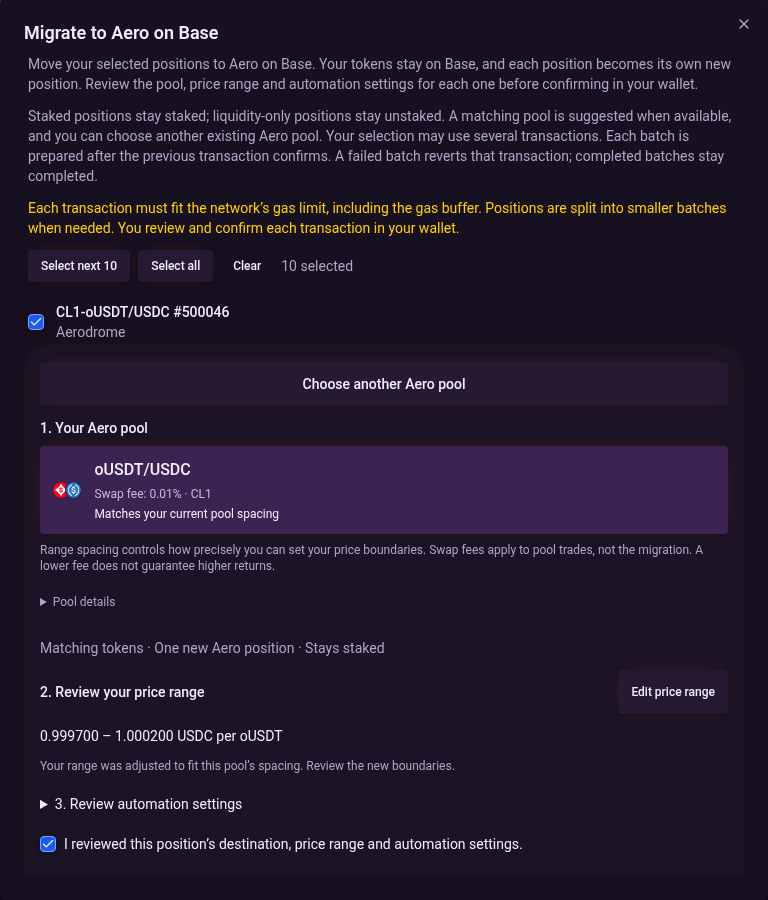
VFAT splits the selection into transactions that fit the network gas limit, including its 50% gas buffer. Each batch preserves exit delays and grouped auto-compound settings. The next batch is prepared after the previous transaction confirms, and each transaction requires wallet confirmation. A failed batch reverts that transaction; earlier completed batches remain completed. Completed positions leave the selection, and the dialog shows their completed count. A position that cannot migrate on its own stops the queue for review; it is not silently skipped. Additional networks need their own transactions. Migration appears only after that network’s contracts and destinations have been configured and verified.
Migration preserves the position’s staking type: staked positions can migrate only to Staked destinations, and unstaked positions only to Liquidity only destinations. A matching pool is suggested when available. Use Choose another Aero pool to search existing Aero pools on the same network, even when a matching pool is available. Supported positions without a matching suggestion can also be selected and assigned a destination. Staked positions need a registered gauge for their chosen pool. Liquidity-only positions remain unstaked and do not earn gauge rewards.
Selecting a pool closes the search and checks that destination for your position. If verification fails or no destination with the required staking type is available, the dialog explains the result. Use Retry destination to check again, or Choose another Aero pool to select a different pool. A verified destination still needs your range and automation review before migrating.
Migration discovery keeps running through routine balance refreshes when the wallet, network and source identities are unchanged. Closing the migration dialog returns keyboard focus to its notice, including after a desktop/mobile width change. The Aero migration banner stays visible while matching options refresh or a temporary verification fails. Open it and use Retry failed positions to retry only the sources that could not be verified. If the whole discovery failed, use Retry migration options. Your selection and reviews stay open. A failed discovery chunk does not block healthy positions. Positions awaiting verification cannot migrate; other verified positions remain available. Changing wallets or networks, removing a position, or a confirmed loss of eligibility updates the available migrations.
Destination cards show the token pair, current swap fee and pool spacing (for example, CL50). When available, a pool matching your current spacing is selected first and labelled Matches your current pool spacing. Otherwise, the first suggested destination is selected; this is not a yield recommendation. A single destination appears as a summary. Pool details shows the full pool and destination addresses. Swap fees are pool trading fees, not a migration charge, and a lower fee does not guarantee higher returns.
Review the proposed price boundaries before confirming. Existing NFT ranges are carried over or adjusted to the new pool’s spacing; LP positions start with a full range. Use Edit price range to change the boundaries. Closing the editor preserves your edits. Active auto-rebalance step counts adjust to the edited range while retaining their relative balance; review them under Review automation settings. Changing the pool or range clears the review checkbox. Yield estimates remain unavailable when verified data is missing.
After a migration confirms, VFAT tracks every replacement NFT while indexing catches up and disables actions on the previous positions. The existing Migrate to Sickle flow imports positions held outside Sickle and remains a separate action.
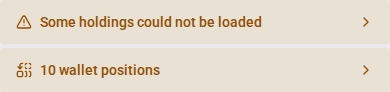
If some holdings could not be loaded, a banner warns that balances and totals may be incomplete. Click it to see the affected chains. The details close when a complete refresh succeeds and stay closed if partial results recur; click the banner again to reopen them. Incomplete-balance and Wallet positions notices use the same compact warning style. Small gaps keep each notice and the KPI cards separate.


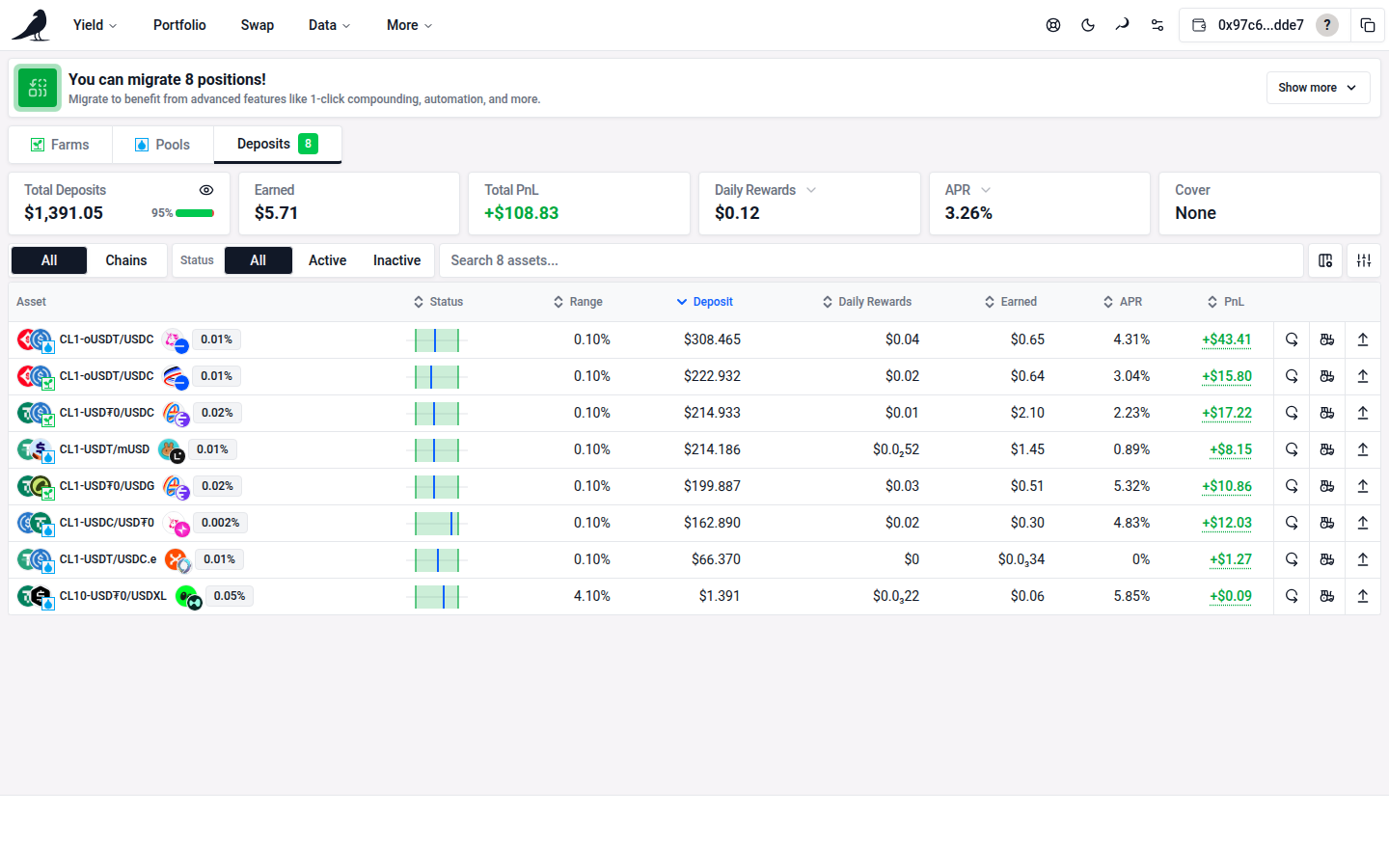
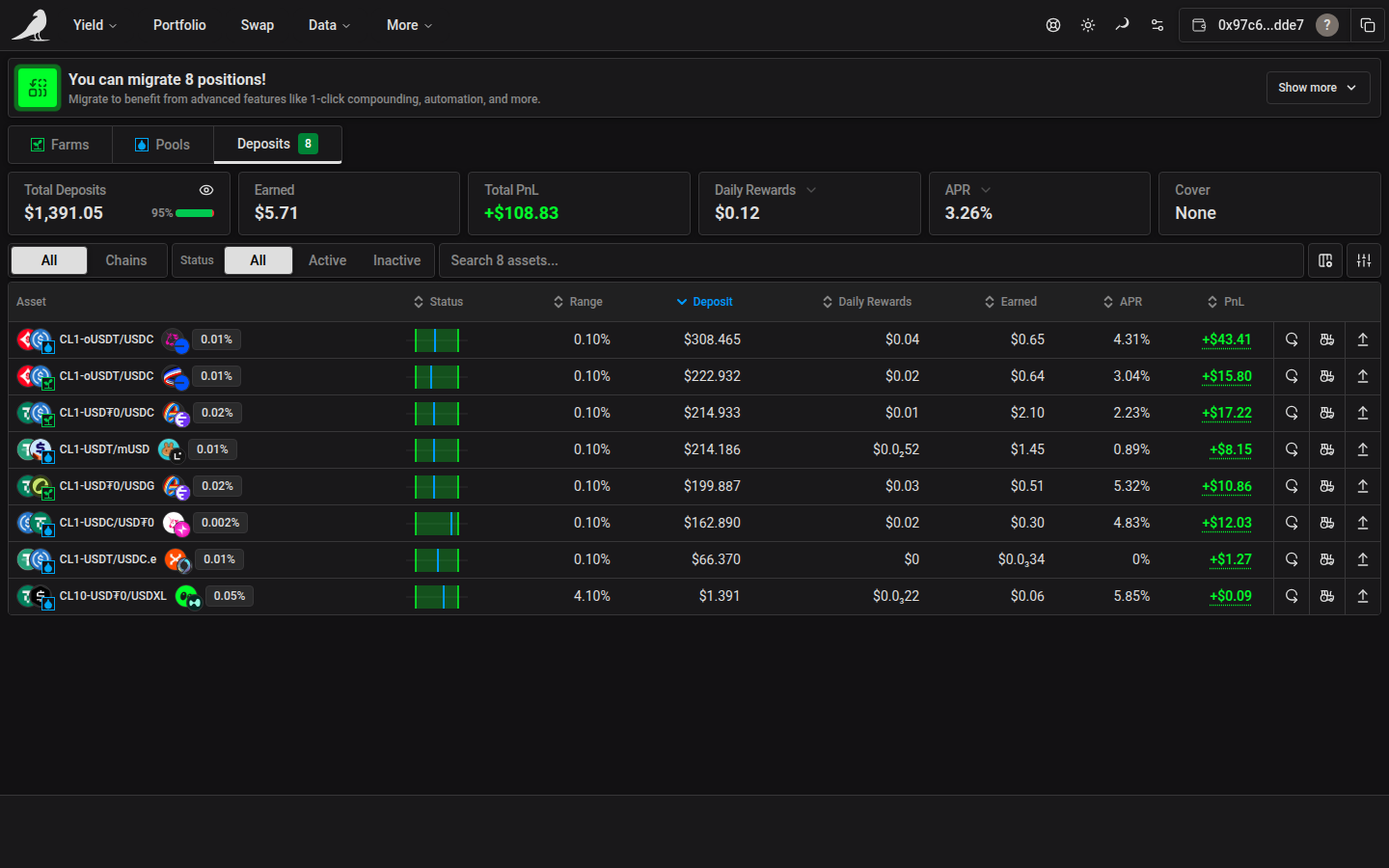
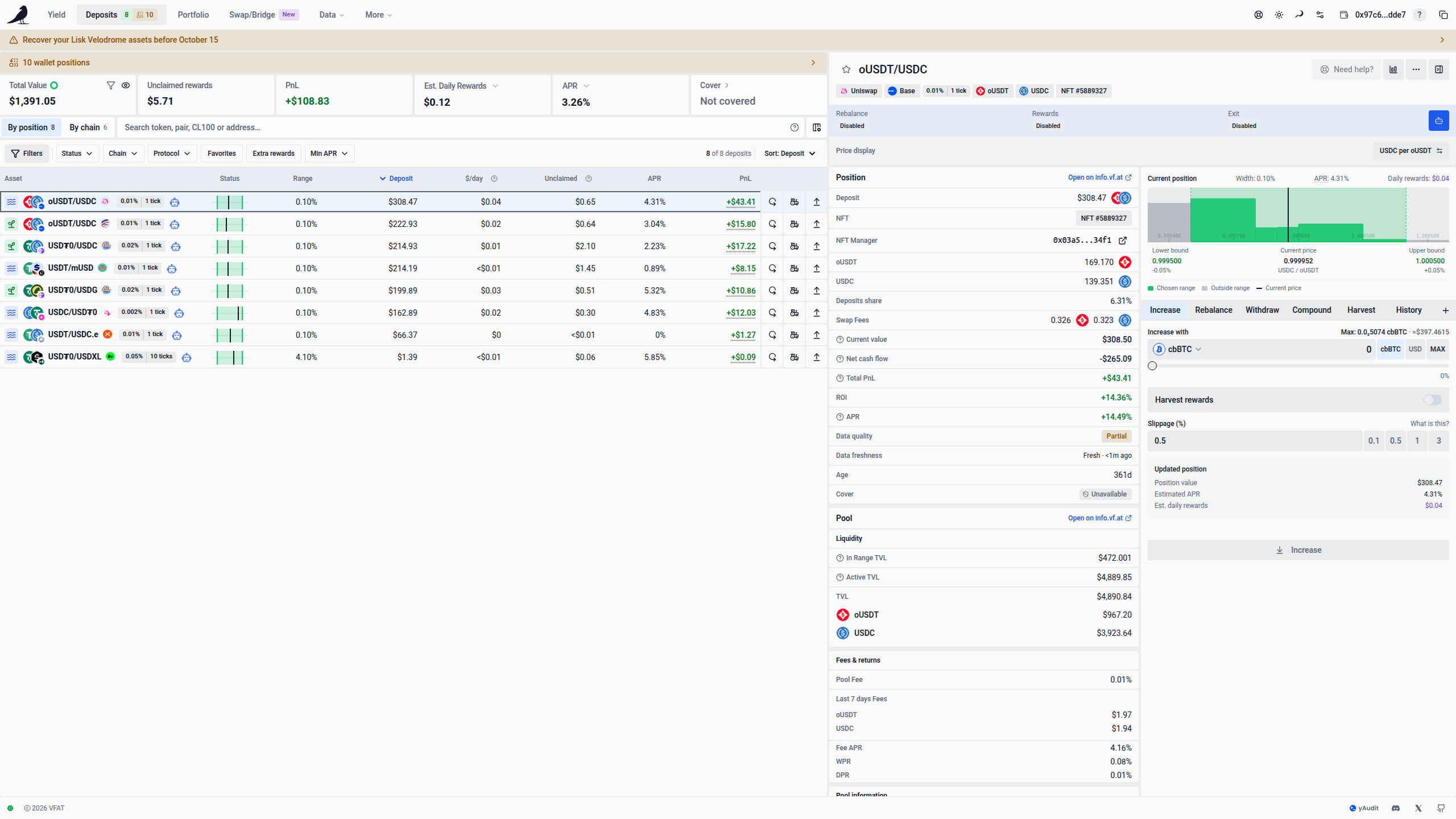
On screens at least 2240 pixels wide, selecting a row opens one widget with details and pool analytics on the left and actions on the right. The existing pool header spans both columns, including protocol, chain, tokens, fee, support and price display controls. The shared header supplies the price display selector, so the chart omits its duplicate button. The table rows stay compact, and the two widget columns scroll independently under the shared header. Changing the selected row returns the details to the top. Hiding the action widget keeps the details panel available. Smaller desktop screens keep inline row details, and phones keep the existing details sheet.
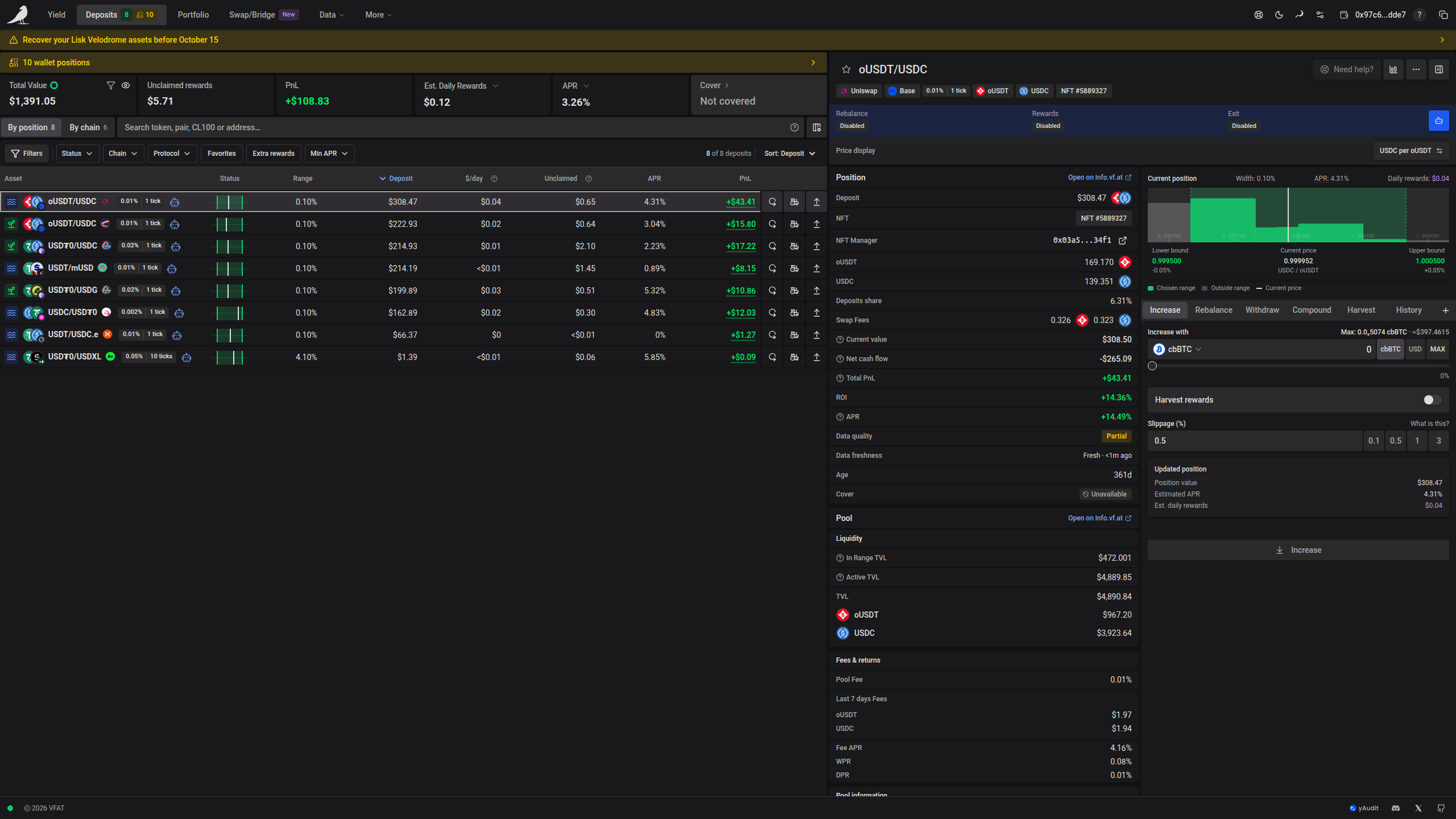
KPIs and period toggles
The top of the page shows portfolio-wide KPIs for all your open positions: Total Value, Unclaimed rewards, PnL, estimated periodic rewards, APR, Cover, and a Rewards widget for chain-specific reward programs like Katana pre-staking that appears when applicable. The Rewards widget remains available when pre-staking can be enabled or disabled, even if both reward balances are zero. Two of these are dropdowns that change how they’re calculated:
- Rewards period: Hourly, Daily, Weekly, Monthly or Yearly
- APR period: Daily (DPR), Weekly (WPR) or annualized (APR)
When wallet positions are available, a compact Wallet positions strip shows their count above the KPI cards. Select it to review holdings and available migration or recovery actions. Only supported positions offer migration into a Sickle. On phones, the strip stays visible while Total Value and PnL remain in one compact row. Tap Details beside PnL to show Unclaimed rewards, estimated earnings, APR, and the Cover and Rewards buttons. Tap Details again to give the space back to your positions. The period dropdowns, balance privacy control, and value/PnL explanations remain available. Wider screens show all KPI cards.
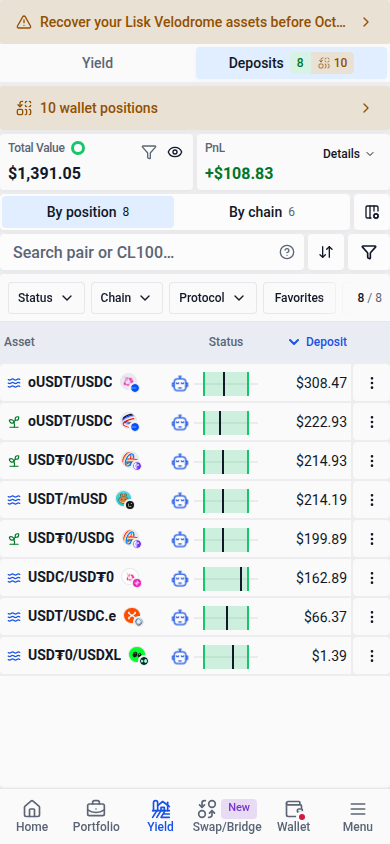
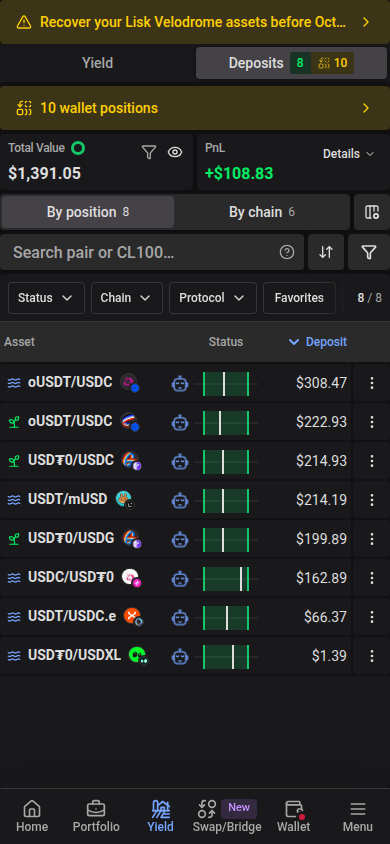
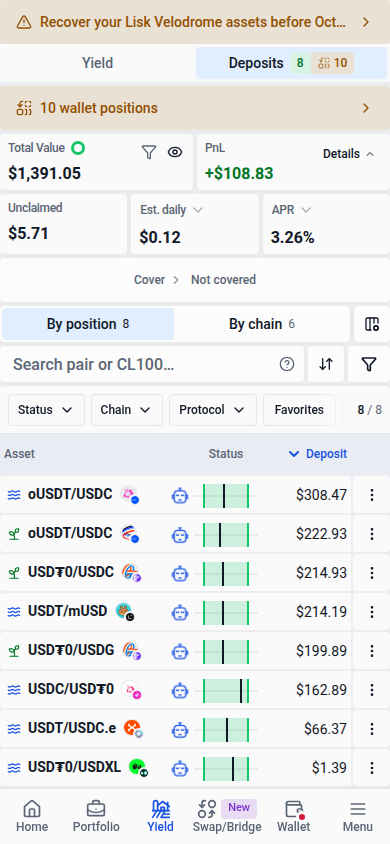
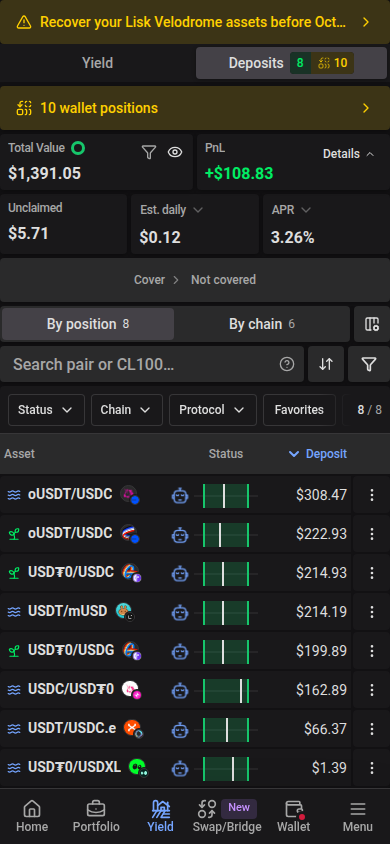
Use the Hide balances eye button to replace amounts with solid redaction bars in the summary and table. The layout stays in place, and percentages remain readable. Hidden amounts are also concealed in hover titles and from screen readers. Tap the eye again to reveal them.
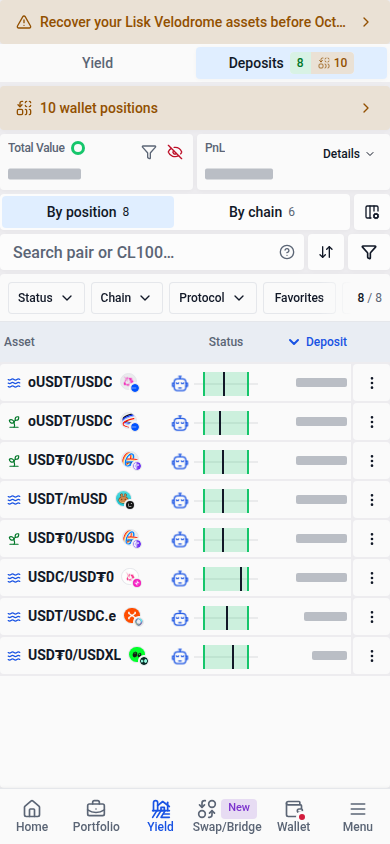
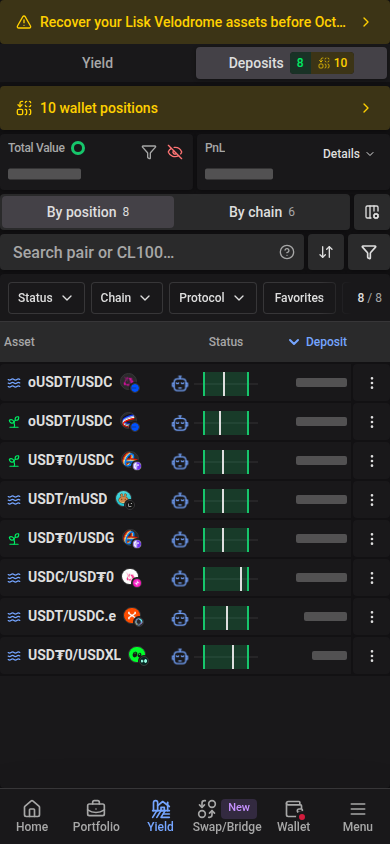
By default, the KPIs show all positions even when you switch to Active or Inactive, search, or apply filters. Use the Apply filters to KPIs funnel button beside Hide balances to switch Total Value, PnL, Unclaimed rewards, estimated earnings, and APR to the matching positions. The button is highlighted while enabled, and your choice is saved in this browser. Switch it off to return to portfolio-wide totals. Migration, Cover, and Rewards retain their own scope.
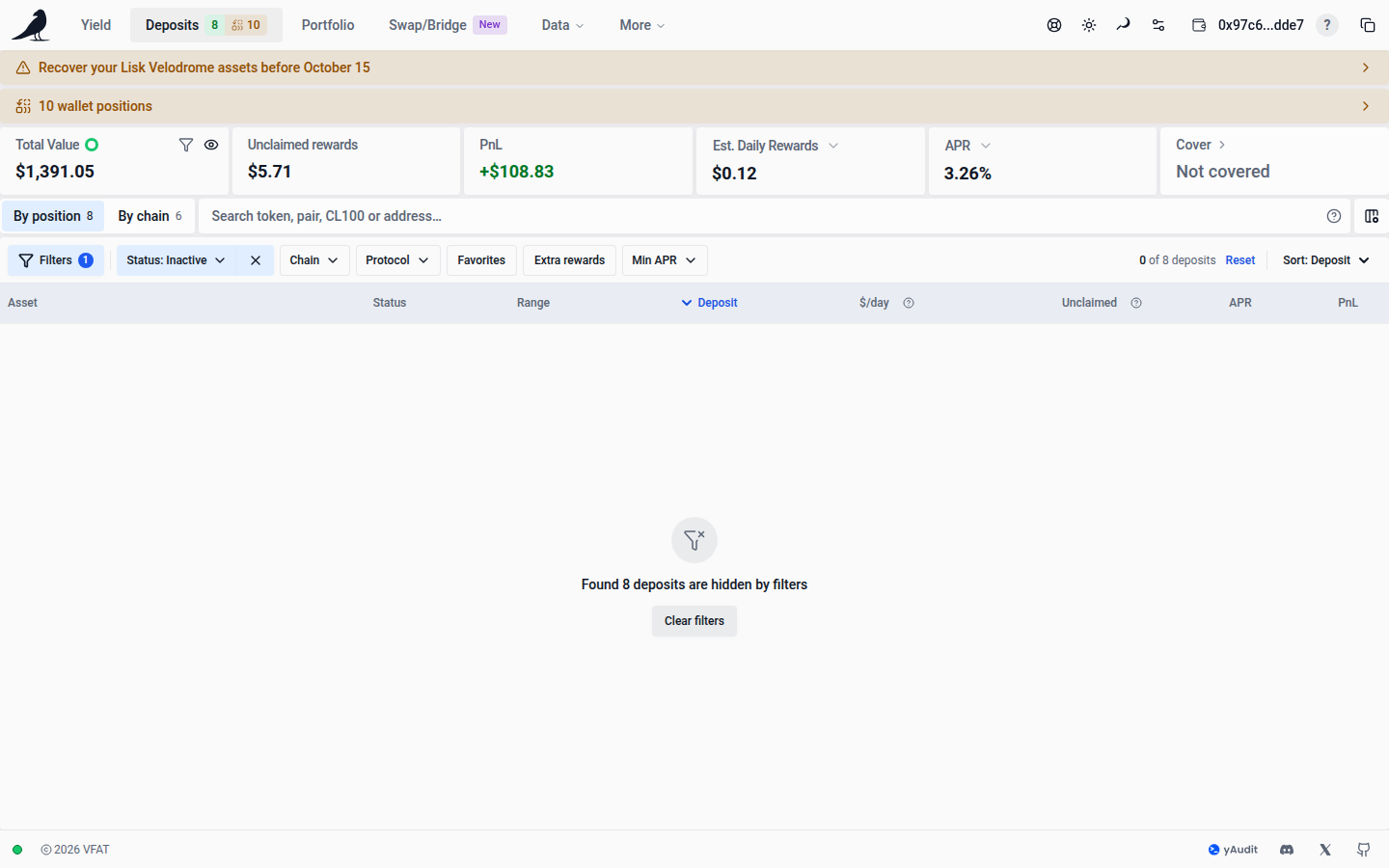
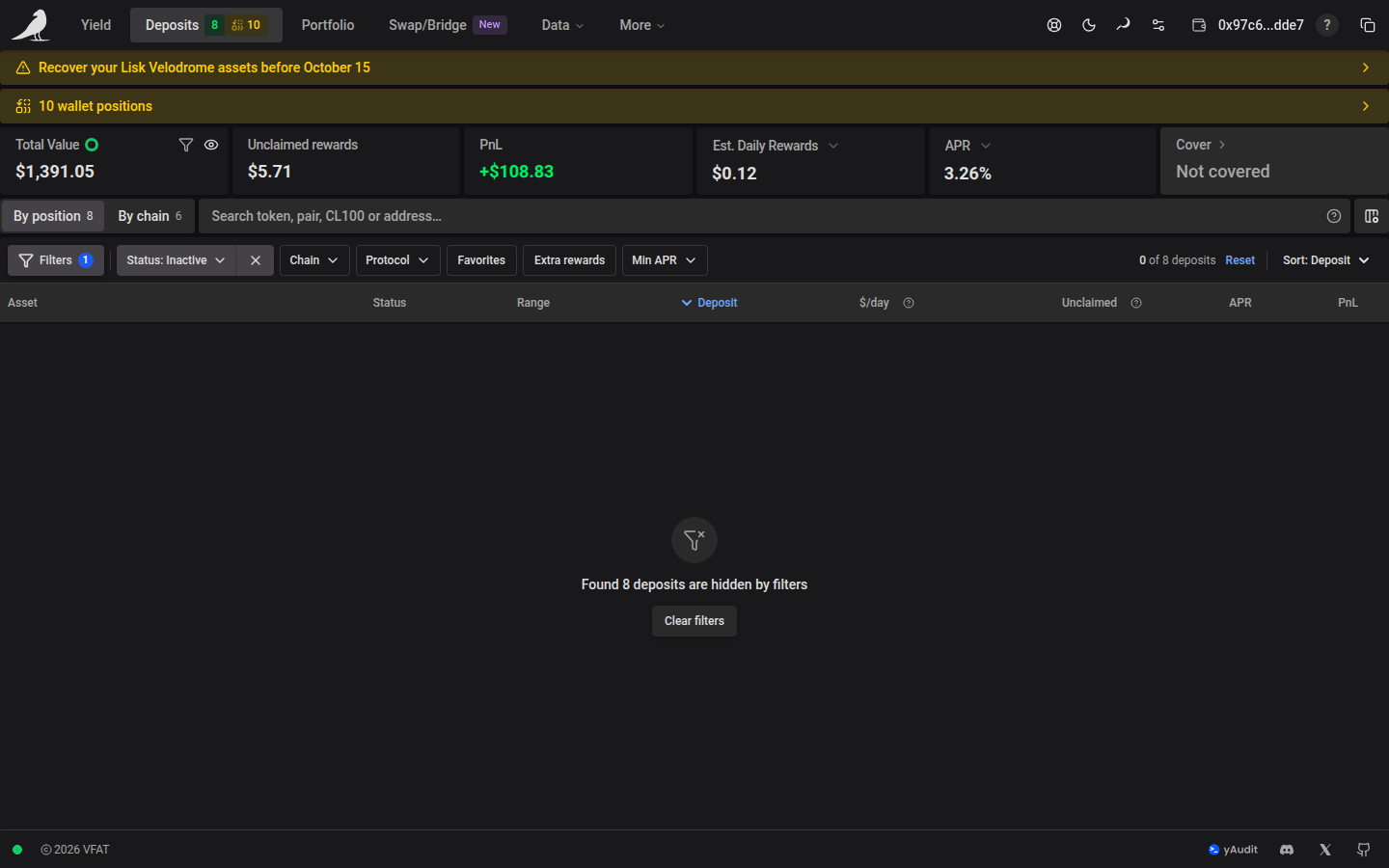
When KPI filters exclude positions, Unclaimed (on-chain) shows only their on-chain rewards; chain-wide off-chain rewards cannot be attributed to individual filtered positions. Off-chain rewards are included when all positions are shown. Inactive positions can have zero estimated daily earnings while still holding unclaimed rewards. Sorting changes row order, not these totals.
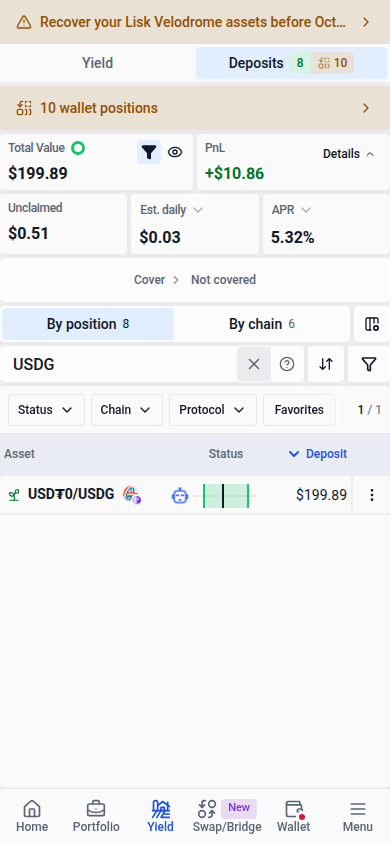
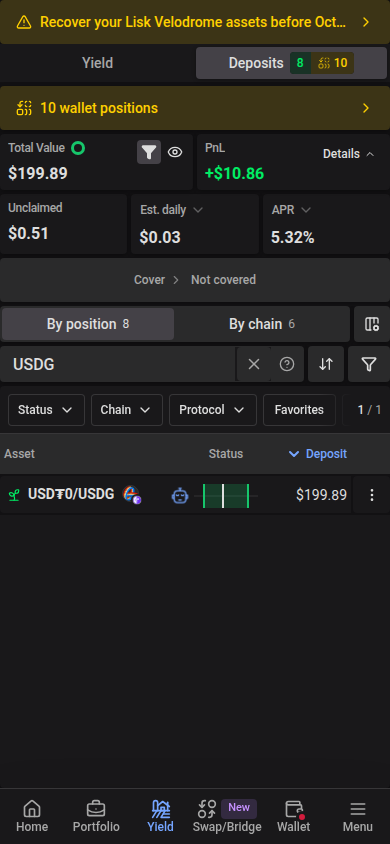
Monetary KPIs keep two decimal places for USD and EUR amounts of at least $1 or €1. Smaller amounts and other currencies retain their existing precision.
When one token of a supported two-token position has no market price, its displayed value, unclaimed fees and APR use that pool’s own price for it. This applies to active concentrated pools and volatile constant-product pools; stable, Curve, Balancer and bin pools keep market prices. Pool and farm TVL also retain this complete pool-local valuation when one token lacks a catalog price. The row, totals and range-chart earnings use the same valuation, including deposit, increase and rebalance previews. A position whose tokens both lack a price shows a warning icon and — instead of a value. Transaction amount inputs, quotes and automation settings continue to use market prices.
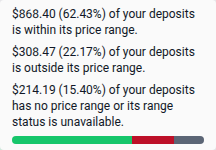
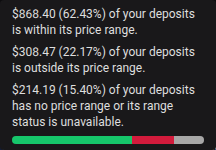
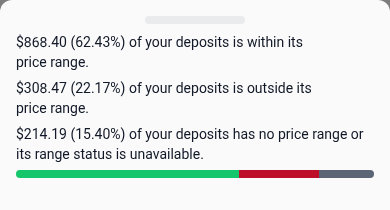
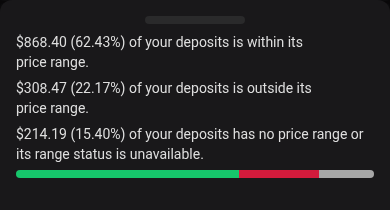
PnL includes positions with a numeric lifetime net PnL, even when their performance breakdown is incomplete. Hover over the card, or tap it on a phone, to see how many positions are included and whether their breakdowns are incomplete. Total Value also shows a ring based on each position’s current price range: green for in range, red for out of range, and grey for positions without a price range or with unavailable range data. Open its details for the amounts and percentages. Range status uses the same pool price and bounds as the position’s range indicator, including Liquidity Book bins. A zero or unavailable APR does not make an in-range position out of range, and range status alone does not establish whether a position is earning yield.
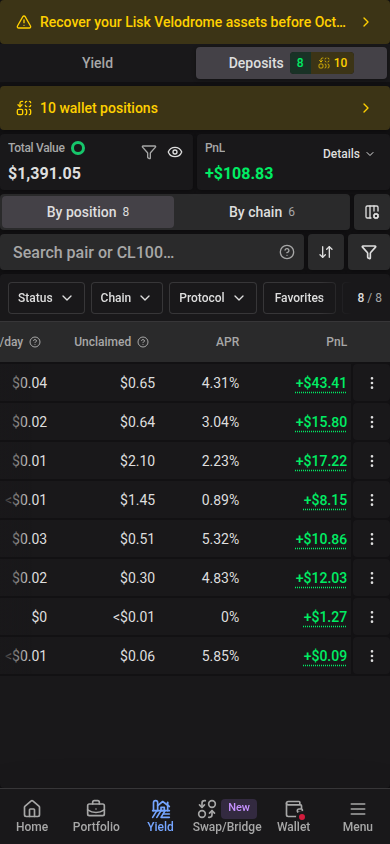
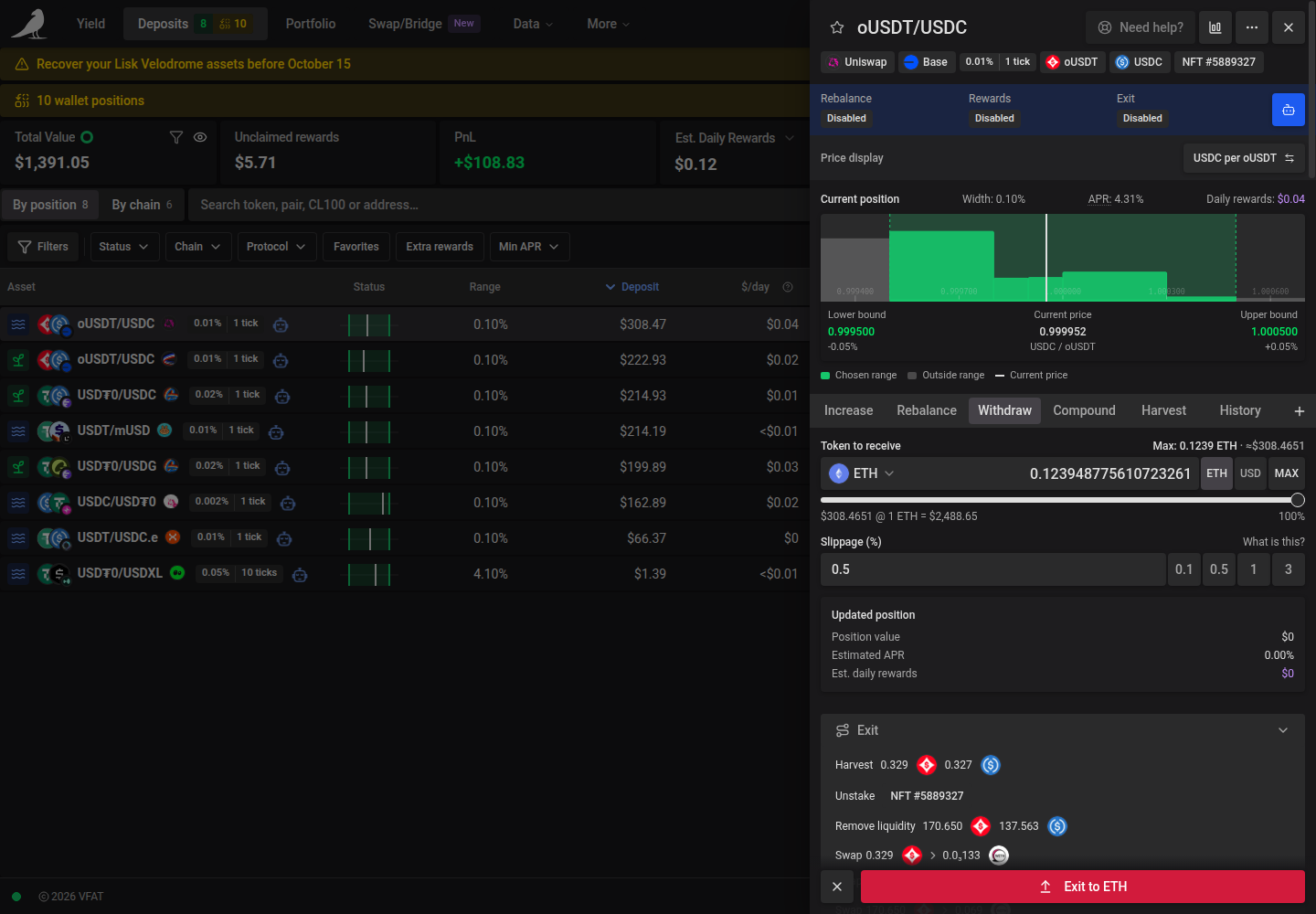
Above the table, By position | By chain chooses the view, beside search, Customize columns and the widget button. Everything that narrows or orders the rows sits in one bar along the top edge of the table: Filters, the quick filters, the deposit count and Sort. The count reads, for example, 12 of 15 deposits: the positions that match your filters out of those that match your search. Counts include pending rows. When any filter is active, Reset beside the count clears them all while keeping your search. When the table is narrow, the count shortens to 12 / 15.
On phones, By position | By chain gets its own row with Customize columns. Search, Sort and Filters share the next row, and the quick filters scroll sideways along the top of the table. Tap Show N deposits in the Filters drawer to return to the table. The navigation badges continue to show portfolio-wide active and inactive counts.
Use Filters → Save as preset to save the current search text and filters under a name. You can save a search without changing the other filters. Selecting a new preset restores its search too, including clearing the field if the saved search was empty. Older presets leave the current search text in place. An unfinished preset name stays in place when resizing changes the panel layout. Closing the panel discards that draft. Deposits presets are saved in this browser separately from Yield presets.
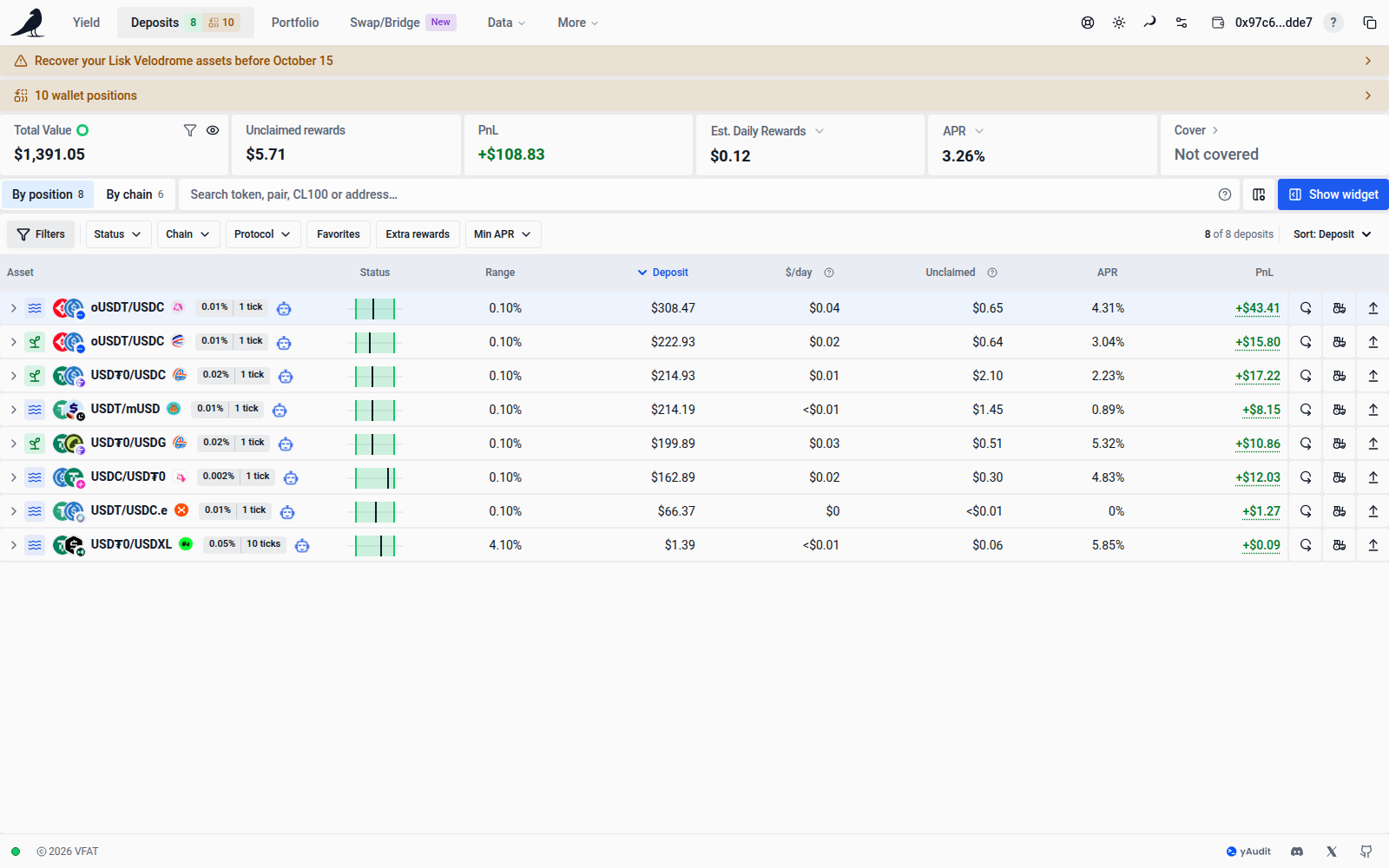
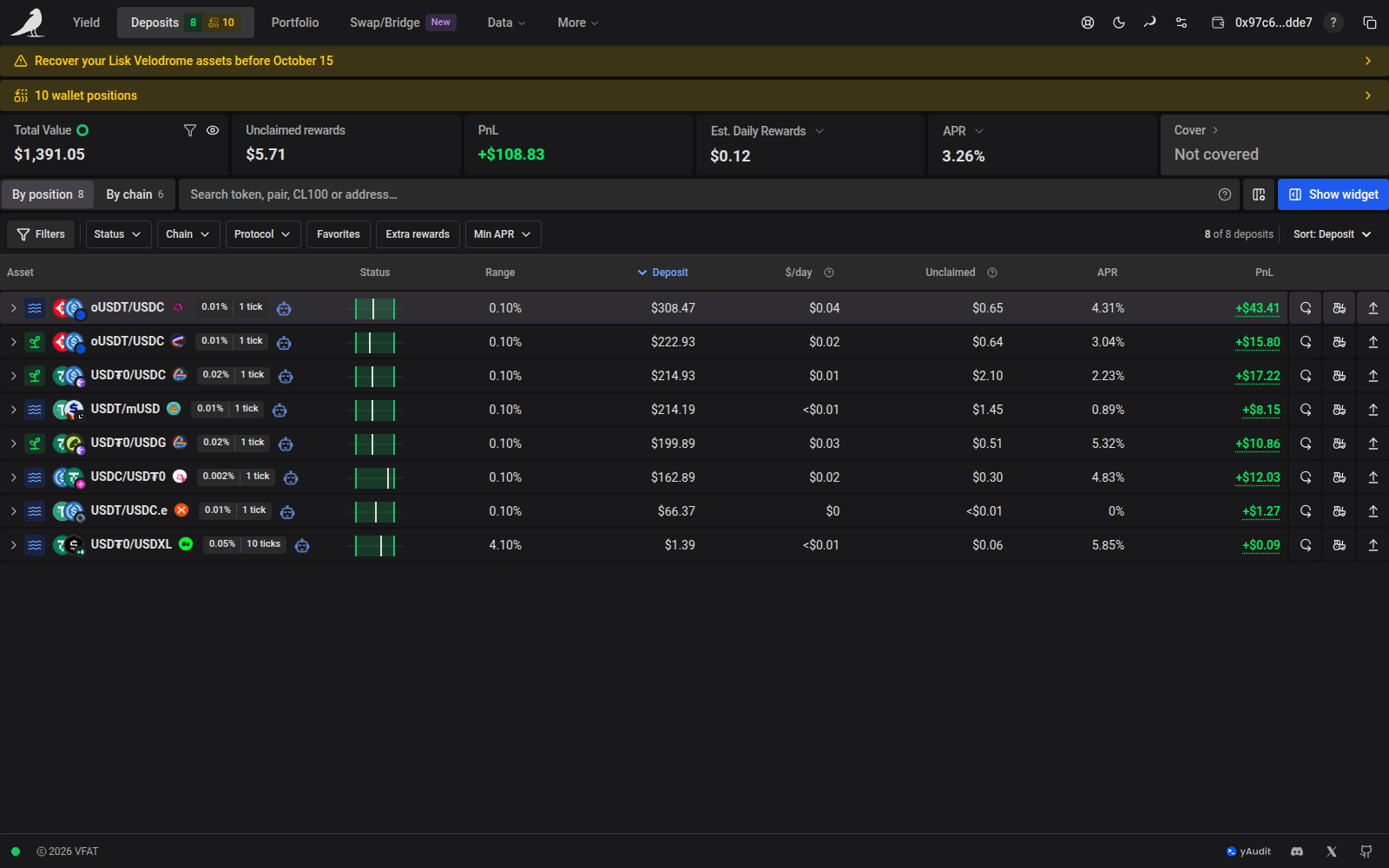
Position rows use the same compact layout as Yield. Pool names stand out beside their asset logos, with the network overlaid on the logos and the project logo beside the name. On phones, the project and network logos stay beside the name while the asset logos are omitted to leave room for position values. Pool/Farm icons describe the position’s actual staking state. On wider screens, one compact tag combines the swap fee and spacing with units, such as 0.3% | 60 ticks or Variable | 5 bps step. Hover or tap it to read what the values mean. Automation and pending-status indicators remain beside the pool identity. The position and grouped-chain tables use the same soft row surfaces, spacing, active-column sorting indicator and full-height action buttons as Yield. On phones, the default columns focus on the pool, range status and deposited value. Customize columns lets you keep additional columns visible; those choices take priority over the responsive defaults. If the table is sorted by a hidden column, the Asset heading shows the active sort; tap it to choose another column or direction. With keyboard navigation, choosing a visible column moves focus to its heading.
The estimated rewards column uses your selected currency and period, such as $/hour or €/day. Unclaimed contains earned rewards awaiting collection. Open the header explanations for their full meanings. Pending position badges use compact icons; hover, focus, or tap an icon for its status. A clock marks delayed updates.
Position values, estimated earnings, unclaimed rewards and PnL retain decimal precision in both the position and grouped-chain tables. As in the KPIs, USD and EUR amounts of at least $1 or €1 show two decimal places, such as $308.47. Large amounts use thousands separators without abbreviations, and very small nonzero amounts remain visible. Yield listing figures continue to round to whole currency units.
A superscript * after an Unclaimed amount indicates that it includes off-chain rewards. Hover over or focus the amount, or tap it on a phone, to read the explanation.
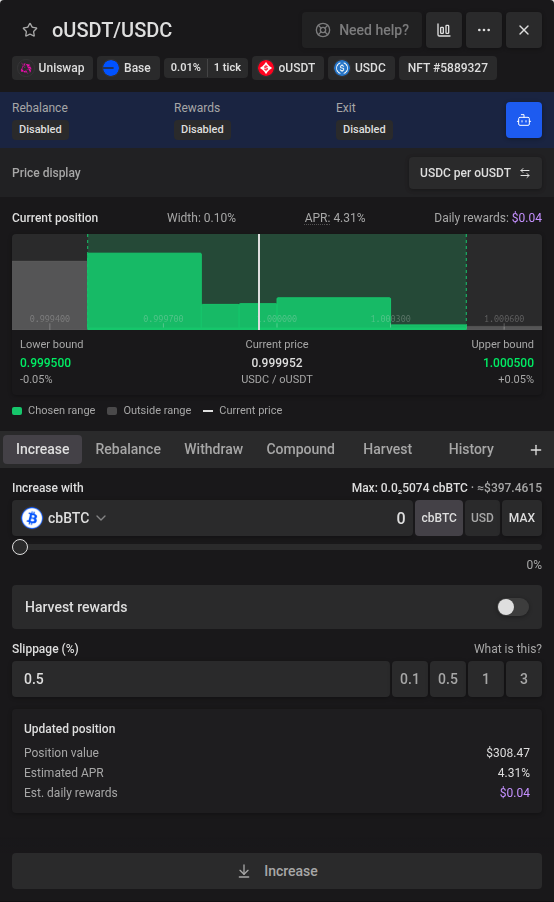
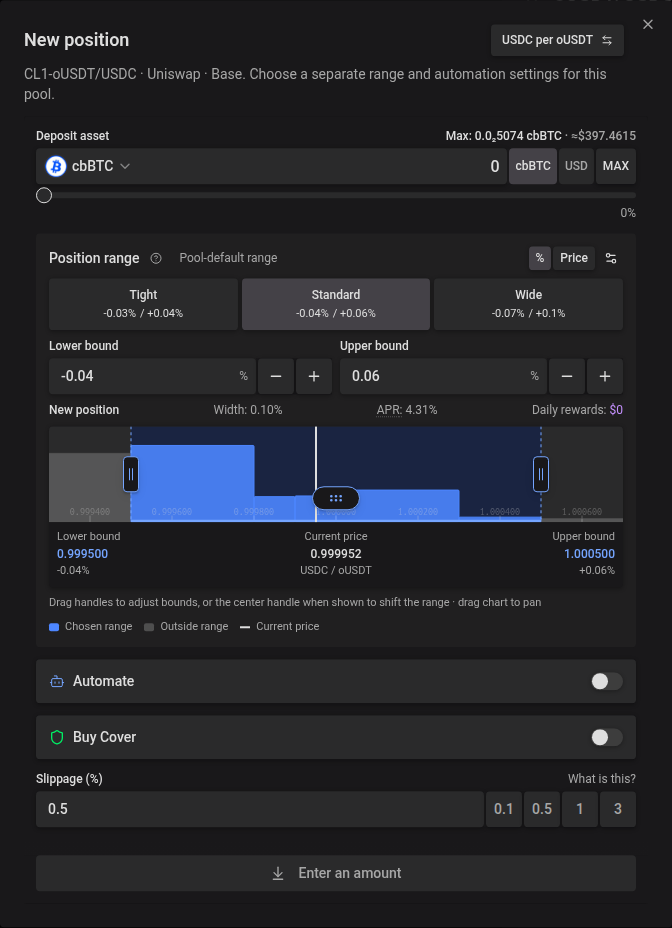
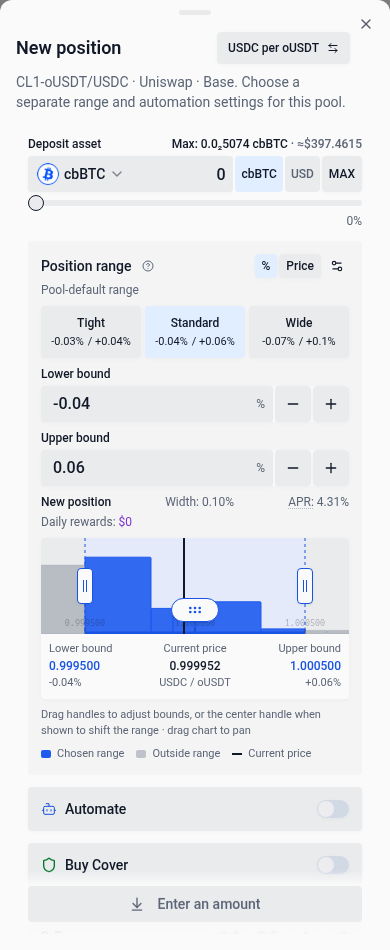
A concentrated-liquidity position’s Increase tab adds to the existing position. To create another position, choose the + New position button beside the action tabs, or beside the action menu on a phone. It opens a separate deposit dialog in the same pool and deposit mode. Concentrated-liquidity positions start with the source position’s exact price bounds; the range stays fixed when the pool price refreshes or you invert the display. You can edit the range and choose automation settings before depositing. Ordinary deposits keep their usual range suggestions. The dialog grows with the form up to the available screen height; longer settings scroll inside it. Closing it returns you to your previous action and inputs. Selecting another position closes the dialog. More details continues to open the existing position.
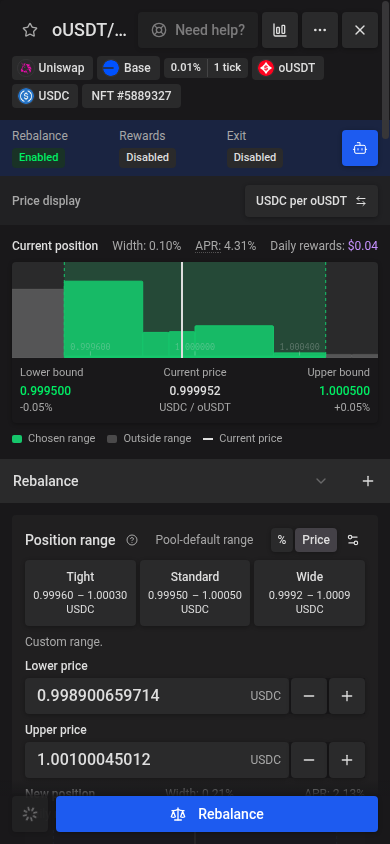
When choosing a new range in Rebalance, drag either vertical boundary handle with a mouse or touch to adjust that bound. For concentrated-liquidity positions, drag the Range center handle with a dotted drag grip to move both bounds together without changing Width. The center handle appears when there is enough room between the boundary handles; zoom in to make more room.
On a focused handle, arrow keys move one allowed tick or bin increment, Page Up / Page Down move ten increments, and Home / End move to the allowed limits. The range fields and preview update together and stay within the pool’s allowed ticks or bins. Center edits work in both % and Price modes and either price display direction, clear the selected preset, and keep bounds fixed through pool refreshes in Price mode. The current-position chart stays read-only.
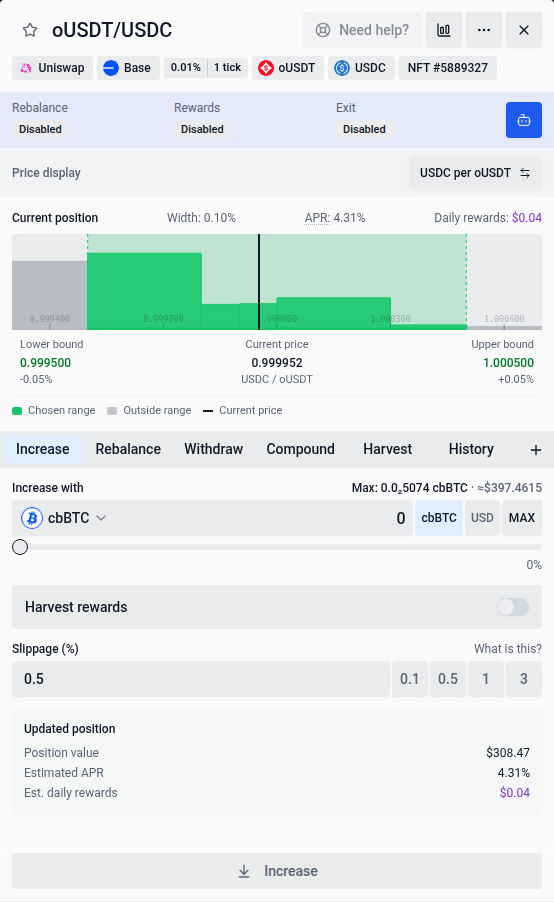
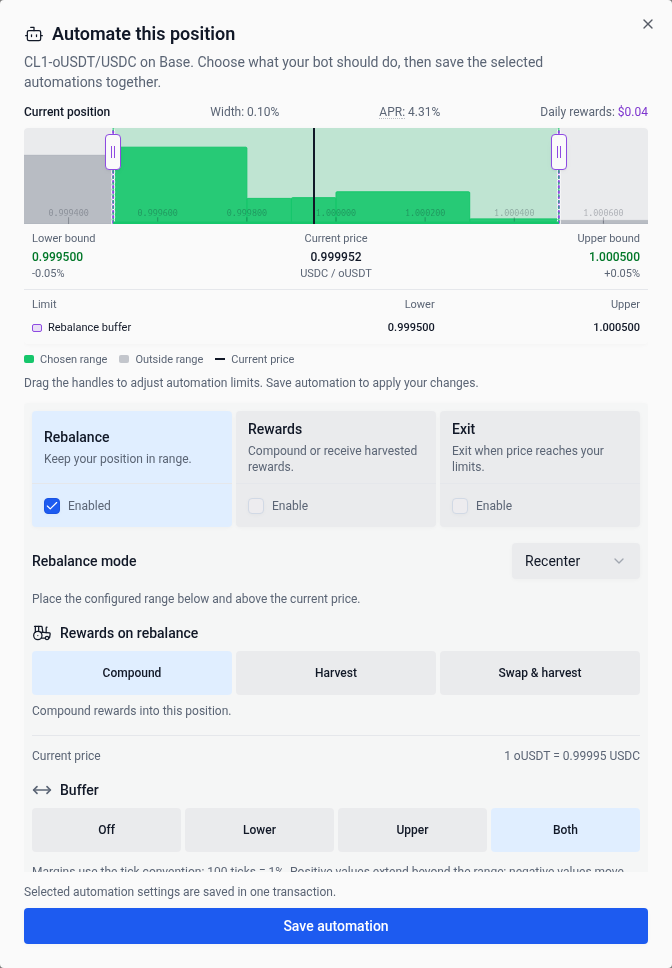
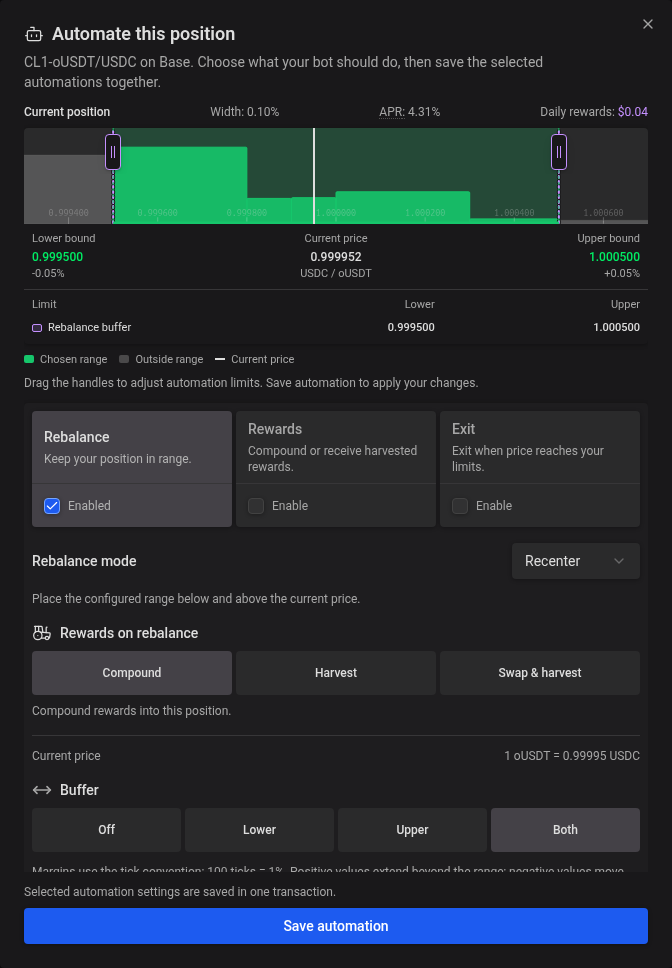
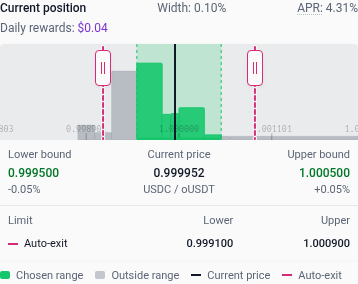
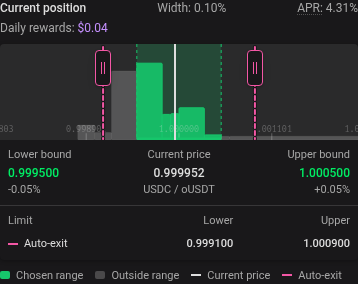
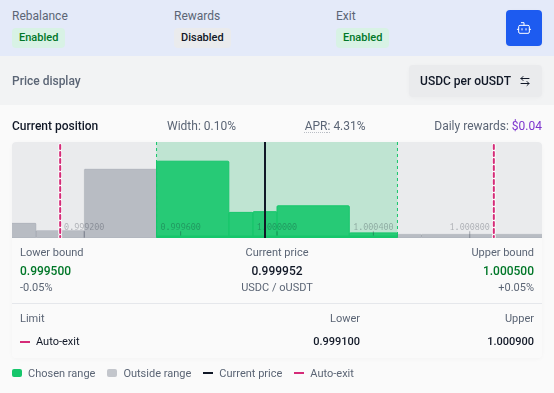
For concentrated-liquidity positions, current-position range charts in Deposits and Automate this position use green while the position is in range and red while it is out of range, matching the row’s range indicator. In both views, the current-price marker is dark in light mode and light in dark mode while in range, and red outside the range. Charts for a new or proposed position keep the selected range blue. Liquidity outside the selected range is grey. Read the lower bound, current price and upper bound below the bars. A red current-price line and Price out of range label also indicate an inactive range; configured auto-exit triggers are rose-pink and rebalance cutoffs are red.
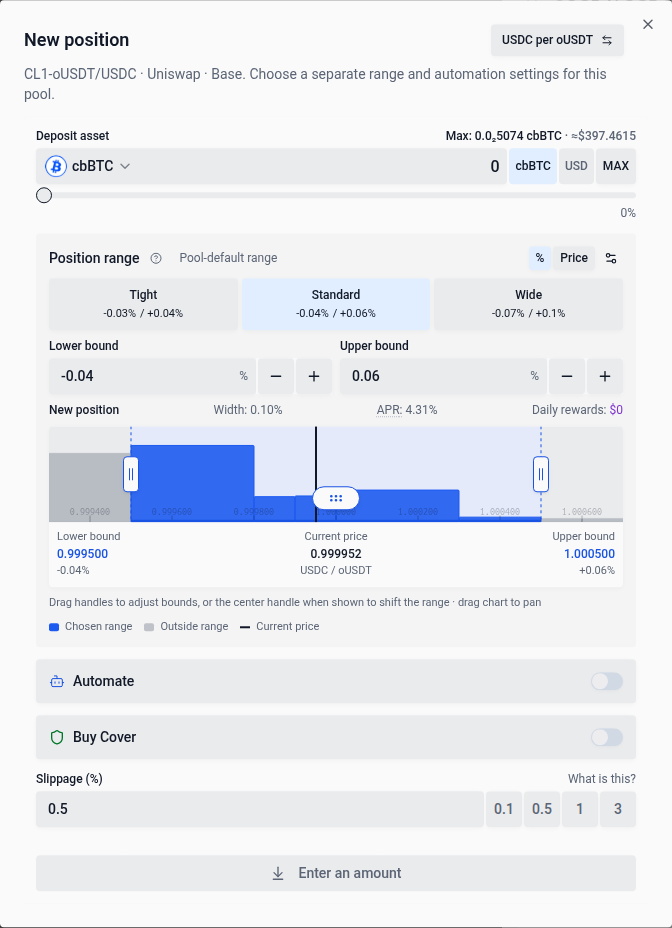
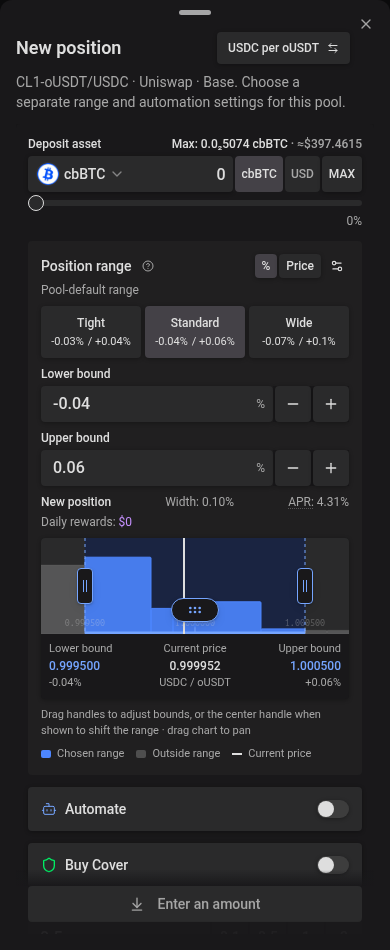
Choosing a pool with different tokens starts with a full range. Price-based auto-exit, auto-rebalance and incompatible custom settings are turned off in the proposal; review the range and automation settings before continuing. Reward automation, exit delays and grouped auto-compound are preserved. Newly migrated Aero positions are excluded from migration sources.
Grouping by chain
Choose By chain for a per-network breakdown, or By position for a flat table of positions. Each option shows its count: your positions, or the chains they’re on. The selected option is highlighted, and the arrow keys switch between them.
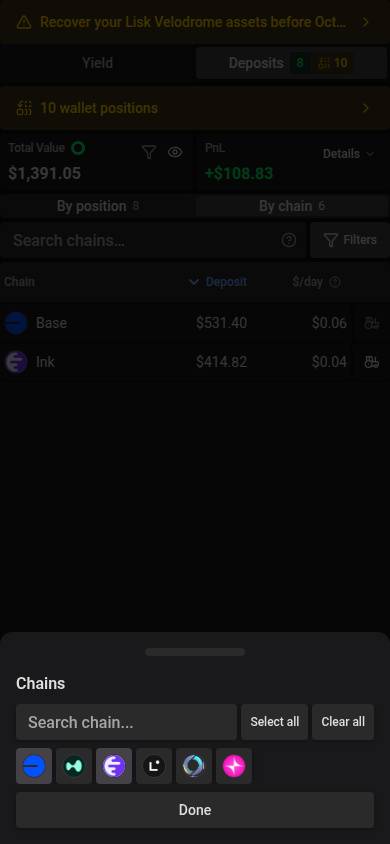
In the grouped view, use Search chains… to match a chain name or ID, ignoring case. On phones, open Filters → Chains to select networks with their logo buttons, or use Select all and Clear all. Tap Done to return to Filters; Clear beside Chains restores all networks. On wider screens, open Chains to select networks with the checkboxes, or use All and None. All chains are selected by default. Search and selection work together; selecting no chains shows an empty result with a Clear filters action. These controls keep whole chains intact, including all their positions and totals. They are separate from the position table’s search and filters and retain their values when you switch views. The URL preserves chain search and selection for sharing; choose By chain after opening a shared link. When Apply filters to KPIs is enabled, grouped-view summaries follow the matching chains.
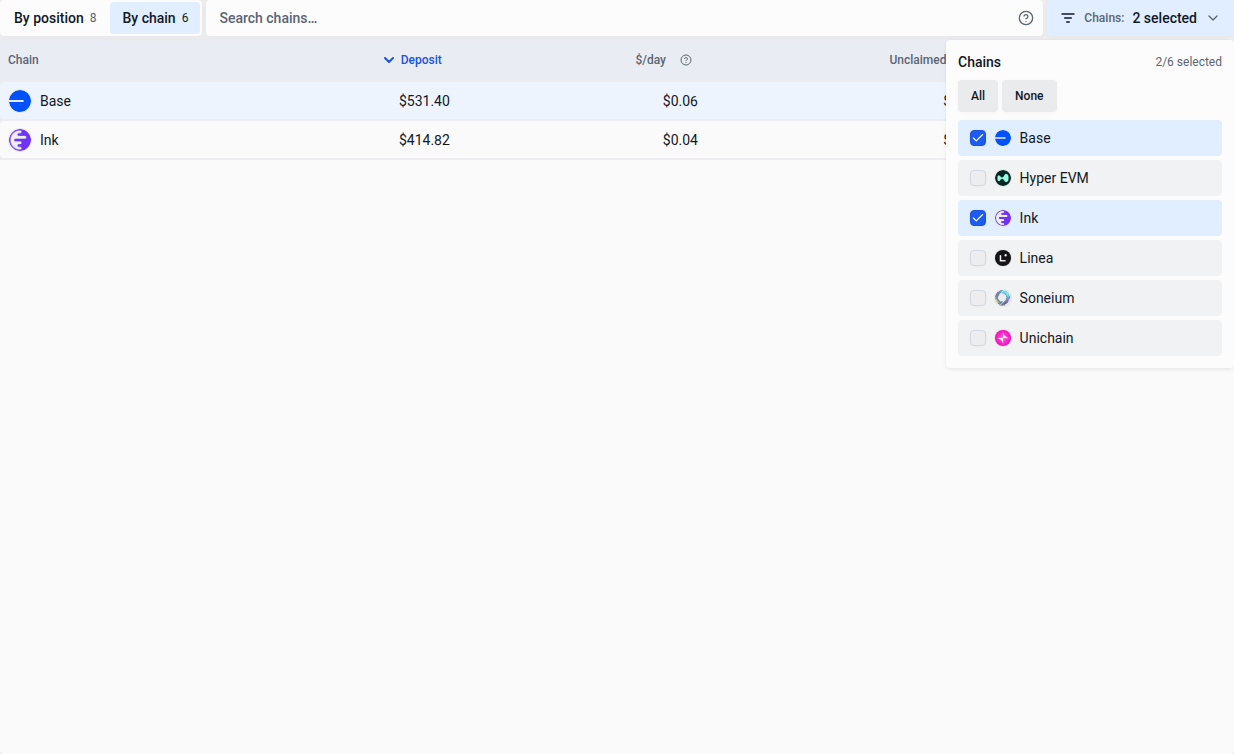
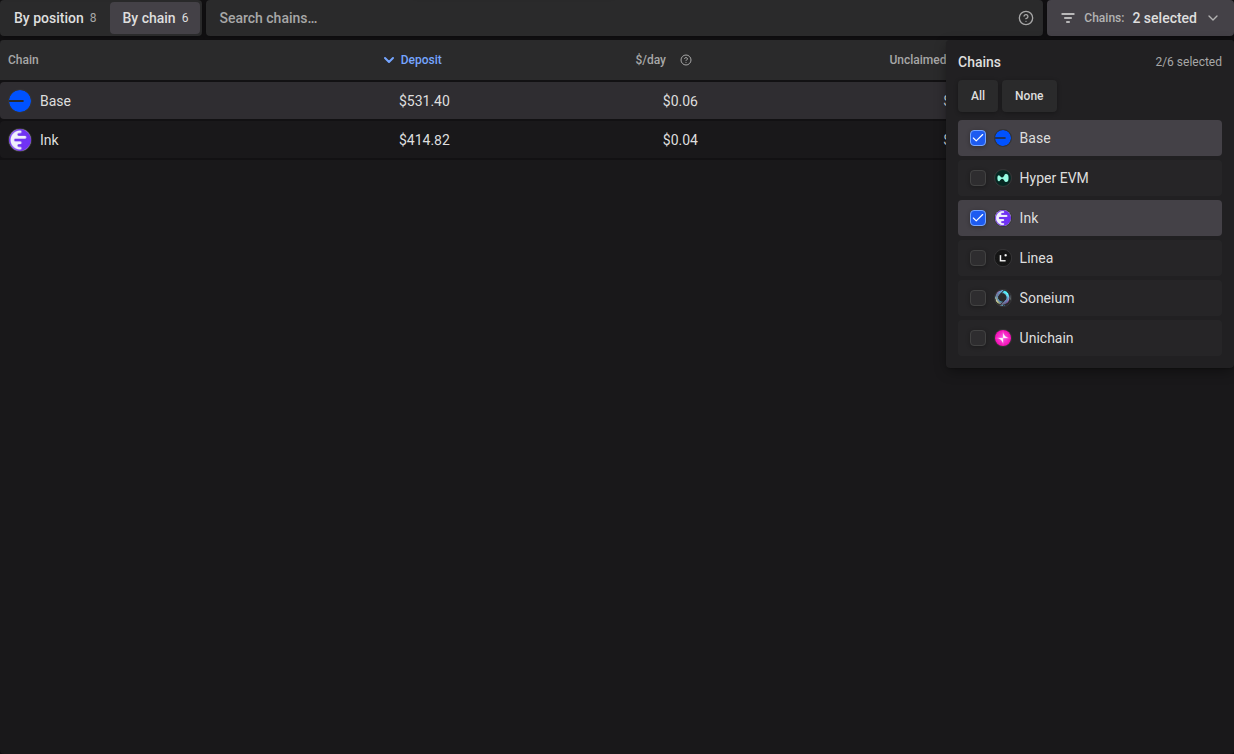
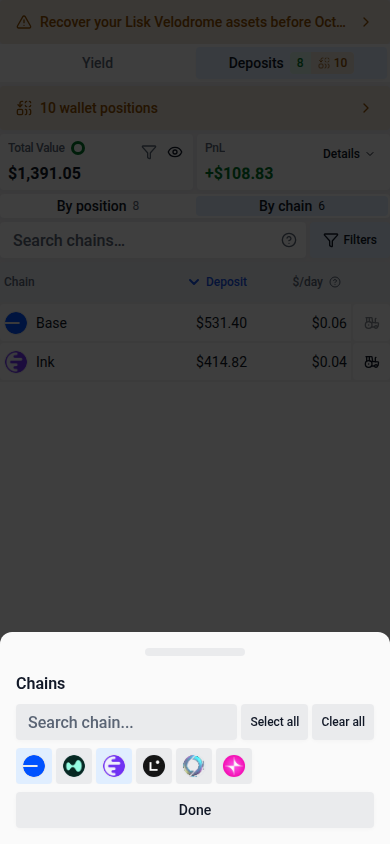
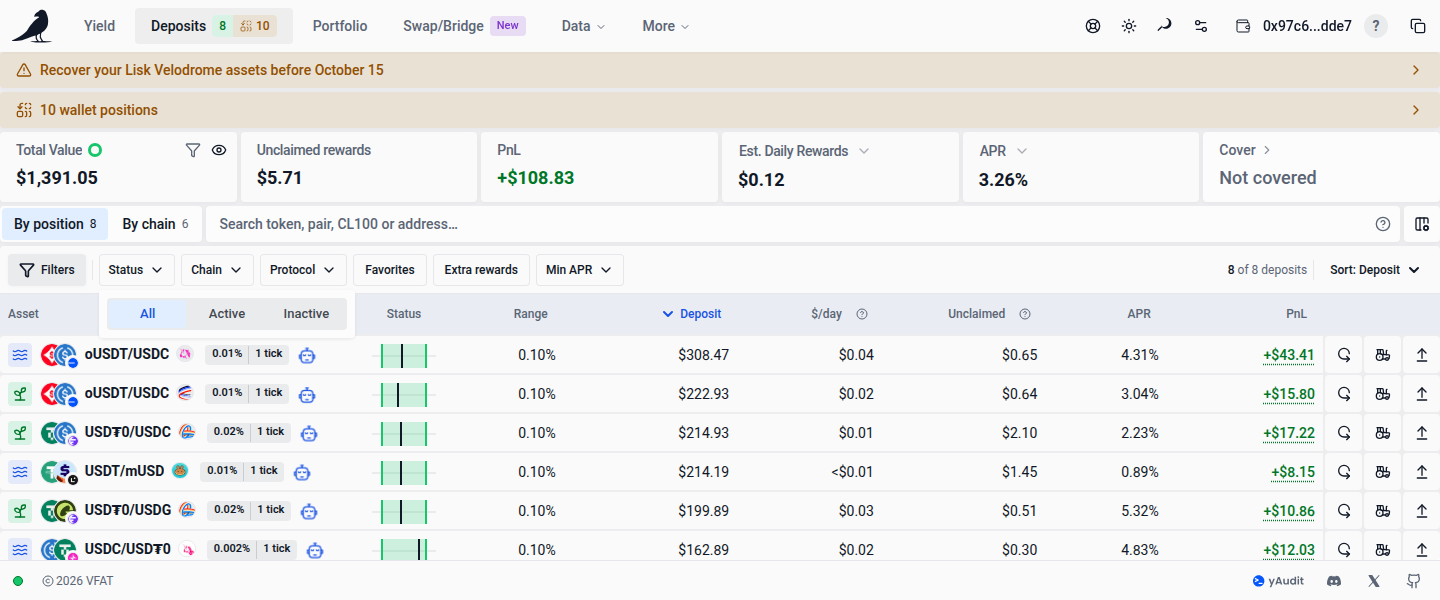
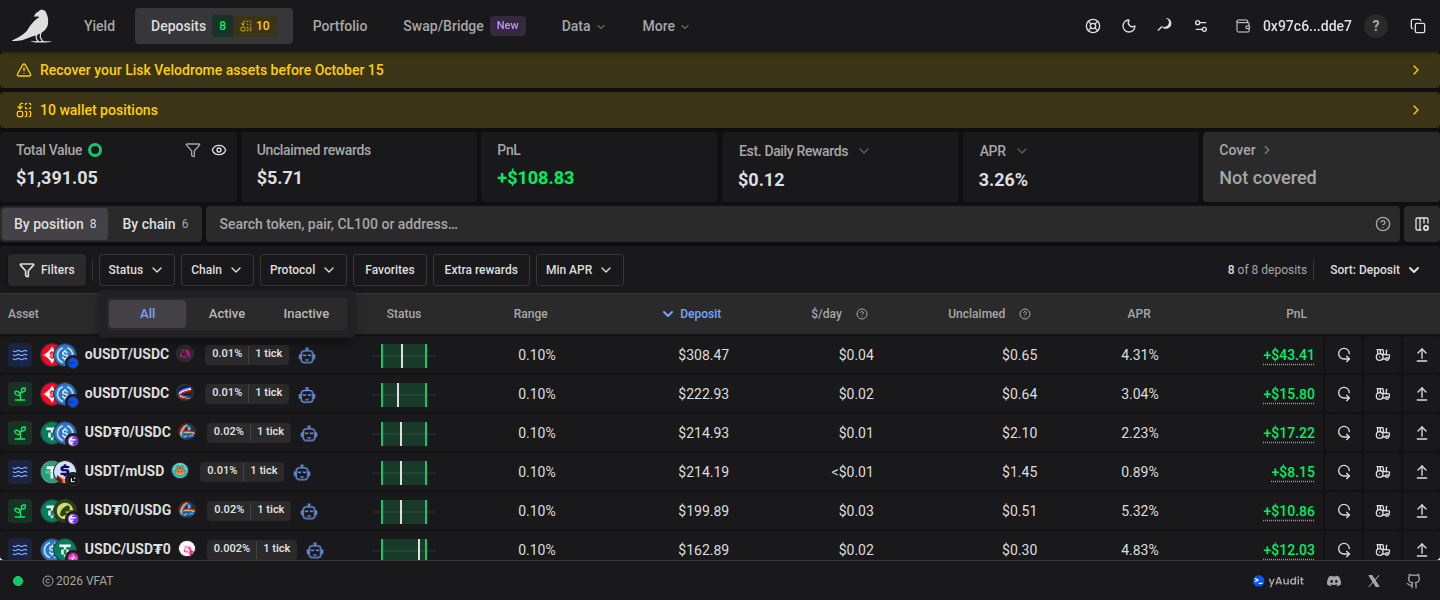
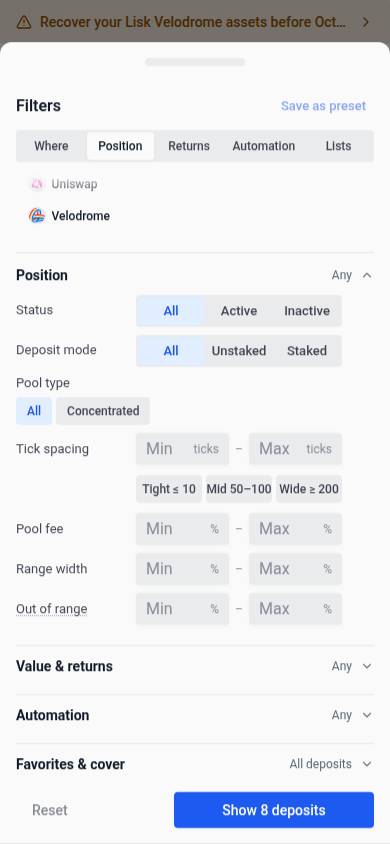
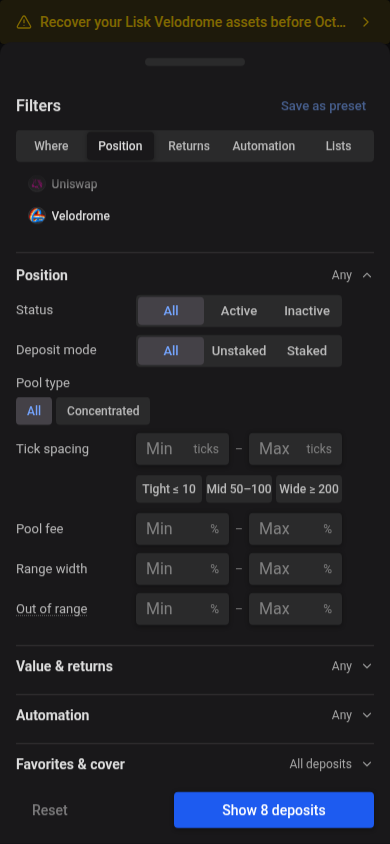
Choose All, Active, or Inactive from the Status quick filter or under Filters → Position → Status. These choices are mutually exclusive; All shows both statuses and is selected by default. Once set, the chip reads Status: Active or Status: Inactive, and its × returns to All. Status selections are included in shared filter links and saved presets. A shared link that selects neither status shows no positions and no pressed choice until you pick one.
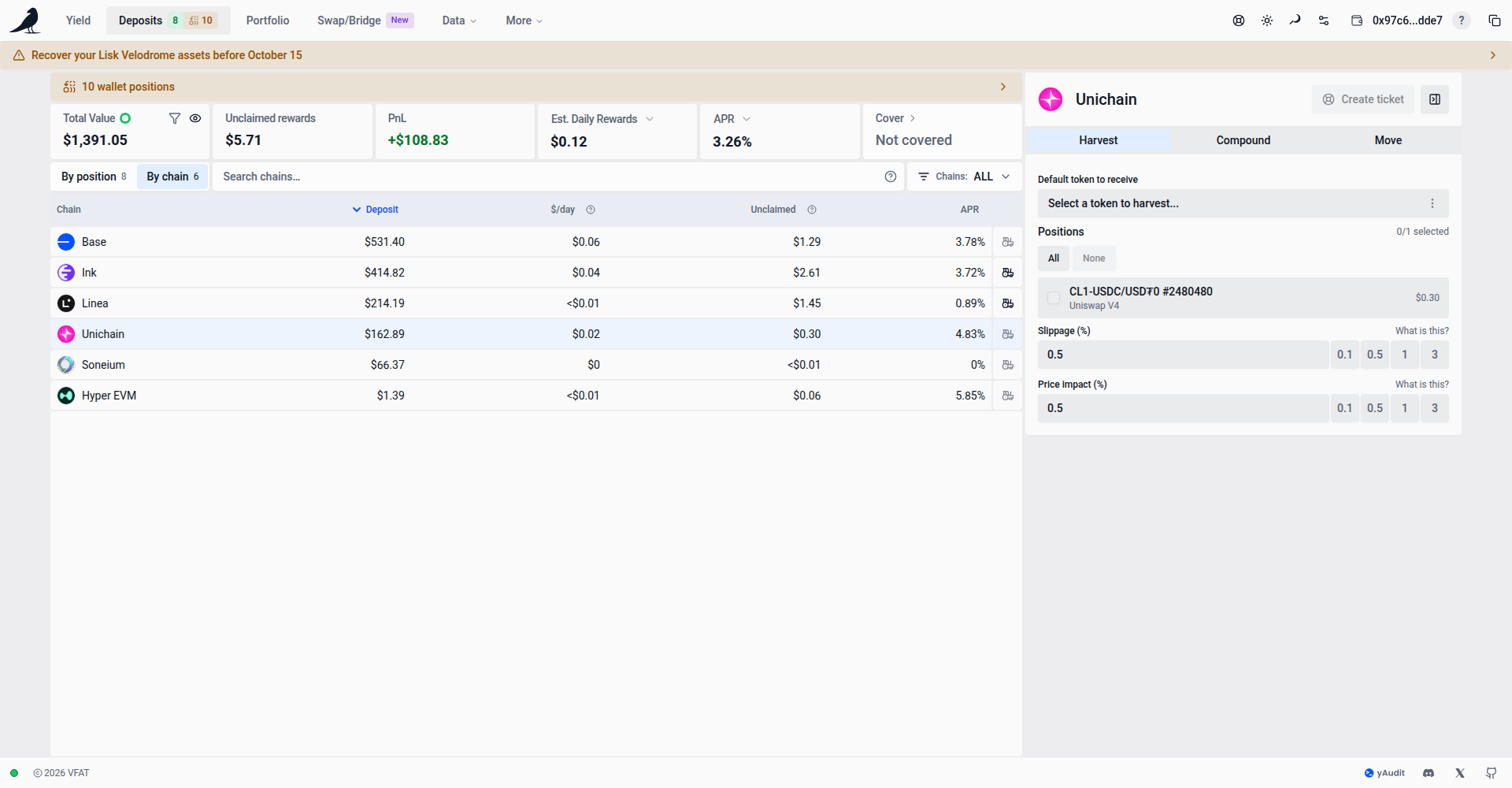
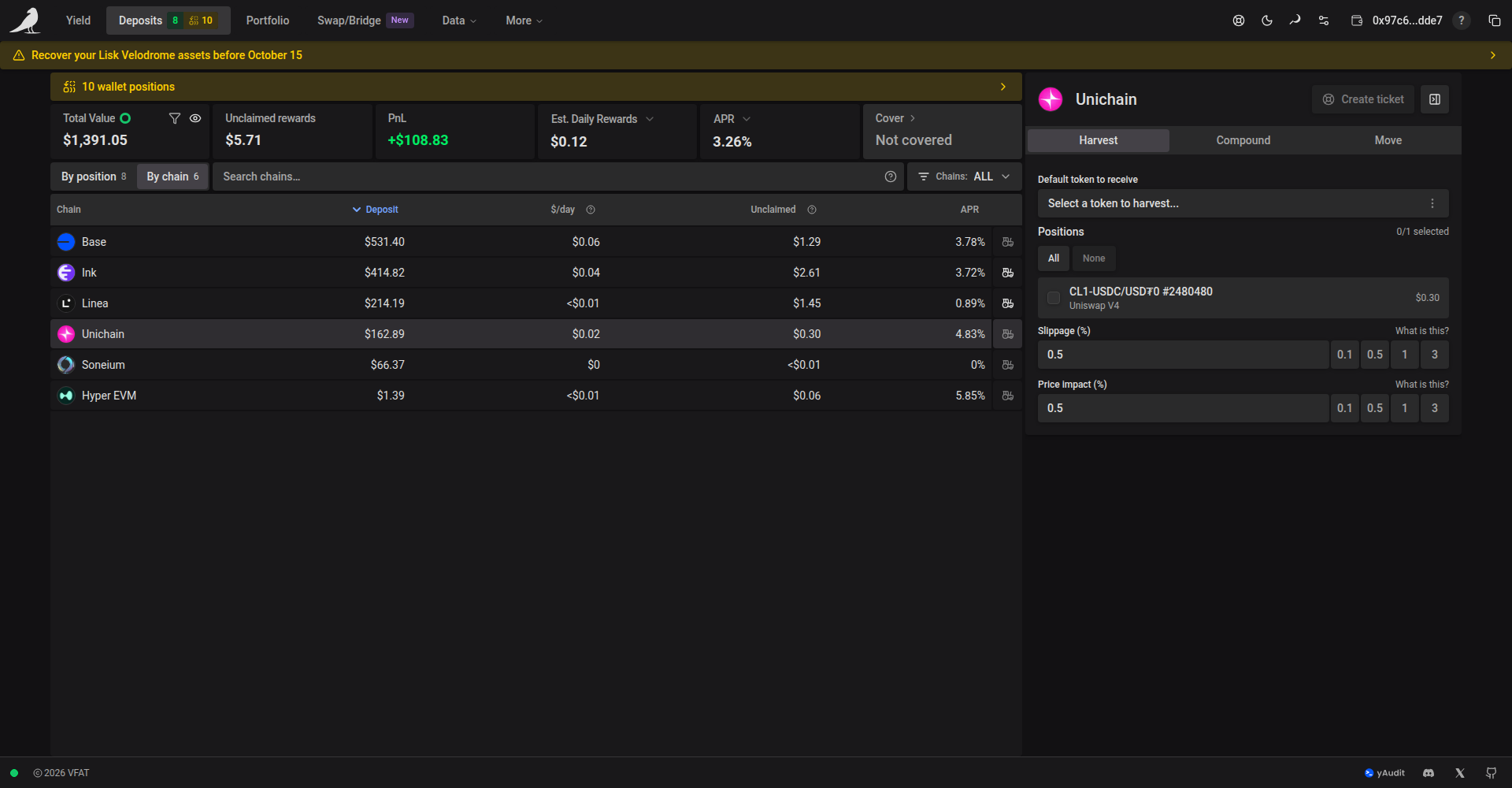
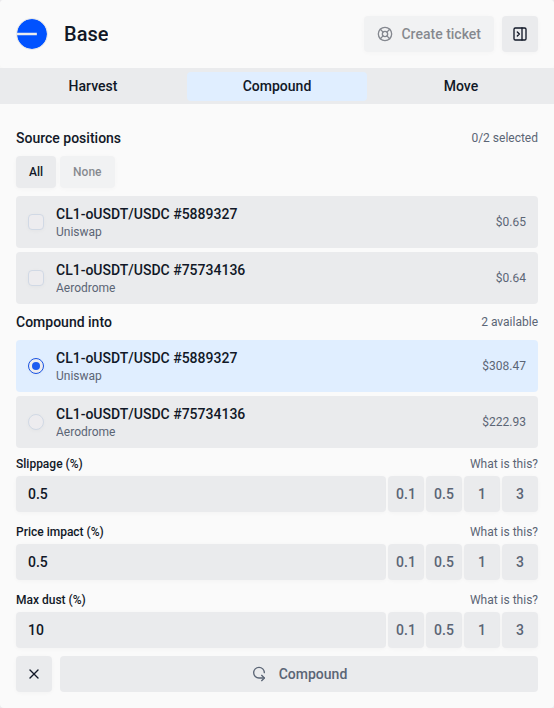
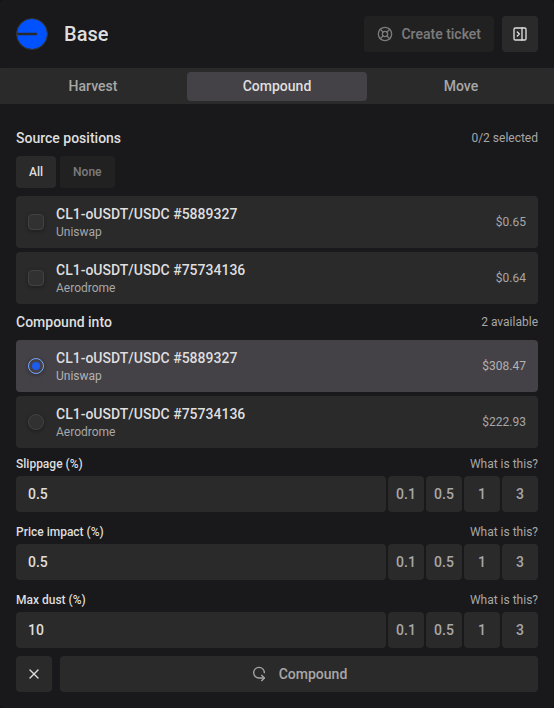
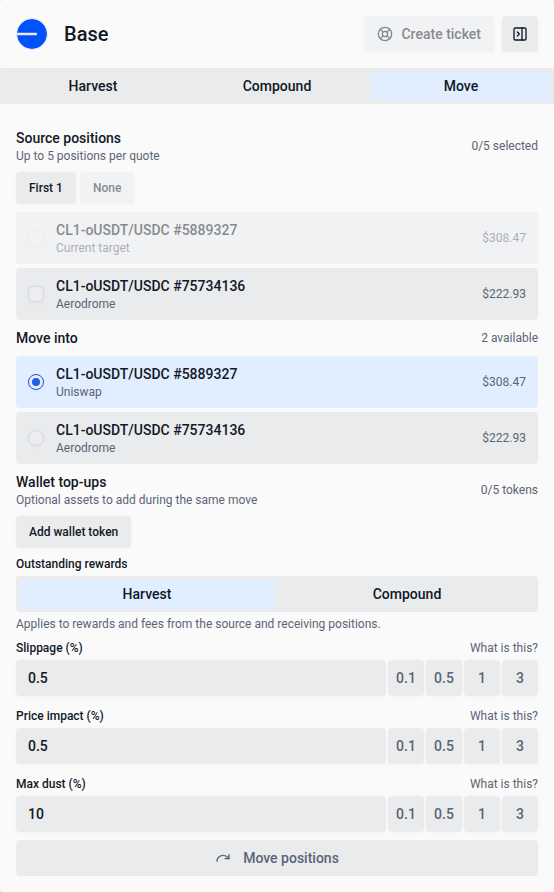
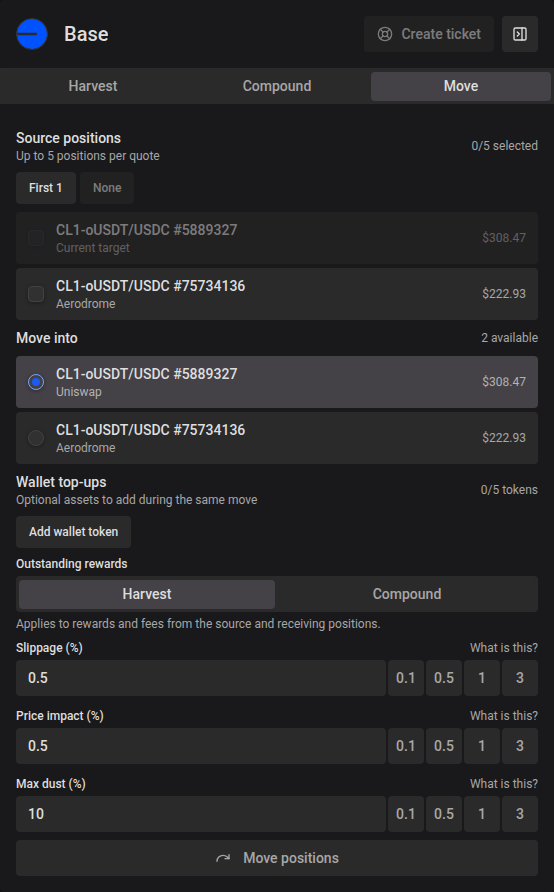
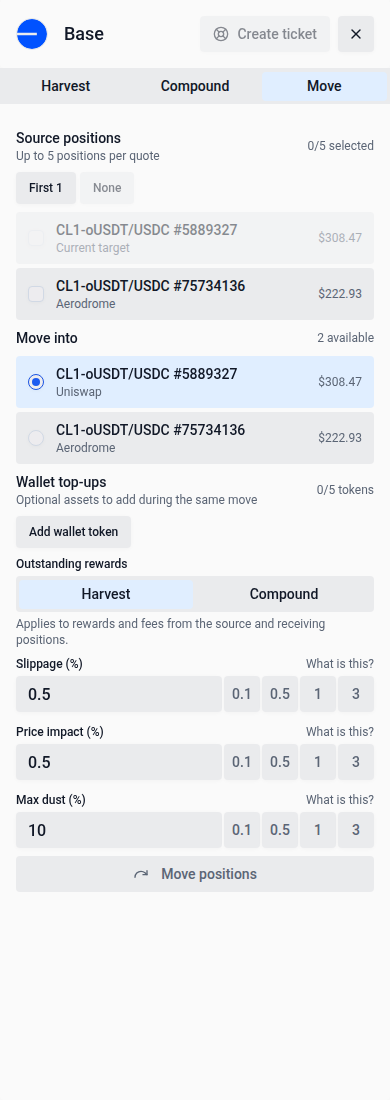
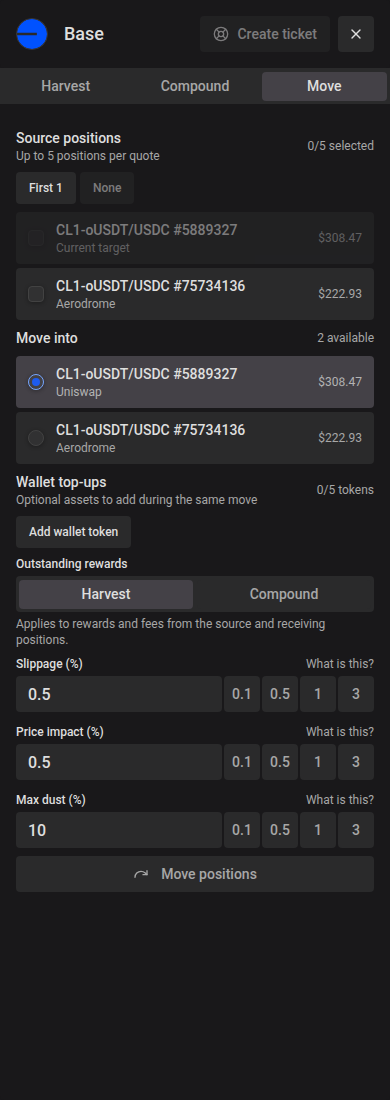
Select a chain row to open its Harvest, Compound, and Move actions. Position pickers use borderless cards with a soft fill on selected rows and small gaps between choices. Use All or None to change the source selection; Move offers First 5 when five or more source positions are available. Move also separates the receiving position and optional wallet top-ups into their own cards.
Each chain’s APR is weighted by the current USD value of its positions, matching the portfolio summary: add up each position’s value multiplied by its APR, then divide by the chain’s total deposited value. Positions earning 0% still count toward that total. For example, $9,000 at 10% and $1,000 at 100% produce a chain APR of 19%. The APR period dropdown also applies to chain totals.
On wide screens, the first position in the ungrouped view is selected automatically and, when the widget is enabled, its action pane opens while the row stays collapsed. A leading chevron marks rows with inline details and rotates down when they expand. Click the selected row to expand or collapse its details. You can also focus a row with Tab and press Enter or Space to open it.
Expanded Position, Farm and Pool details use the same card surface as table rows, with the page background showing through compact gaps instead of divider lines. Cards are white in light mode and follow the card color in dark mode. Detail rows align with their headers. The 8px gaps between panels and analytics cards also match the spacing above and below the expanded area. Side-by-side panels share the same height while their rows stay compact. Only the final row of a shorter panel expands to fill the remaining space, with its label and value aligned at the top. Panels stack at their natural height when the table is narrow. Analytics charts and summary cards appear directly below the details whenever they are open, without a separate container or collapse control. They use the same borderless surfaces; hover, tap or use the keyboard to inspect their values.
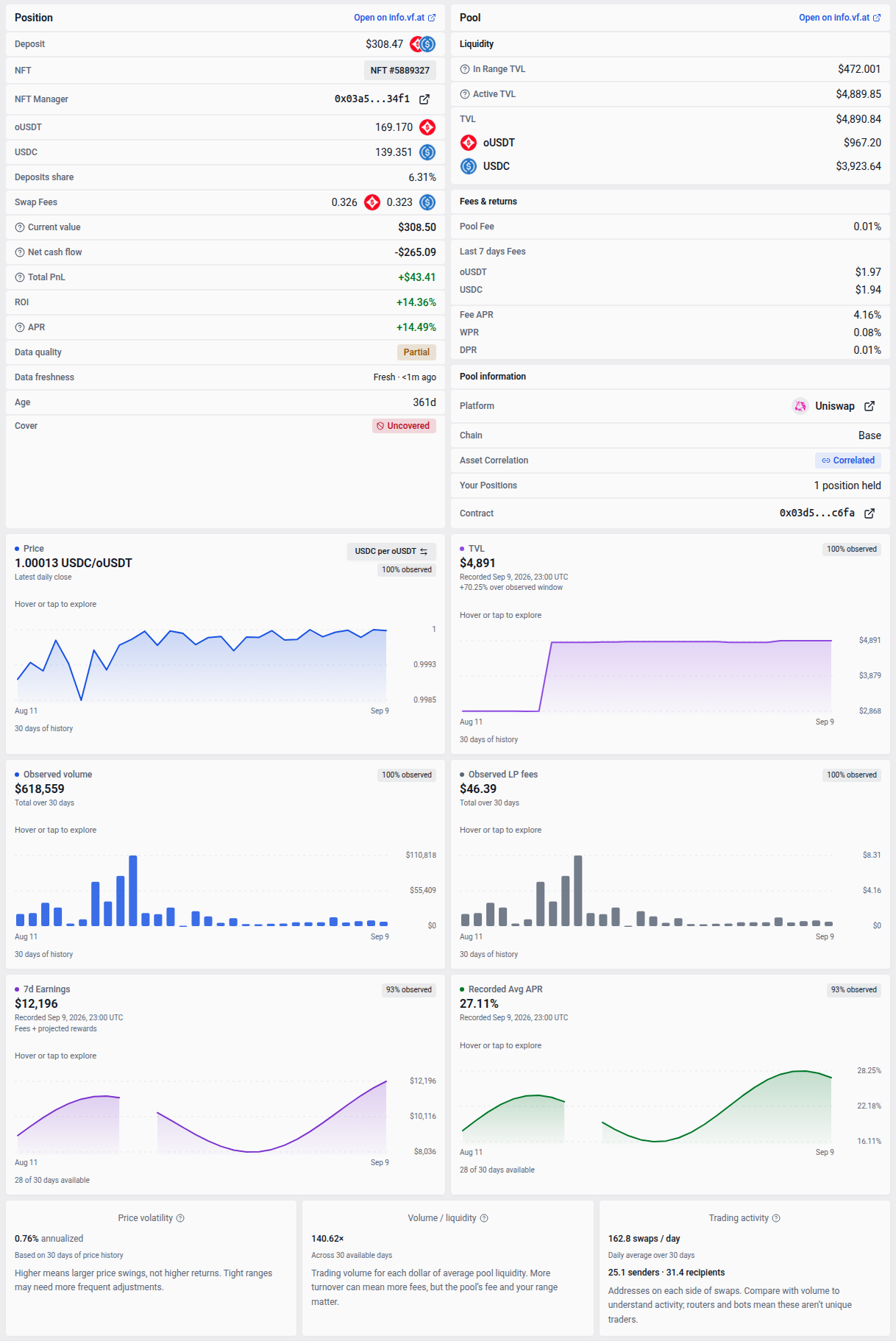
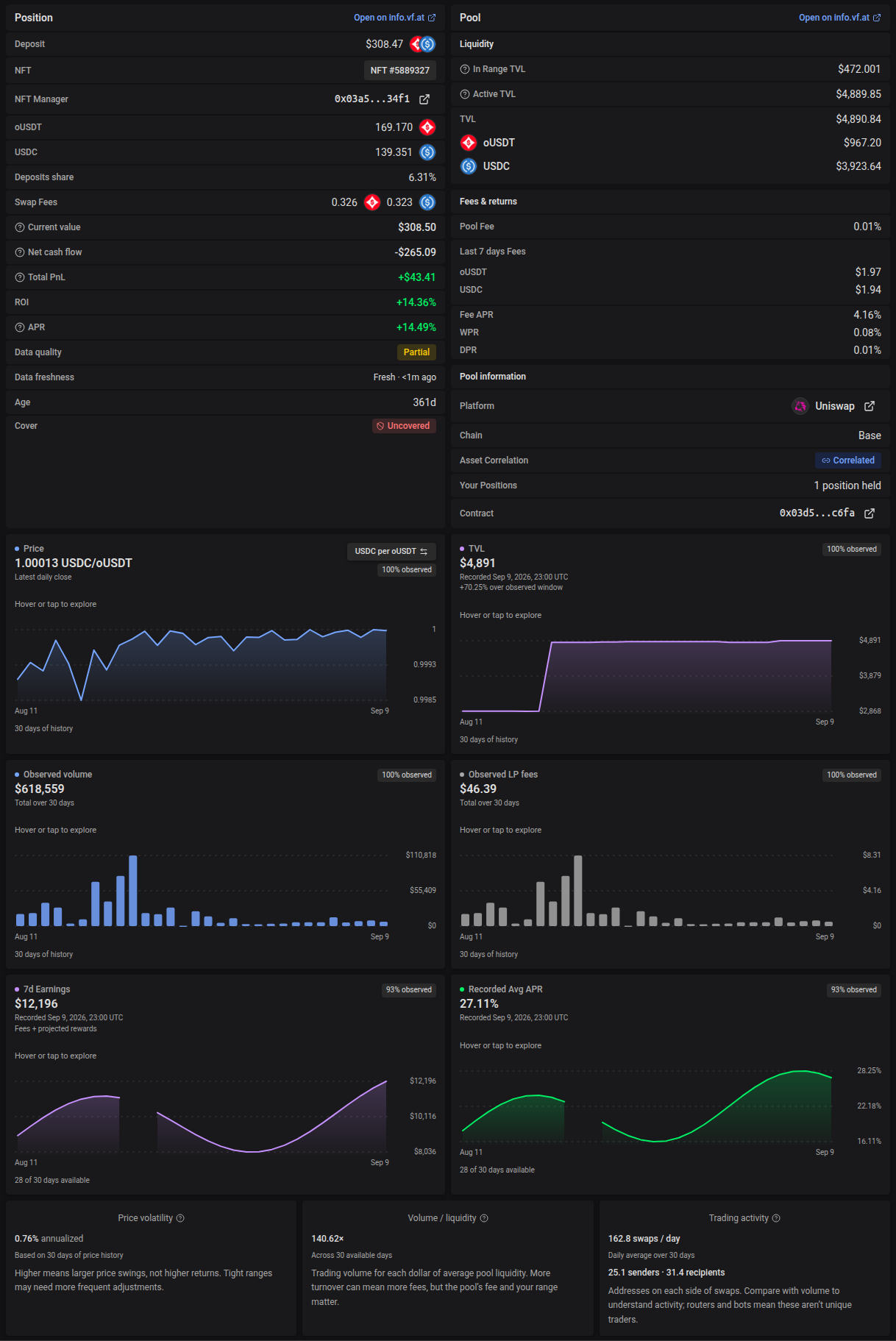
Use the Hide widget icon in the widget header to give the table the full width. Clicking rows keeps the widget hidden until you select the Show widget button, which restores the current selection and normal row-following behavior. This also works when positions are grouped by chain. The choice is saved in this browser and shared with Yield. On smaller screens, row selections still open the action sheet; use Close in its header or press Escape to return to the table, in both the position and grouped-by-chain views.
On phones, the action form and position details share one scroll area that extends to the bottom of the sheet. Opening the keyboard keeps the edited field visible; close the keyboard to return to the full sheet.
On phones, position rows use the same compact identity as Yield: a bold pair name, a smaller Pool/Farm marker and a small network badge on the project logo. Pending positions retain their available labels while their data catches up. Automation, warning, and pending indicators remain visible.
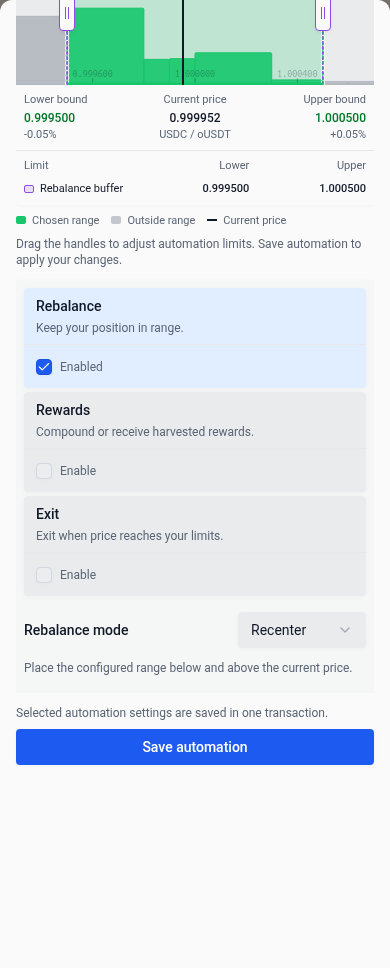
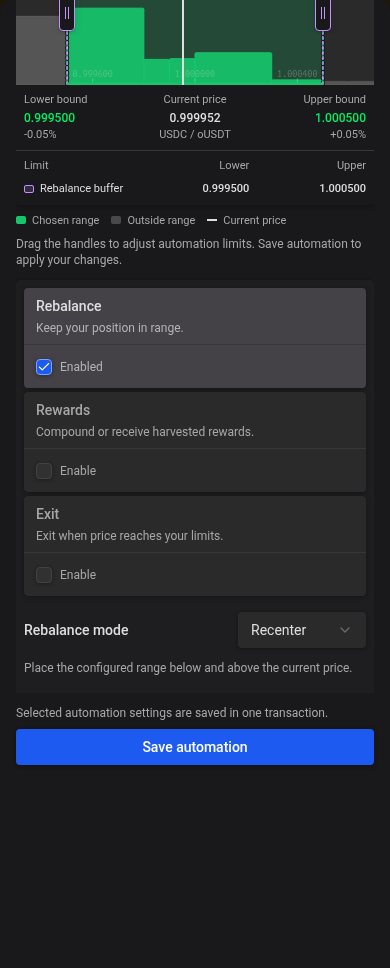
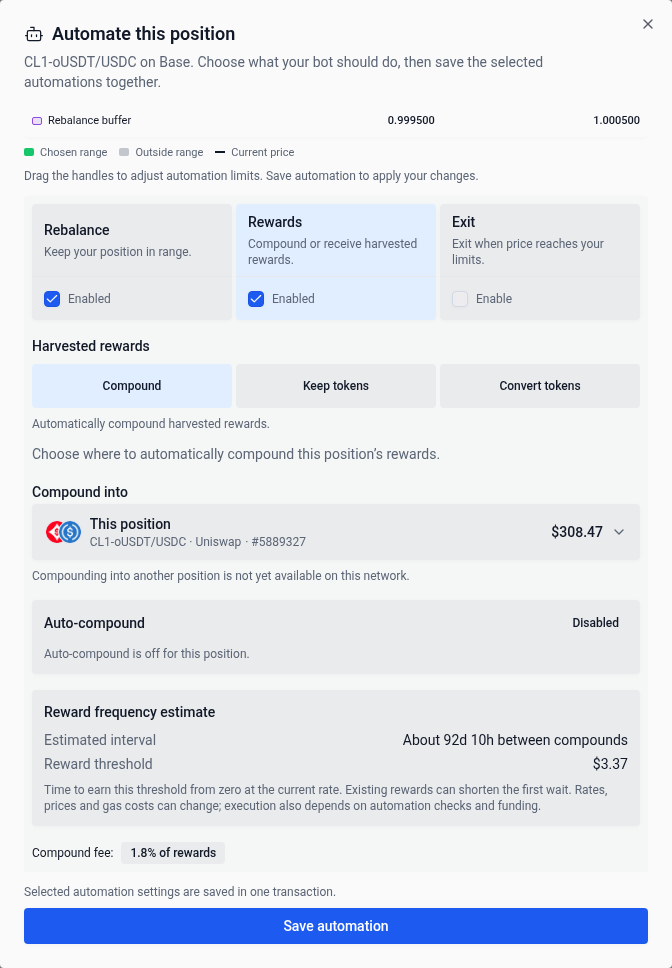
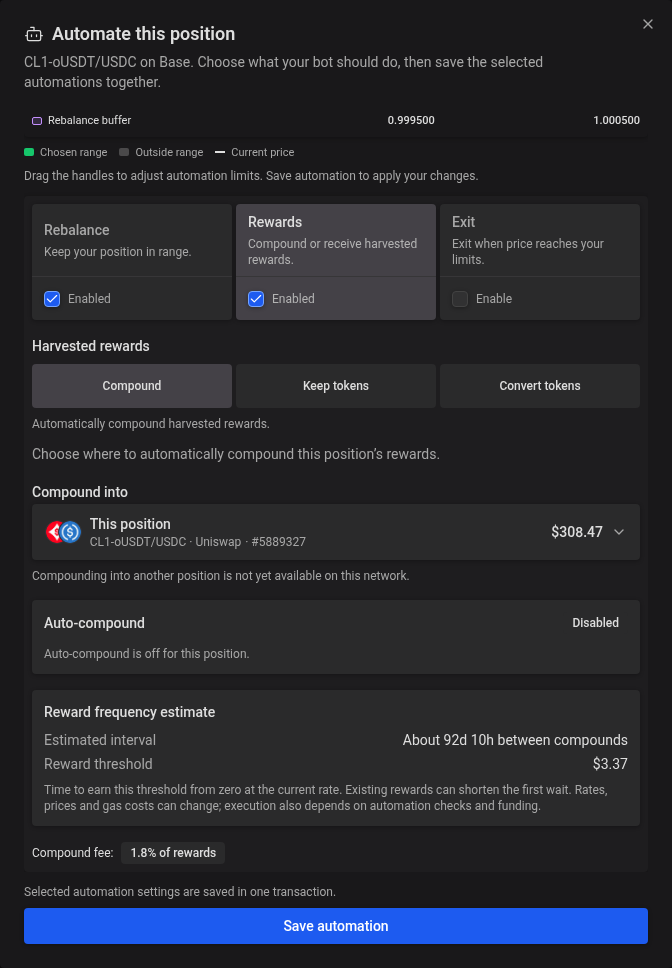
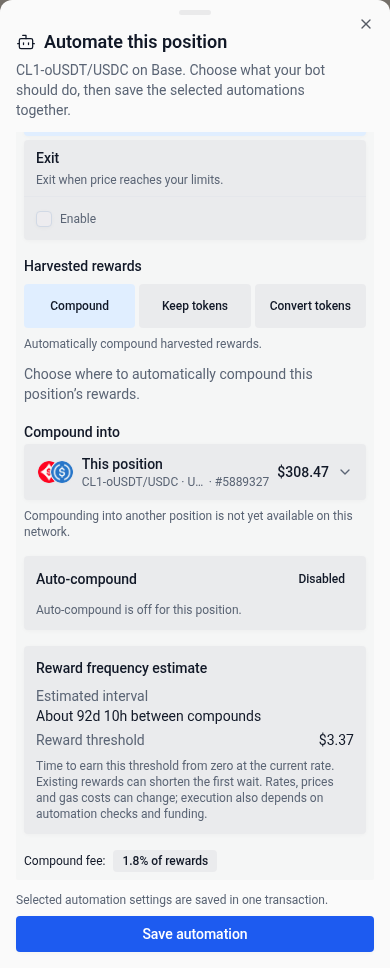
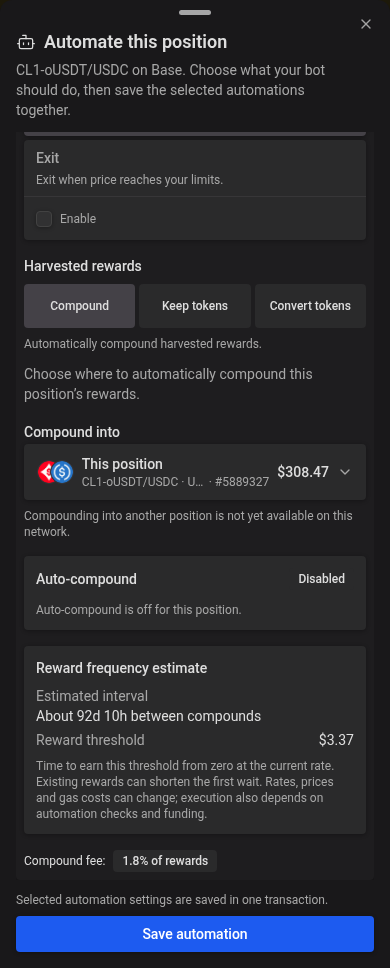
A small sleepy bot appears beside a supported Sickle position when none of its automation is configured. Select it to open Automate this position and review all the automation settings available for that position. Use the Enable checkbox on a Rebalance, Rewards, or Exit card to turn it on and reveal its settings. Select an enabled card’s title or description to review its settings without turning it off; only the checkbox changes its enabled state. The Rewards tab combines reward automation in one menu. Choose Compound to compound into this or another position, Keep tokens to send the original rewards to your wallet, or Convert tokens to receive one selected token. The app fills the corresponding settings automatically. Switching reward choices preserves your draft destination and token selection. Reward automation can be combined with Rebalance and Exit. For concentrated-liquidity positions, the range chart appears above the tabs. Turn on buffer or cutoff limits in Rebalance, or configure Exit, then drag their handles on the chart. The chart and fields update together. Your zoom and pan stay in place while you drag automation limits, including after pinching to zoom out on a phone. Limits from enabled tabs stay visible while you review other settings. If handles overlap, select the limit you want from the menu on the handle. These are previews until you choose Save automation. All selected automation settings are saved together in one transaction. Approval, a changed exit delay, or compounding into another position can require additional transactions. The selected automation card has a soft highlight and joins directly to the settings below; switching cards keeps your unsaved edits and scroll position until you close the window. The window grows to fit the settings when screen space allows, and only scrolls when they exceed the available height. The window opens as a bottom drawer on phones. Chain-wide automation approval alone does not hide the bot; configuring any position automation does. The icon stays still when reduced motion is enabled.
On wider screens, position rows use the same deposit-mode badges as Yield: a green sprout means staked in a farm, and blue waves mean unstaked in a pool. On Deposits, the icon and color reflect the position’s actual staking state. APR changes or a different highest-yield option do not change this badge; staking or unstaking the position does. Hover, focus, or tap the badge to check whether extra token rewards are available in any pool mode, including on-chain and off-chain rewards. If pool-wide rewards data is unavailable, the explanation says availability is unknown.
Fables range IDs are available in position details. They are omitted from table rows, including pending positions, to keep the columns compact.
The table scrolls within the page, and its action column stays visible when you scroll sideways. On phones, open the three-dot Position actions menu to rebalance, compound, harvest or exit. The menu stays open while an action is prepared and closes once the transaction is queued.
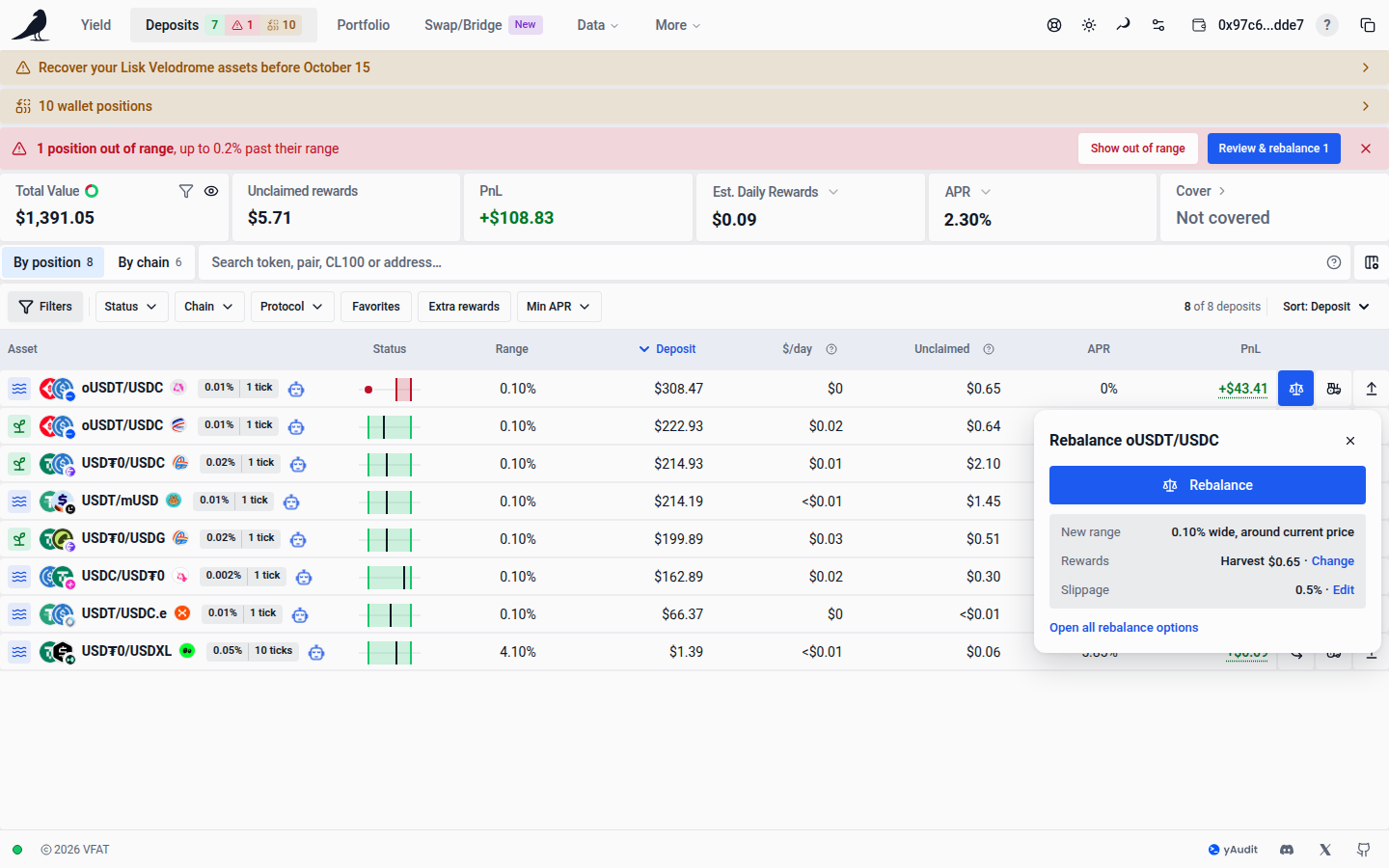
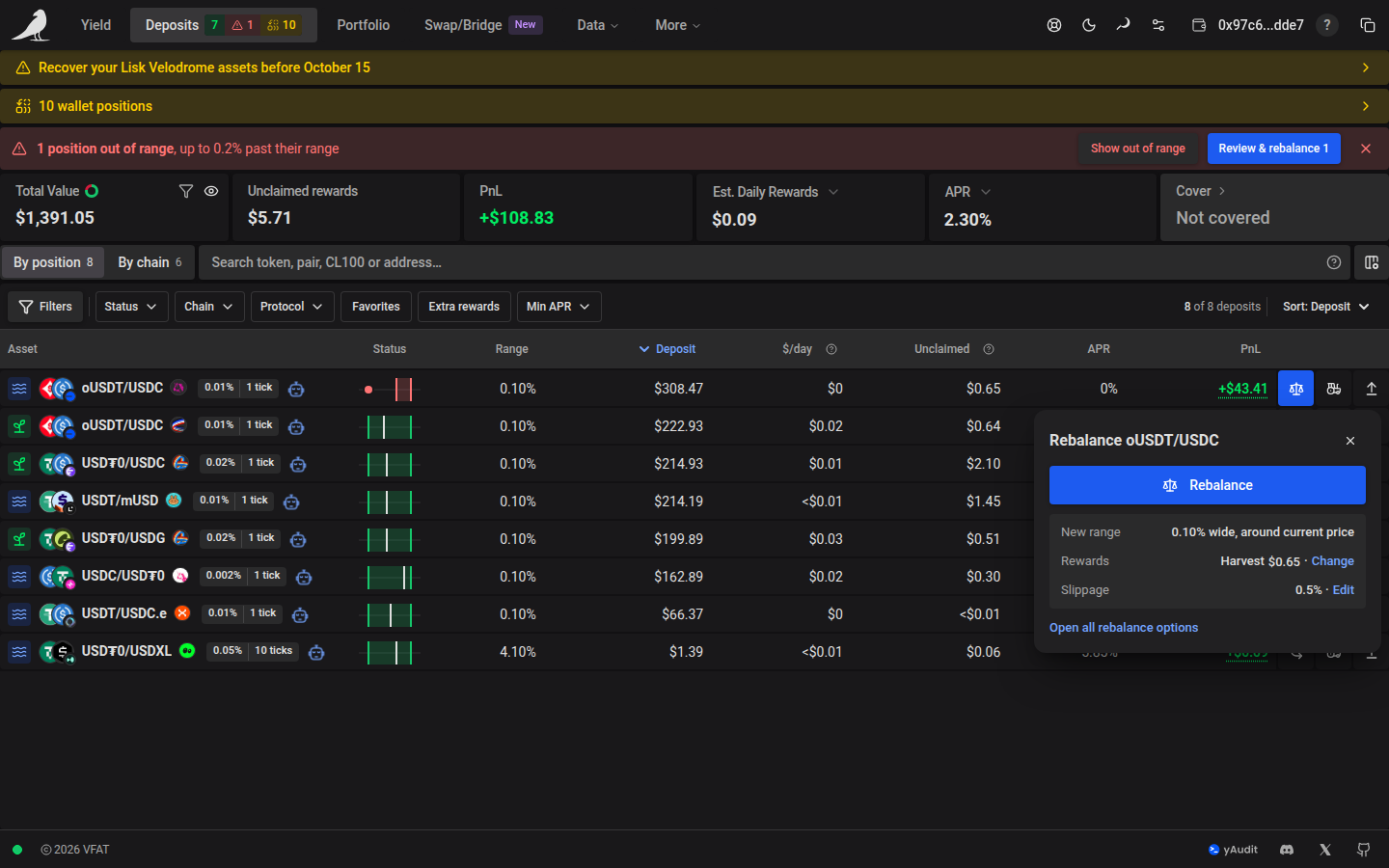
Harvest and Compound run from the row in one click. Rebalance and Exit first open a small panel beside the row: the button sits at the top and the settings below it. The row’s icon stays highlighted while its panel is open.
- Rebalance shows the new range (the position’s current width, around the current price), what happens to outstanding rewards, and the slippage.
- Exit shows the token selected for the exit and the slippage. Opening this panel does not request a quote; the transaction modal handles the actual quote, amounts and warnings after you press Exit.
- Change next to Rewards harvests or compounds the outstanding rewards for this rebalance only. Edit sets the slippage for this action. Your defaults in Settings stay the same.
- Rebalance quote warnings, such as high slippage or too little native token for the network fee, appear in its panel before you confirm.
- Open all rebalance options or Open all withdraw options opens the position’s pane on that tab, keeping the settings you chose in the panel.
On phones, the same view opens inside the Position actions menu; the back arrow returns to the list. An open panel or drawer keeps its presentation and edited settings while you resize the window. It closes once the transaction is queued.
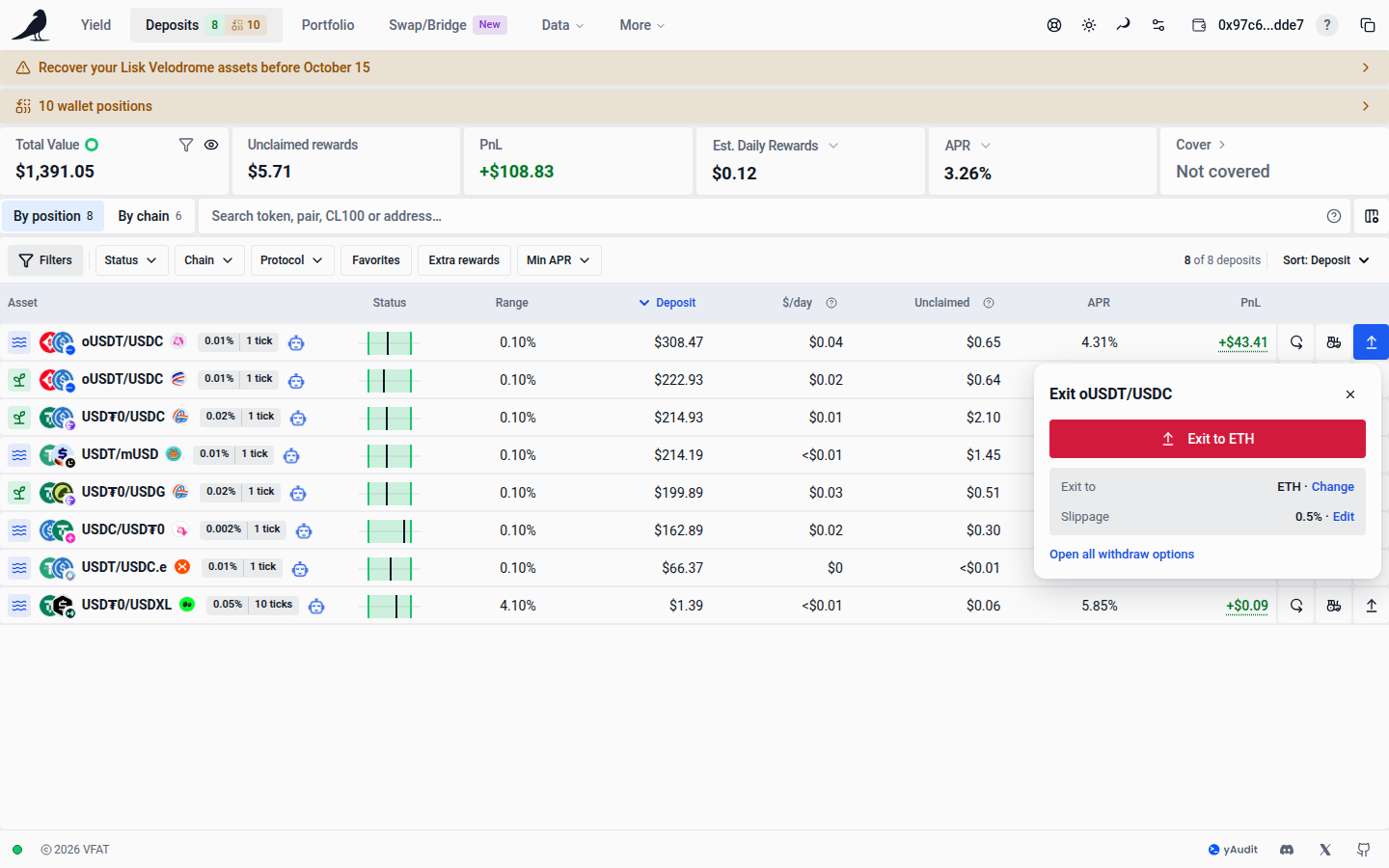
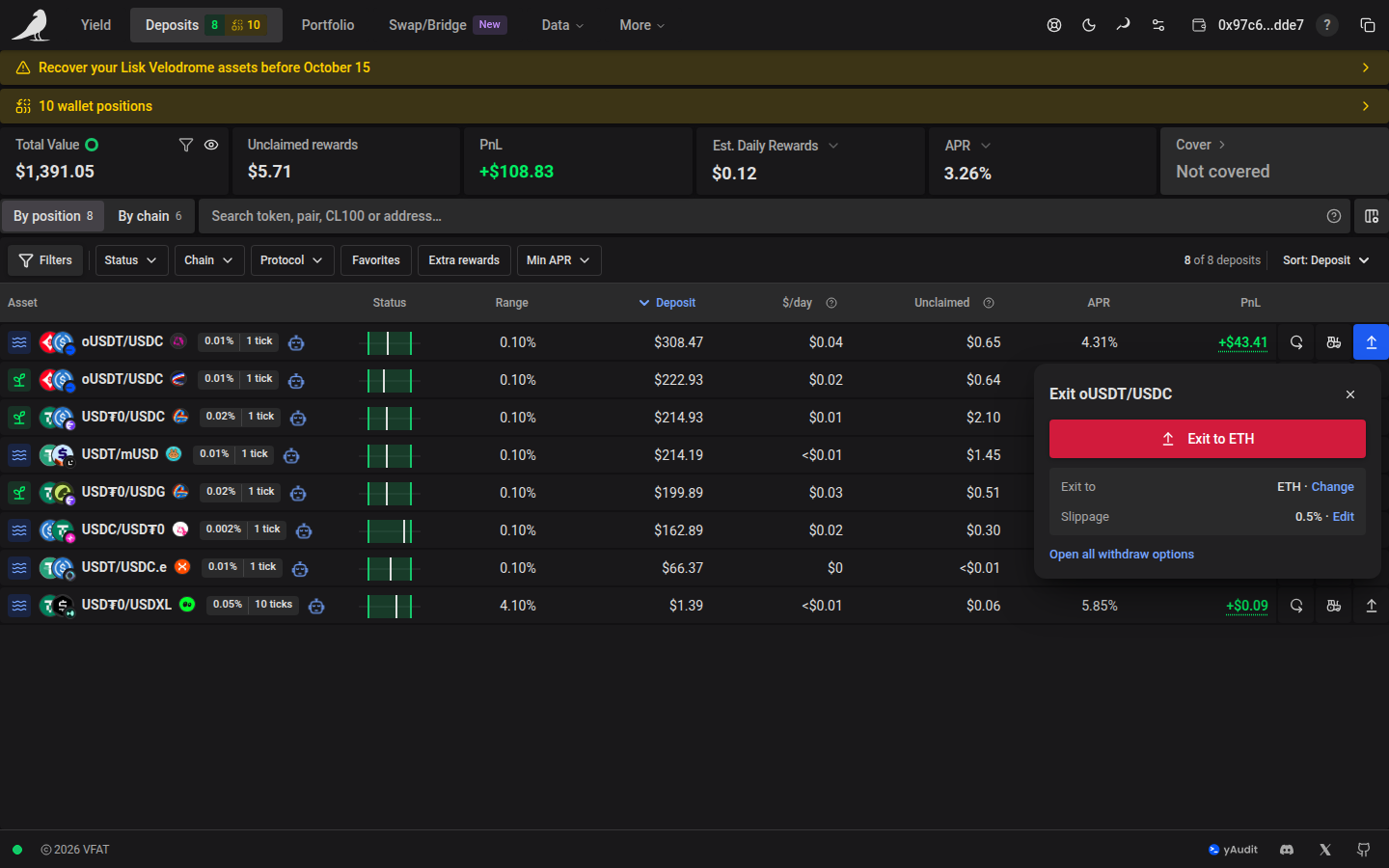
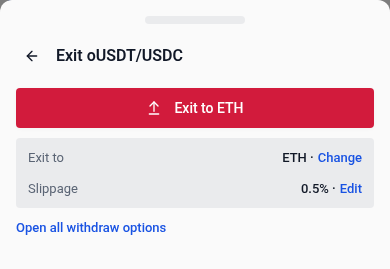
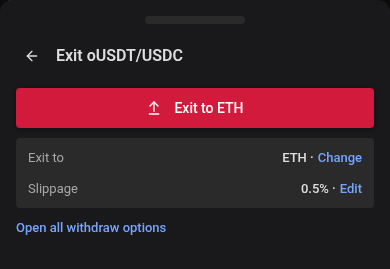
A row’s Exit button closes the whole position into one token: the chain’s native token by default, or the token you chose for that chain under App Settings → Default Inputs. Its label, shown on hover or in the phone menu, names that token, for example Exit to USDC. While a chosen token’s details load, the button waits. If they can’t be loaded or the token has no price, it exits to the native token instead. To pick a token for a single exit, use Change in the Exit panel, which opens the Withdraw tab.
On phones, swipe across the table to reach the additional columns you selected in Customize columns.
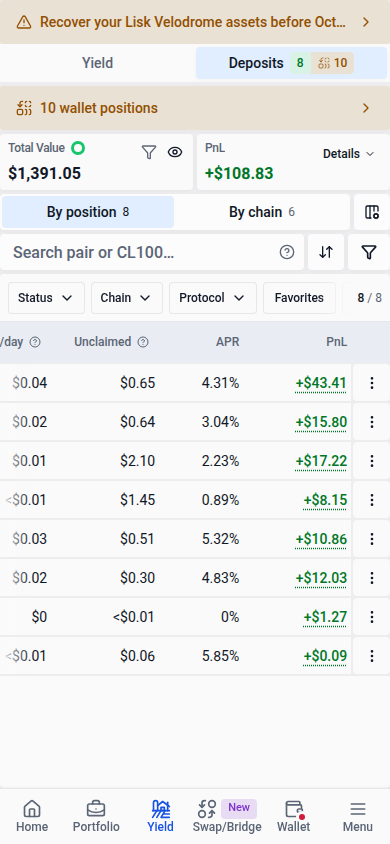
Each position has one auto-compound icon showing its role: compound to self, send to another position, receive from one other position, or receive from multiple positions. Self-compounding uses a loop arrow. On the directional icons, the dot represents the current position and arrows show reward direction. Hover or focus for the role and incoming source count, which excludes the position itself. Click a multi-compound icon to open its Compound tab, then Settings for destination and source details. The destination’s History tab shows completed runs.
Filtering, search and columns
Search by token symbol, pair, concentrated-liquidity label, farm address, or pool ID. CL100 or CL-100 lists positions in pools with a tick spacing of 100; Filters → Position → Tick spacing takes a minimum and maximum in ticks, with Tight ≤ 10, Mid 50–100 and Wide ≥ 200 as shortcuts; set both to 100 for exactly 100. Positions without a tick spacing are left out while either bound is set. Open Search help for examples. Symbol matches are partial and ignore case: ETH can also match WETH. Use ETH/USDC for a pair in either order; spaces match either term (ETH USDC), and a minus excludes a term (ETH -wstETH).
The Filters button in the bar along the top of the table shows how many filters you changed and uses the soft selection highlight while any are active. The quick filters beside it are Status, Chain, Protocol, Favorites, Extra rewards and Min APR. Status, Chain, Protocol and Min APR open a small picker; Favorites and Extra rewards switch on and off. Unset chips are outlined; an active chip turns soft blue and shows its value, such as Chain: Base or APR ≥ 10%, with a × that removes only that filter. Chain and Protocol appear when your positions span more than one. Sort at the end of the bar names the current sort and changes the column or direction; table headings still sort as before.
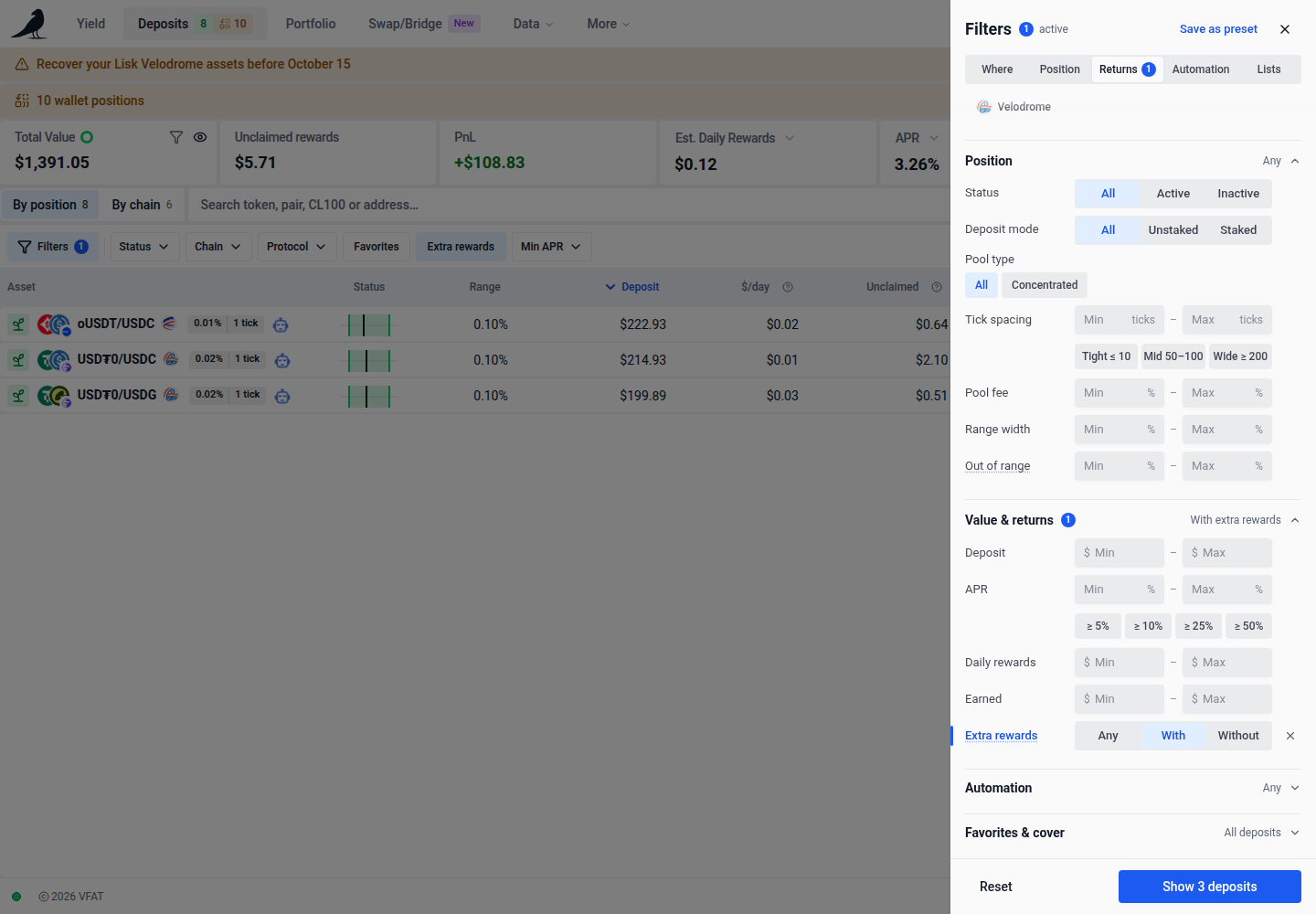
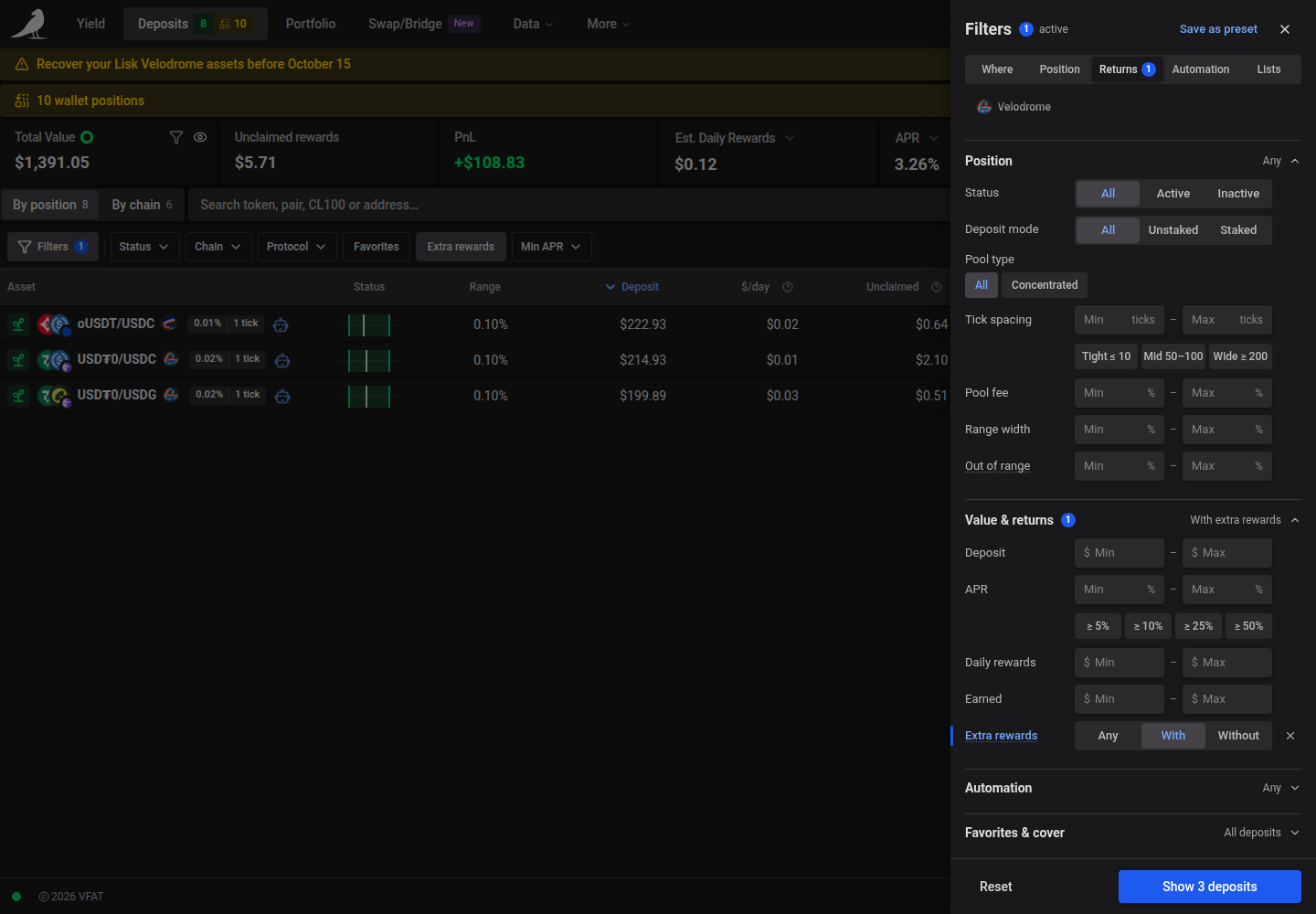
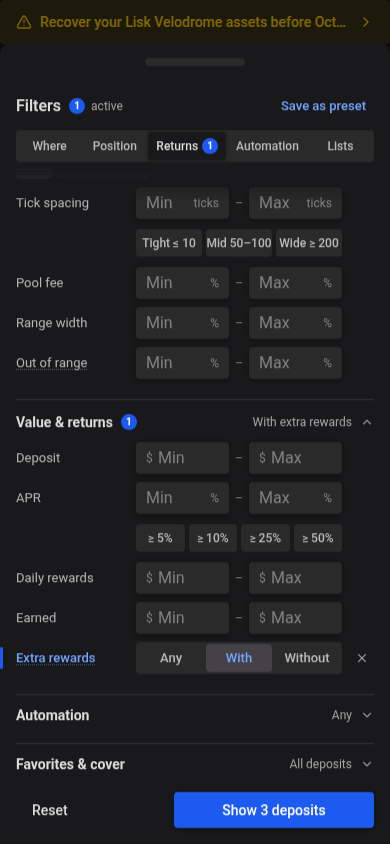
Filters opens a sheet on the right on wider screens and a bottom drawer on phones. It groups the full set of filters by question: Where (chains and protocols), Position (status, deposit mode, pool type, tick spacing, pool fee, range width and distance out of range), Value & returns (deposit size, APR, daily rewards, amount earned and extra rewards), Automation (auto-rebalance, auto-compound and auto-harvest, each Any, Only or Hide) and Favorites & cover. Where and Position open first, along with any group that has an active filter; the others show a one-line summary, such as Deposit ≥ $1K. The bar at the top jumps to a group and opens it, and each group shows how many of its filters are active. Every row has the same shape: a label, one control, and room for a ×. Choices are text-only segments, lists are chips with All first, and ranges are a minimum and maximum field with the unit inside. A changed row has a blue edge and label, and its × clears that row; rows you haven’t touched show no ×. Chains appear as chips, and tapping the only selected chain returns to all chains. Protocols use a searchable list with selected protocols first. ≥ 5%, ≥ 10%, ≥ 25% and ≥ 50% set a minimum APR in one tap. Dollar amounts accept shorthand such as 1K or 2.5M. Editable fields keep the exact amount, including small fractions; arrow keys change that amount without rounding it to an abbreviation. Show N deposits at the bottom closes the panel; Reset clears every filter. Filter combinations can be saved as reusable presets.
Under Position, Deposit mode offers All, Unstaked, or Staked, using the position’s actual holding mode. Pool type shows each type as a chip; tapping the only selected type returns to all. Each range keeps its minimum and maximum on one row; the row’s × removes both limits. Entries outside a field’s range, such as a negative amount, are marked and not applied. Under Favorites & cover, choose Favorites only or Coverable only.
By default, all held positions are shown, including positions with zero rewards or unavailable value, APR, or reward estimates. Clearing or resetting filters restores this view. Numeric limits apply only when you set them; a maximum of zero shows positions with a known zero amount.
Use Out of range to filter by the percentage the current pool price has moved past a position’s range boundary, including Liquidity Book bins. A positive minimum excludes in-range positions, positions without a price range, and positions less than that distance outside their range. The filter updates when pool prices or position ranges change.
Choose Filters → Value & returns → Extra rewards → With, or the Extra rewards quick filter, to show positions with a positive reported reward rate or reward APR beyond swap fees for their current deposit mode. Without requires known absence of extra rewards, and Any includes positions with unknown reward data. A staking position with zero emissions can match Staked + Without; an unstaked pool receiving off-chain rewards can match Unstaked + With. Swap fees, points, and already-earned rewards do not qualify. The selection is included in shared URLs and saved presets; clearing or resetting filters restores Any. Older Farms/Pools selections are read as Staked/Unstaked, and older extra-incentives choices use the new current-rewards definition.
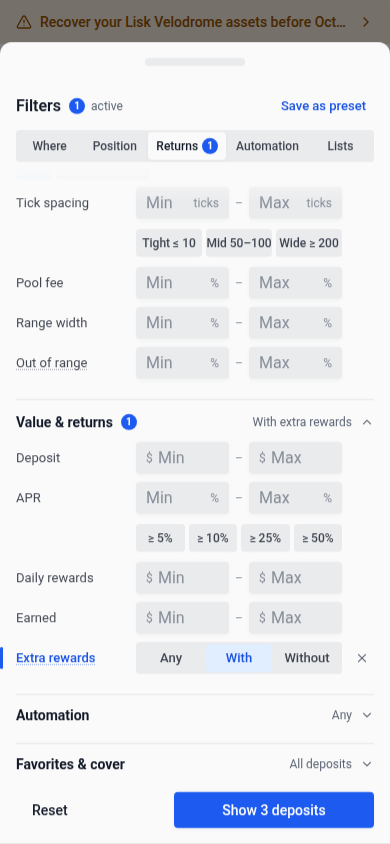
On phones, the same choices appear under Value & returns in the filters drawer.
Use Customize columns to show, hide, or reorder individual columns. Your choices are saved in this browser and also apply on smaller screens. Reset to Default restores the responsive defaults.
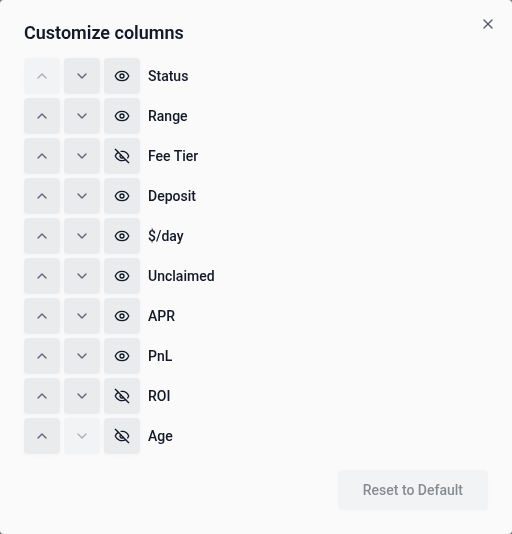
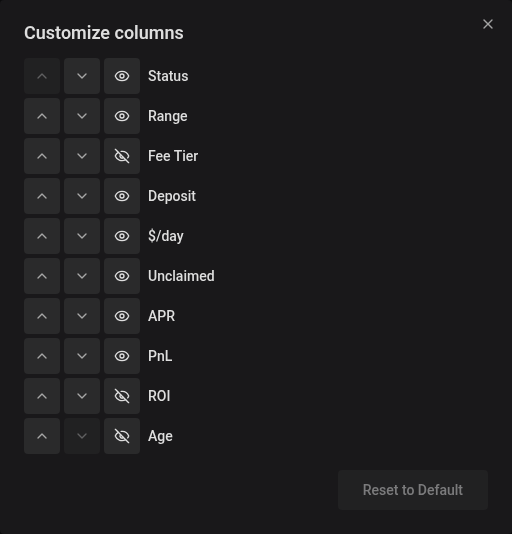
Enable Fee Tier in Customize columns to show each pool’s swap fee. Click its header to sort by fee percentage across pool types. The order updates when pool fees change, and the selected sort is preserved when you reload or share the URL. Pools with dynamic fees display Variable.
The PnL and ROI columns sort by their displayed figures, including figures with a partial-data caveat. Cells showing Partial or an unavailable placeholder stay at the end in either sort direction.
Position status
Click Status to put out-of-range positions first, furthest outside their range at the top, followed by in-range positions closest to an edge, then positions without a price range. Click again to reverse this order. Distance is the percentage difference between the current pool price and the nearest range boundary, matching the Status readout. Positions whose range cannot be computed stay at the bottom in both directions. The order updates when prices or position ranges change, and the selected sort is preserved when you reload or share the URL.
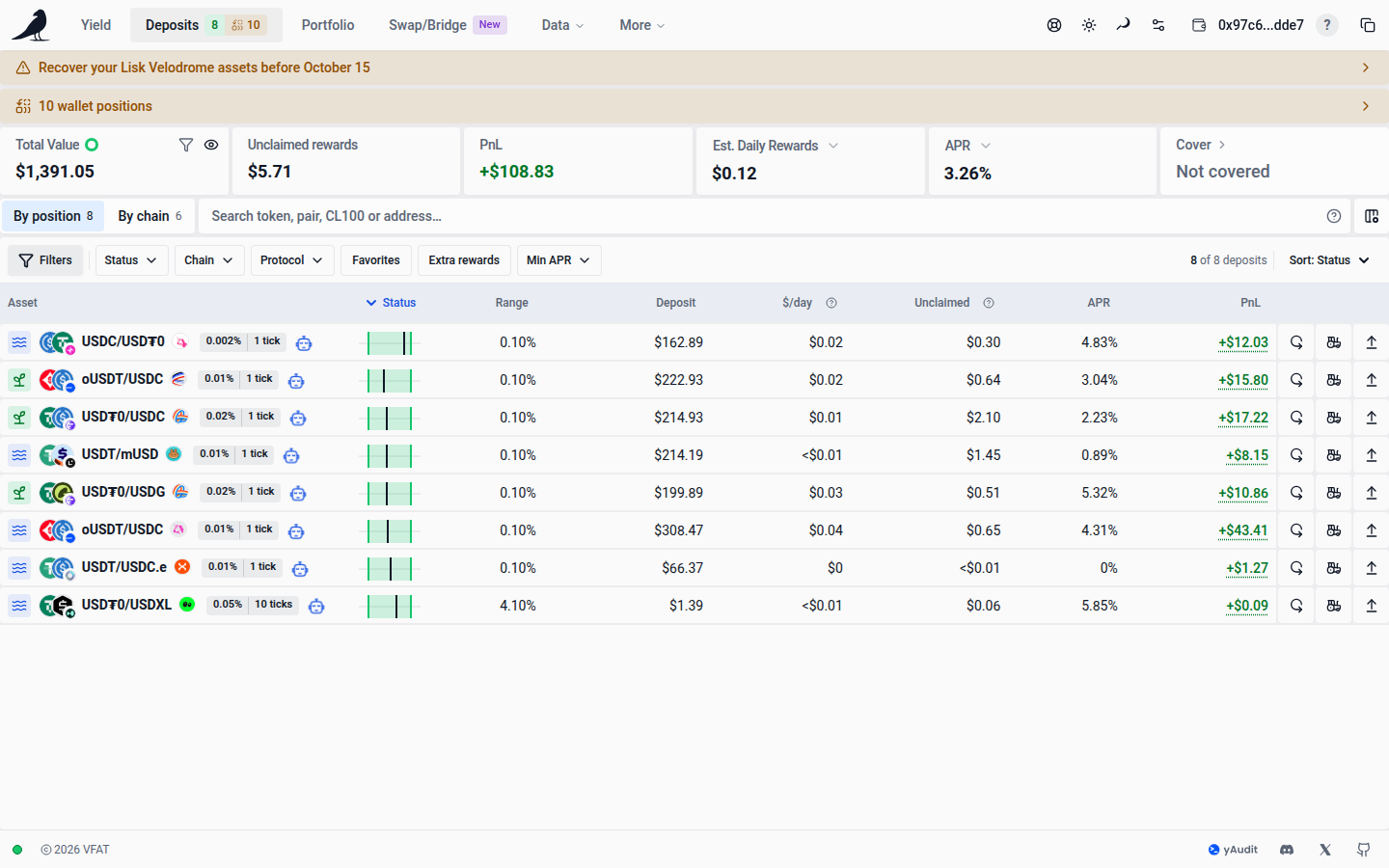
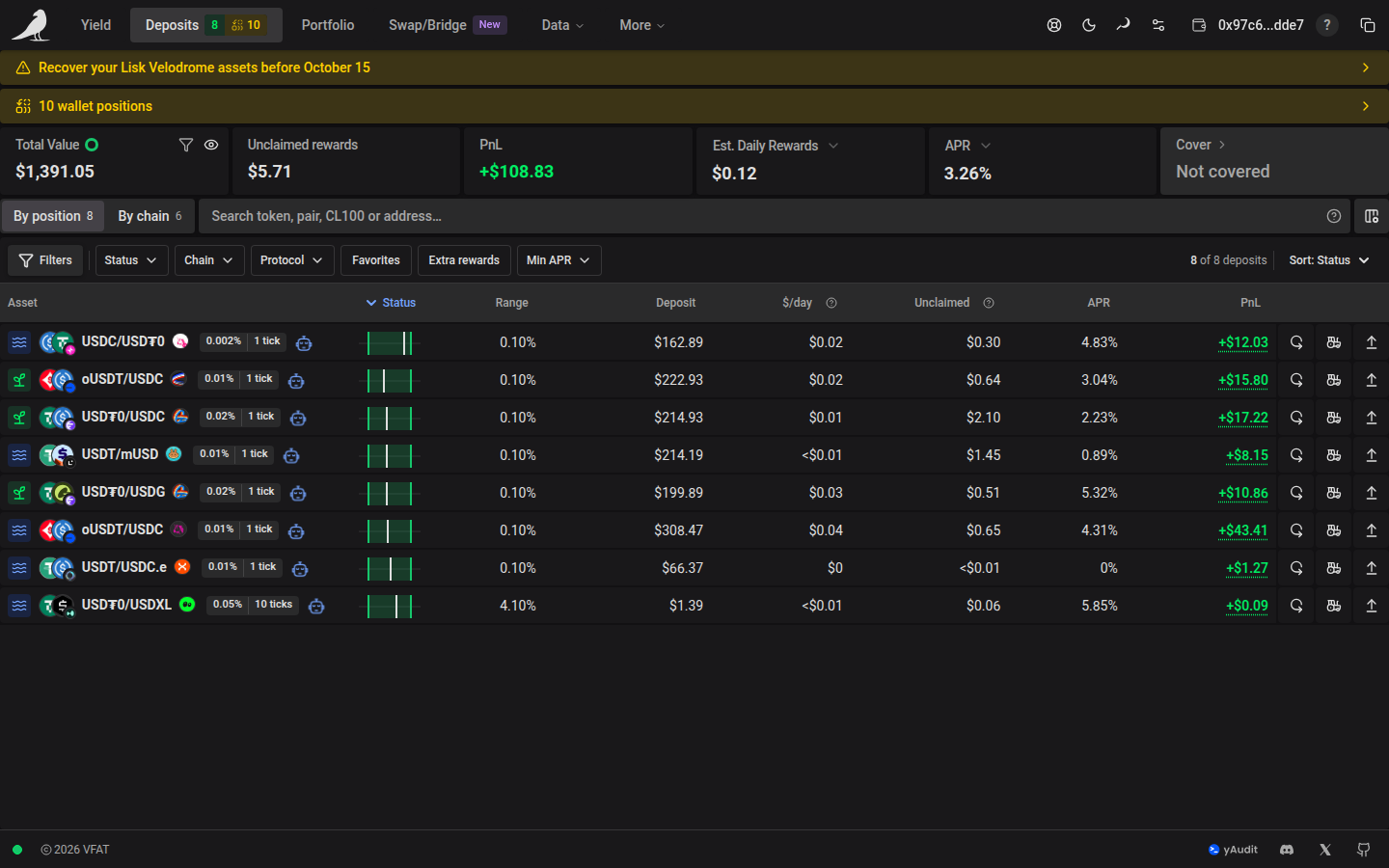
While a transaction against a position waits for indexing, that row shows its pending badge until the new state is reflected. Positions also indicate whether they’re currently in range (for concentrated liquidity) and whether cover is active.
While positions update
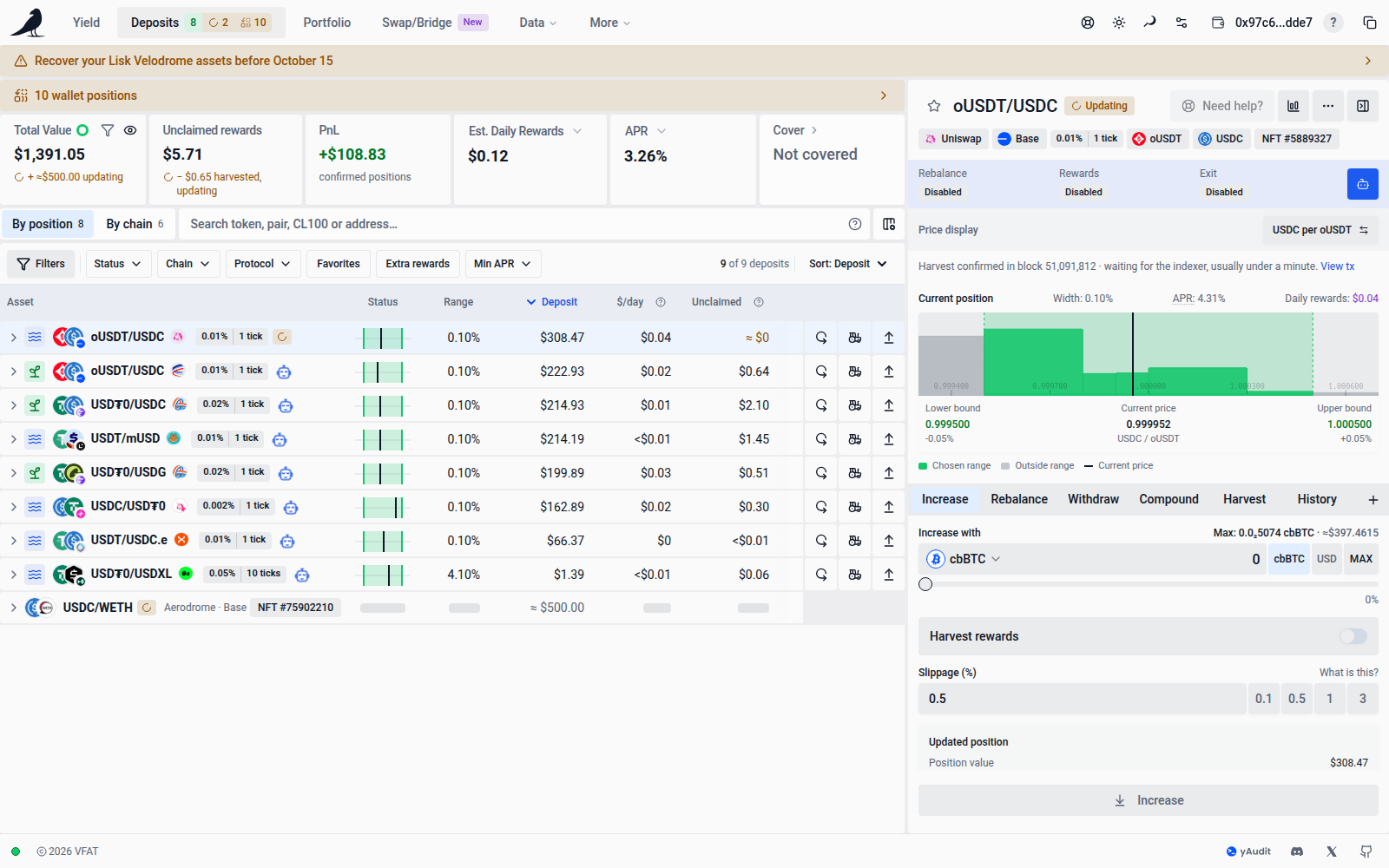
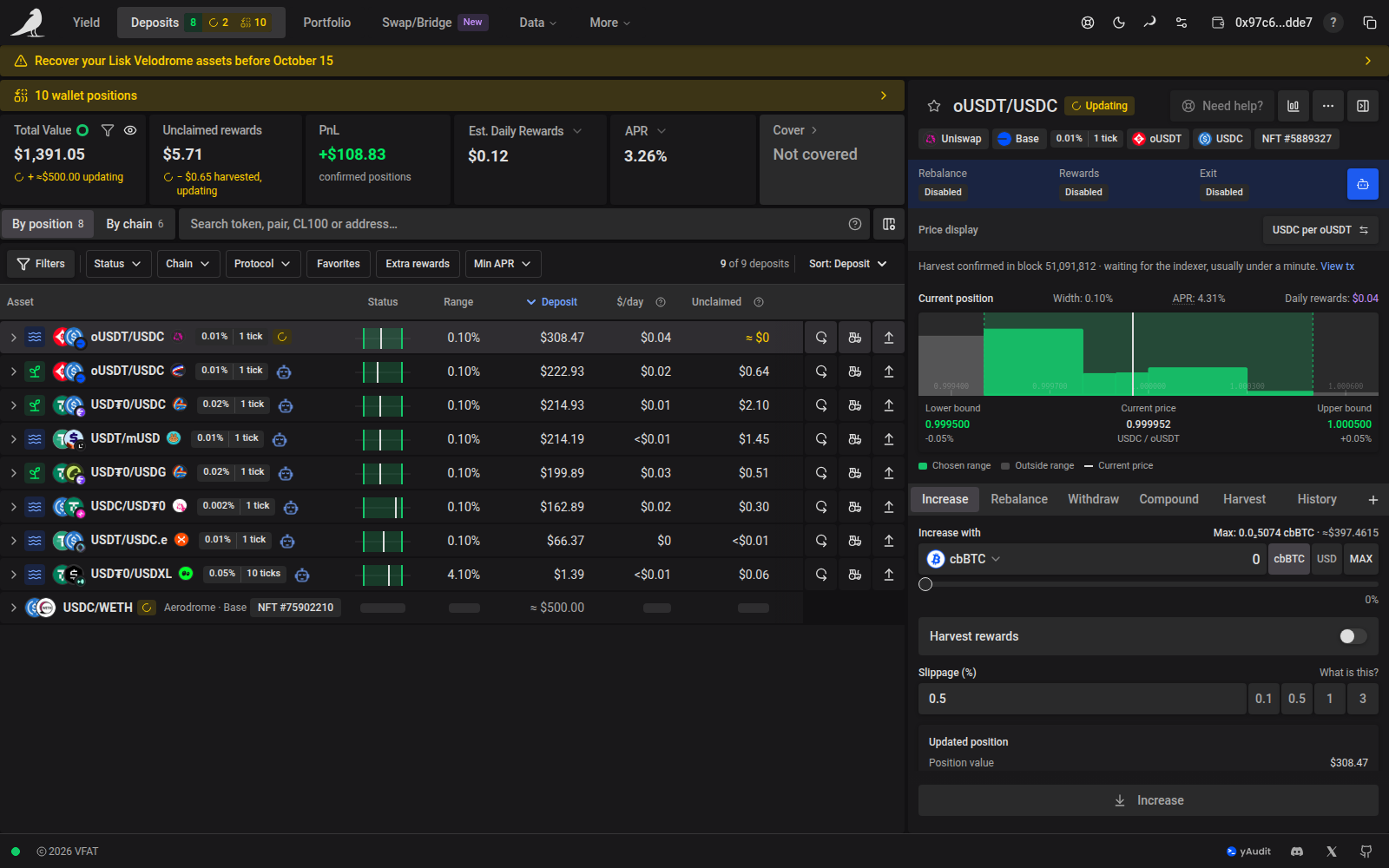
Every screen that shows a position uses the same amber Updating badge until indexed data reaches the transaction’s block. Everything clears together once it does.
Totals keep their confirmed amounts. A second line under Total Value and Unclaimed rewards shows the pending change, such as + ≈$500.00 updating or − $0.65 harvested, updating. The ≈ amount comes from the transaction’s own quote and is never added to the confirmed total. When a transaction cannot know its effect, such as a rebalance or an automation change, the line counts the positions instead: 1 position updating. PnL reads confirmed positions while anything is pending. With Apply filters to KPIs on, new positions stay out of the lines until they match your filters.
Rows for a new position show the quoted value as ≈ $500.00, with placeholders for the rest. A position whose rewards were harvested or compounded shows ≈ $0 unclaimed. Compounding into another position adds value only to that destination; its own unclaimed rewards stay unchanged unless it was also selected as a source. Hover or tap an ≈ amount to see where it comes from.
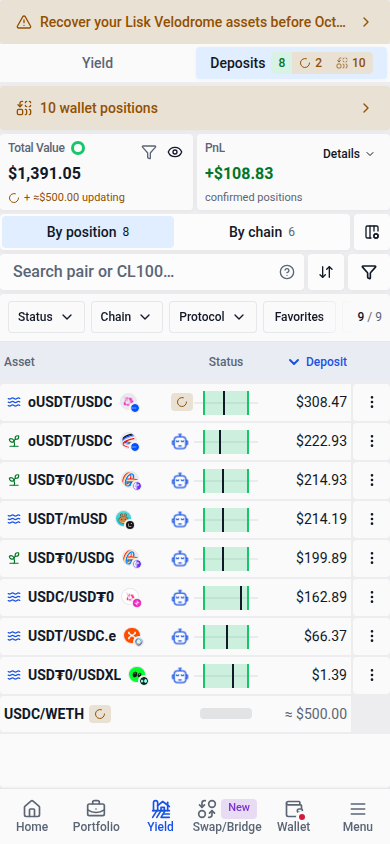
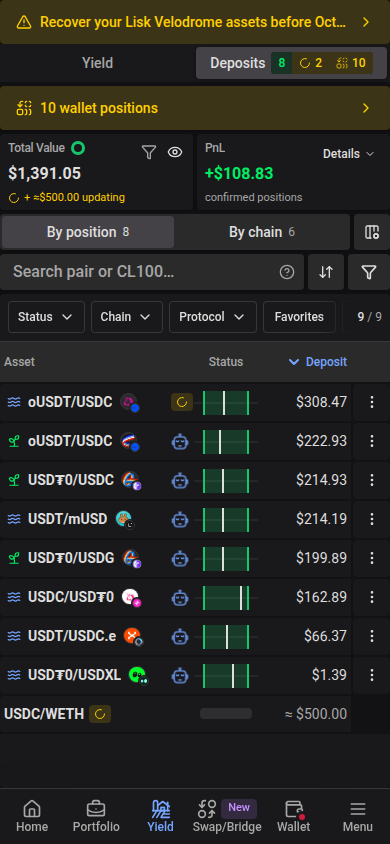
Navigation: hover the amber tag on Deposits to list what is updating, with each position’s action, network and progress.


Position pane: the header shows the badge with its label (only the icon on phones). A status line names the transaction, such as Harvest confirmed in block 51,091,812 · waiting for the indexer, usually under a minute, with View tx. Actions stay available or locked exactly as they would be otherwise.
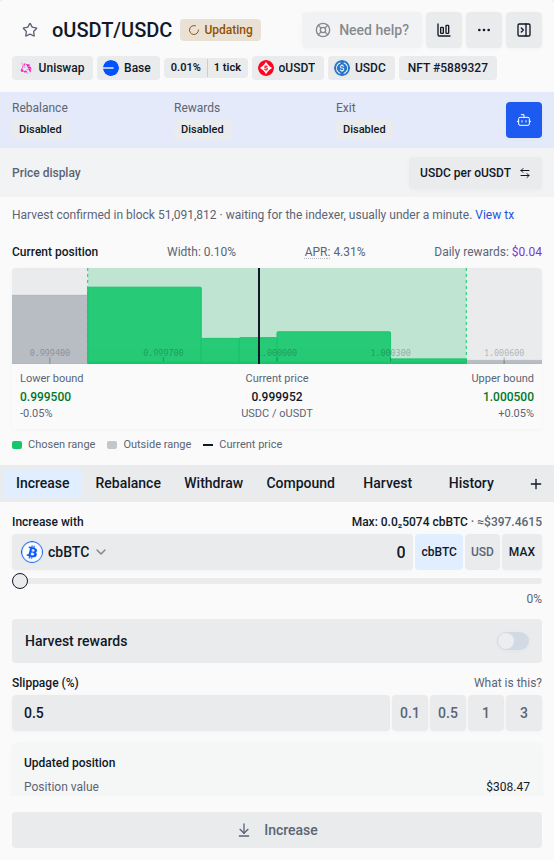
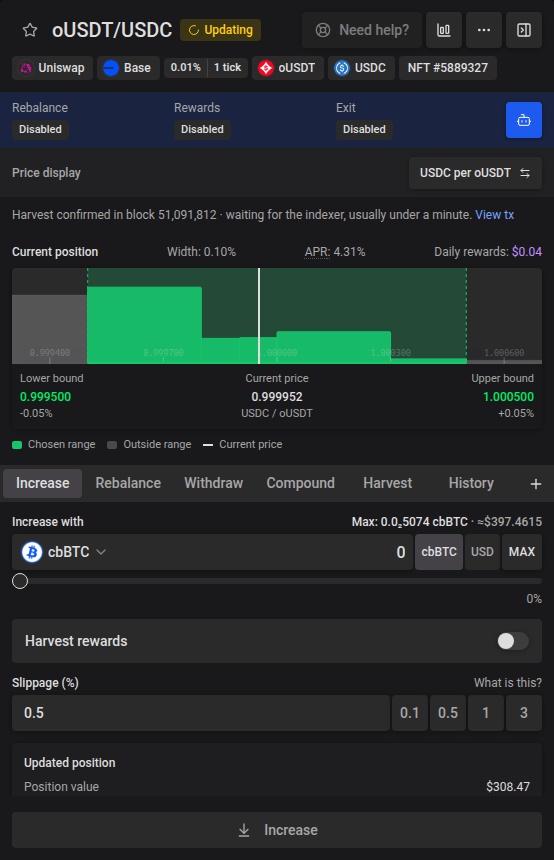
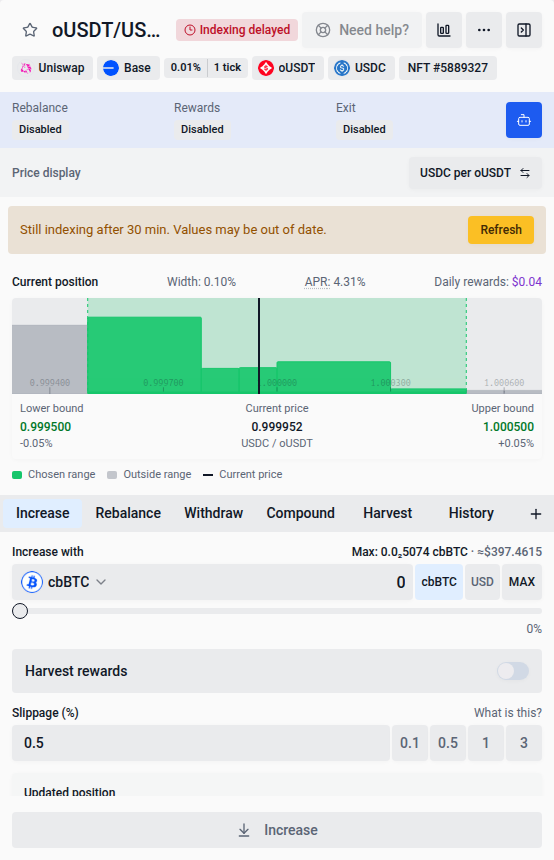
When the indexer reports a delay, the badge turns red and reads Indexing delayed, and the status line says the indexer is running behind. After 30 minutes, the pane says Still indexing after 30 min. Values may be out of date. with Refresh, and Need help? stays available. The entry clears when indexed data arrives or after 24 hours.
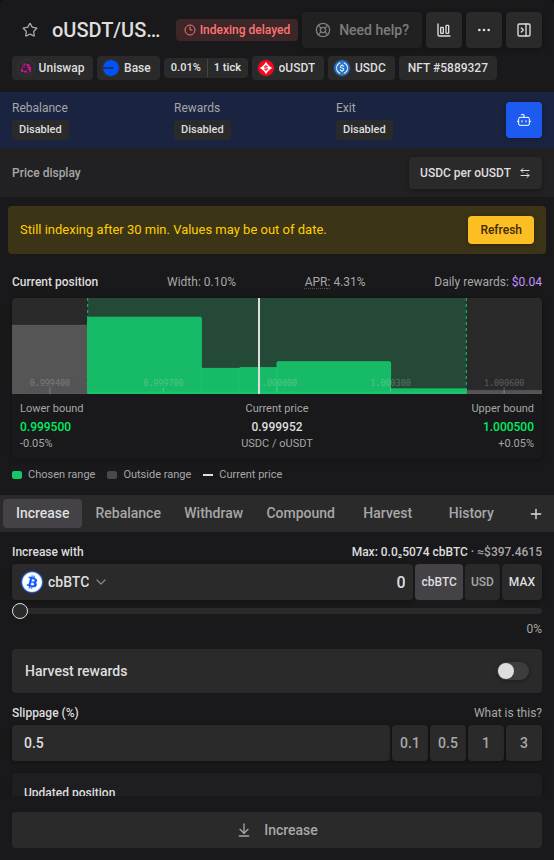
Pending transactions
Choose Run in background to keep a transaction running while you use the site. Starting an action on another position asks you to confirm Queue it. An action on the same position must wait until its pending wallet request or transaction finishes, even if you hide its progress.
View details lists each run with its own status, Retry, and Cancel or Dismiss controls. Cancel and Stop waiting hide progress and cancel steps that have not reached your wallet. Requests already sent to your wallet stay tracked until they succeed or fail, and block another action on the same position. Their result appears when they finish; cancelled steps do not resume automatically. Stop waiting applies to all runs.
Position transactions are remembered in this browser from the moment your wallet sends them. After a refresh, or in another open tab, VFAT keeps waiting for their confirmation on the transaction’s own network. A notice such as Deposit sent · still confirming appears, and the positions it changed are marked Updating once it confirms. Steps that had not reached your wallet are not resumed; check your wallet for pending requests before trying the action again.
Speeding up a transaction keeps tracking the same action. Cancelling it in your wallet or replacing it with another action does not mark the original action as confirmed. Check the replacement transaction before retrying.
The background notification shows a short preview of long errors, keeping View details and the close button visible. On smaller screens, it appears at the top so the position action buttons stay clear. You can dismiss it or open View details while the position panel stays open. Open View details to inspect the failure and copy the full error message. A request you reject in your wallet shows as Cancelled instead of a failure; choose Retry to send it again. On an error or cancelled notification, the close button dismisses all finished runs, including rejected transactions, in one click; active runs continue in the background.
Actions containing a Curve swap refresh their quote after approvals and recheck it after user decisions. A refreshed quote can change the displayed output, price impact or funding requirement. If your connected wallet changes while the quote is being checked, submission stops; retry with the wallet you want to use. Confirm the wallet prompt promptly because these swaps have a short on-chain deadline.
Wallet prompts appear one at a time. Independent transactions can wait for confirmation together, while automation permission updates for the same Sickle wait for the preceding update to finish.
If the transaction check or quote estimates that your connected wallet needs more native currency, View details shows the balance, estimated cost and suggested top-up for that chain. The warning is advisory; fees and balances can change. After topping up, retry to check the latest requirement. Some checks cannot finish until an approval or deposit confirmation is complete, so the absence of a warning does not guarantee enough gas.
Before opening your wallet, a transaction may ask you to review adjusted deposit amounts or price impact. These prompts appear in the pending transaction details. Choose Proceed to continue or Cancel to stop. After you accept adjusted amounts, VFAT requests a fresh quote; any unused tokens stay in your wallet.
Position detail
The widget header shows aligned tags for the protocol, chain, fee, tokens and position ID. The separate Price display strip below them shows units such as USDC per WETH. Click its button once to switch to the reverse direction. It stays synchronized with the selector in the expanded Price chart for the same pool and updates price displays and range inputs without changing the position’s boundaries.
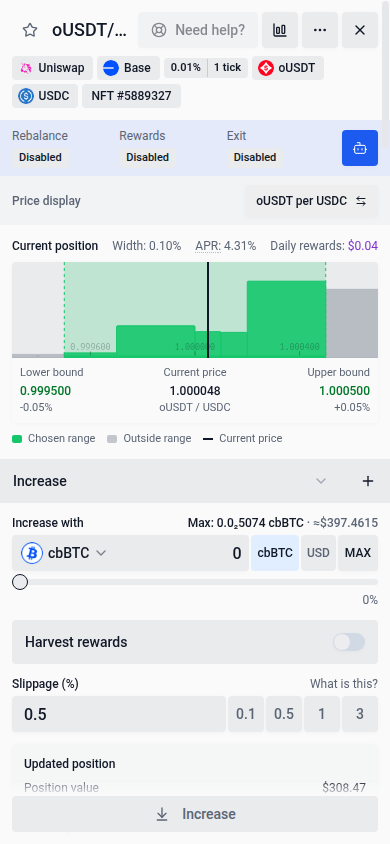
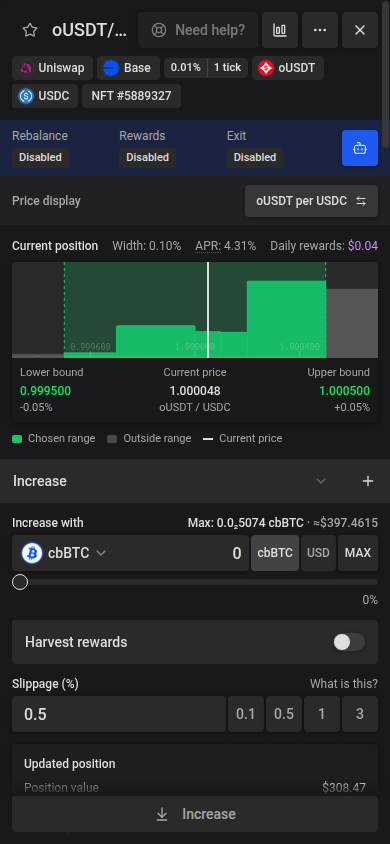
Use More details in a position’s action pane to open its farm page. For NFT positions, the link selects that NFT even when you hold several positions in the same pool. When you rebalance from this page, the link updates to the replacement NFT once it appears. The farm page shows position, farm and pool details with analytics beside the action controls on desktop, beneath one shared header. On smaller screens the controls and details stack in one scrolling page.
Opening a position’s action pane shows its Total PnL, ROI and APR. These are lifetime figures, calculated across rebalances and including harvested rewards and fees (plus unclaimed Earned rewards where reward metrics are available). The pane also shows the position’s age and, when available, a link to that position’s full history on info.vf.at.
Supported classic farms managed by a Sickle also show these metrics and performance history when their data is available. Positions whose identity or performance cannot be established continue to show unavailable values. If a farm’s history belongs to several open positions, its totals and performance graph remain unavailable for each individual position.
Positions in pools with tokens that are not fully supported on vfat show a Limited support notice in the action pane. USD values and automation may be limited; read the notice for details about the position.
When vfat cannot load a pool’s liquidity data, the action pane shows Pool data unavailable: increasing and rebalancing are paused, but you can still compound, harvest or withdraw. If vfat cannot add liquidity to a position’s pool at all, for example because it has no active liquidity or one of its tokens is blocked, compound and increase quotes fail with Pool inactive on vfat. You can still exit, decrease or harvest the position.
Position widgets show the simulation and route preview in the scrolling content above the anchored submit controls. Batch action previews appear below the submit buttons. The preview is expanded by default when a quote is available. Use the toggle beside an action’s submit button to collapse or reopen it; loading or expanding the preview keeps the buttons in place. The form and preview can scroll while the submit controls stay visible. You can switch positions without closing the preview first. Quote errors and recovery actions appear even when the route preview is collapsed.
Route previews show indicative token amounts. Swap aggregators and price impact appear in the validated quote details when you submit the action, including any price-impact confirmation required before opening your wallet.
You can still preview a withdrawal from a deprecated farm. Missing required position data can prevent a quote; submitting still requires a validated quote.
If your wallet may need more native tokens for an action, the transaction details show an estimated top-up. Choosing Run in background keeps a short funding notice in the transaction notification; use View details to see the estimate. The notice is advisory, so you can still continue. After topping up, retry to check the latest requirement.
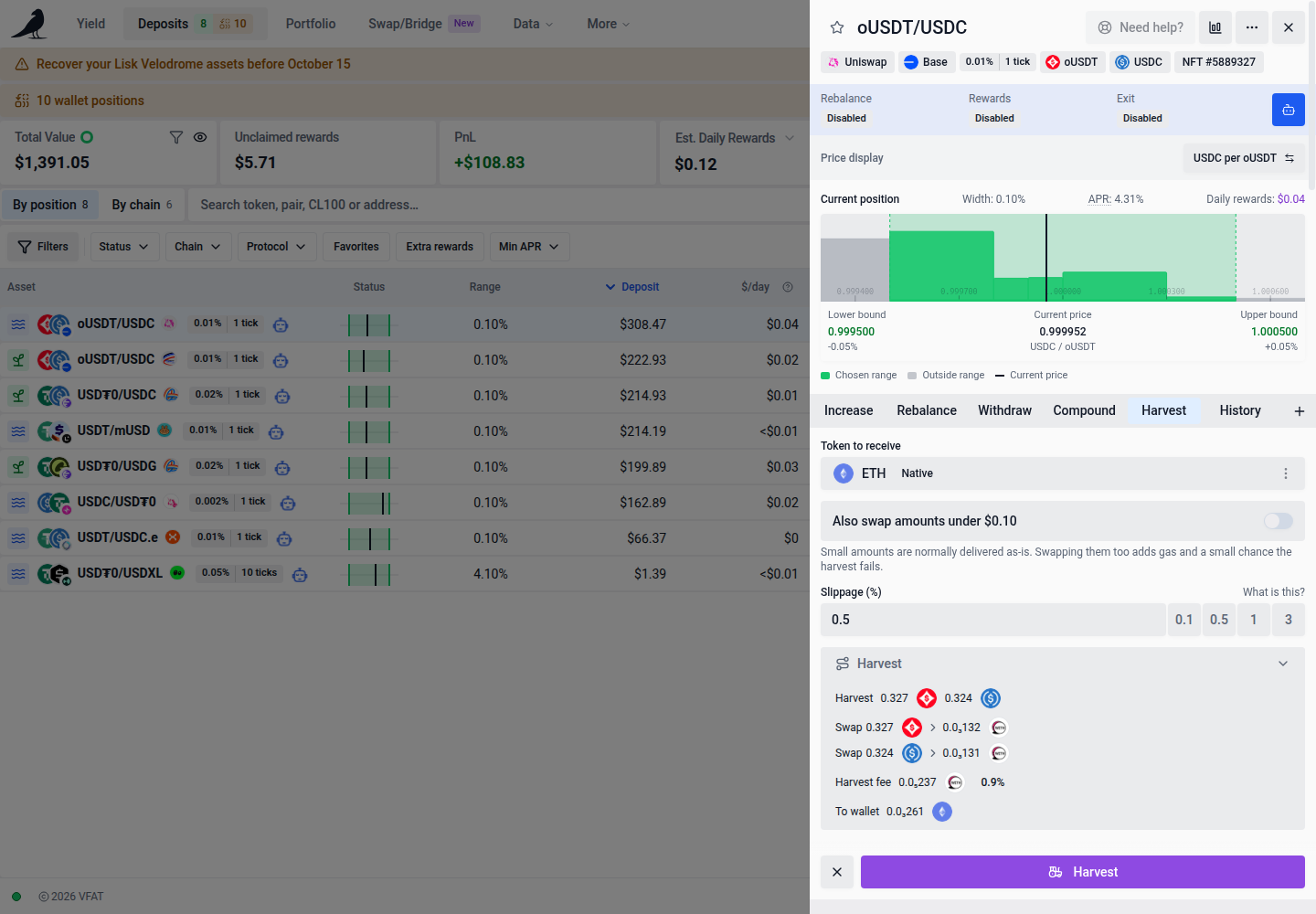
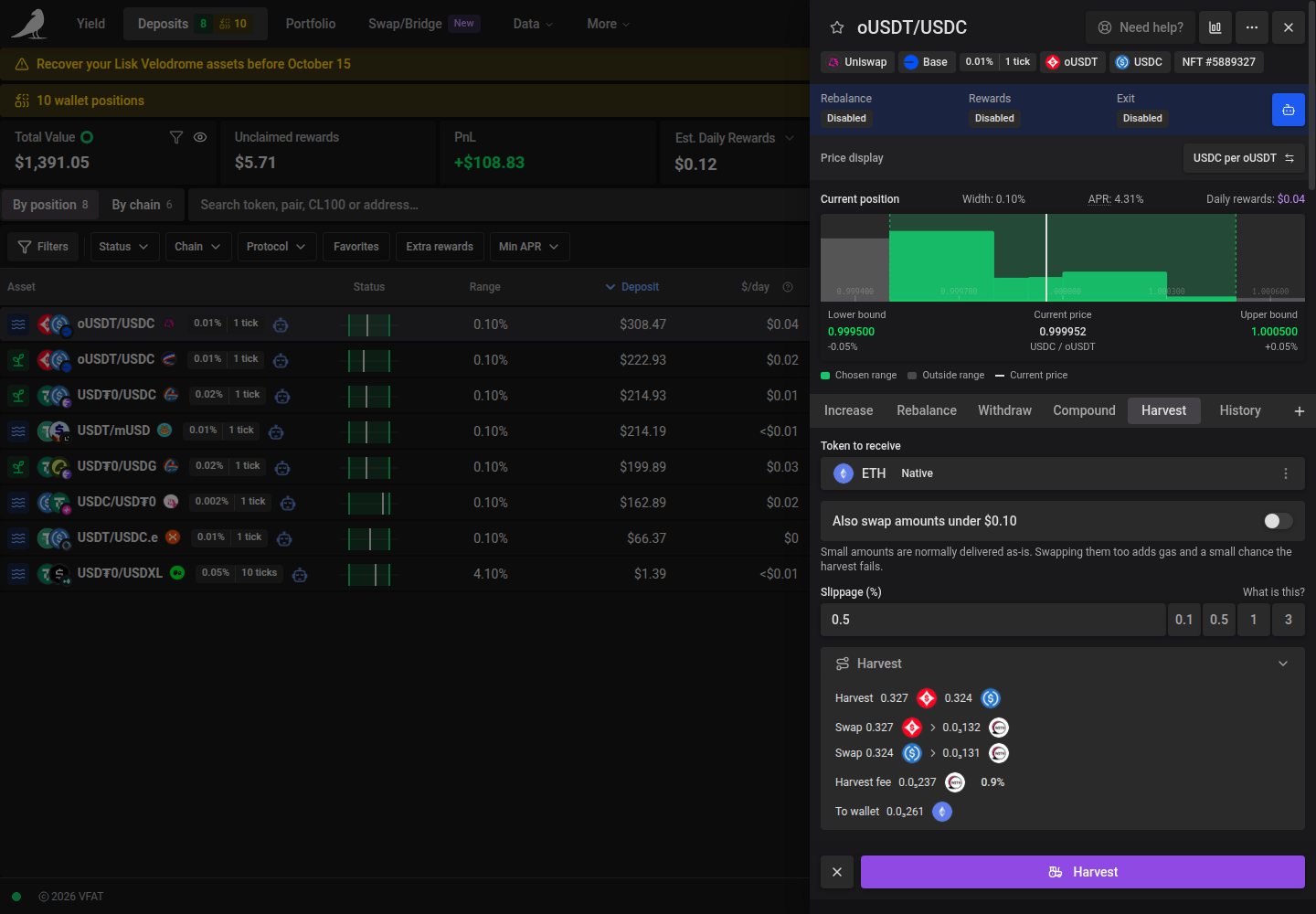
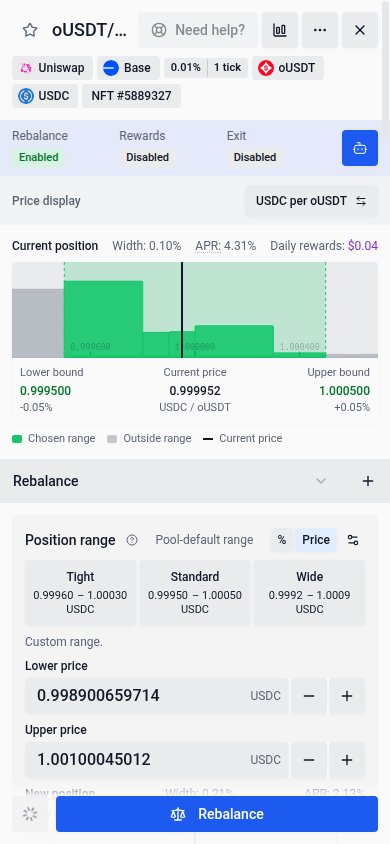
The position overview stays above the action tabs. It shows APR, the current range, configured limits, and automation statuses together, including while you view History. The automation strip uses the shared blue highlight and sits in the card header, directly above Price display and the current range chart. It spans the widget width. The table keeps statuses in one compact row without queue details; important problems replace the Enabled label. Its Rewards column covers both reinvestment and harvest automation. Use the primary blue bot button, Automation settings, beside it to enable, disable, or edit the position’s automations in one modal. Saved settings are selected in its compact automation chooser when it opens. Use each card’s Enable checkbox to choose the automations you want. Select the title or description of an enabled card to review its settings; this never disables it. With none enabled, the settings area disappears. Review changes on its range chart and choose Save automation to apply them together. Closing settings returns you to your existing action inputs. Rebalance shows a separate preview for its proposed range below the tabs. Increase uses the current-position chart above the tabs.
The current-position chart shows the percentage price move from the displayed current price to each boundary beneath Lower bound and Upper bound. For example, a current price of 100 with bounds at 90 and 120 shows −10.00% and +20.00%. These values follow price updates and the selected Price display direction, including in automation settings. When price leaves the range, both boundaries can be on the same side of the current price.
Range width follows Percentage convention in App Settings. Tick-based (current) is the default and displays 100 ticks as one percentage point. Actual price change measures (upper price / lower price − 1) × 100, so a 10,000-tick concentrated-liquidity range is approximately 171.81% wide instead of 100%. The table, range-width filters, tooltips, and charts use the selected convention. Inverting the price display preserves the width. Percentage range inputs also follow this setting; switching conventions preserves the underlying boundaries.
Metric row widths always use the actual price change between the outer held boundaries, including the last band and any gaps. Metric bands can have different widths and have no uniform tick approximation.
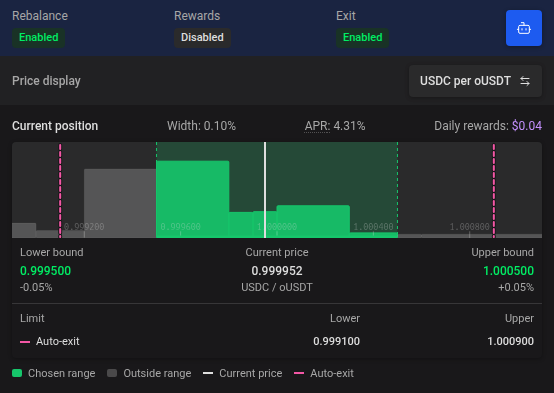
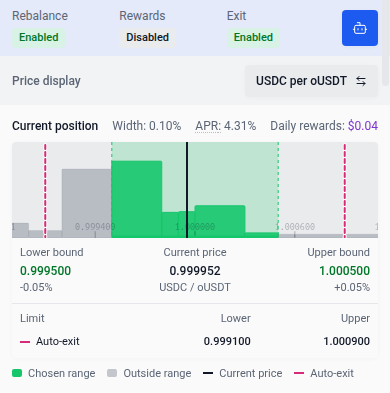
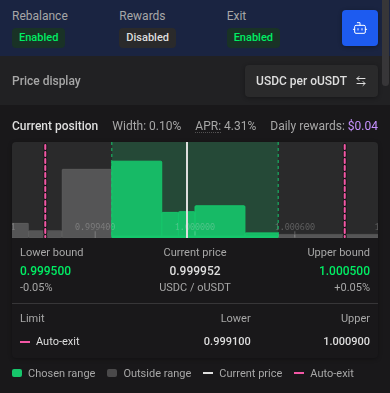
An out-of-range concentrated-liquidity or Liquidity Book position keeps the widget’s normal background. Hover over the header for the Position out of range status, which is also available to screen readers. For concentrated-liquidity positions, the current-position chart turns red until the position returns in range. In Rebalance, this chart stays visible above the blue preview of the proposed range.
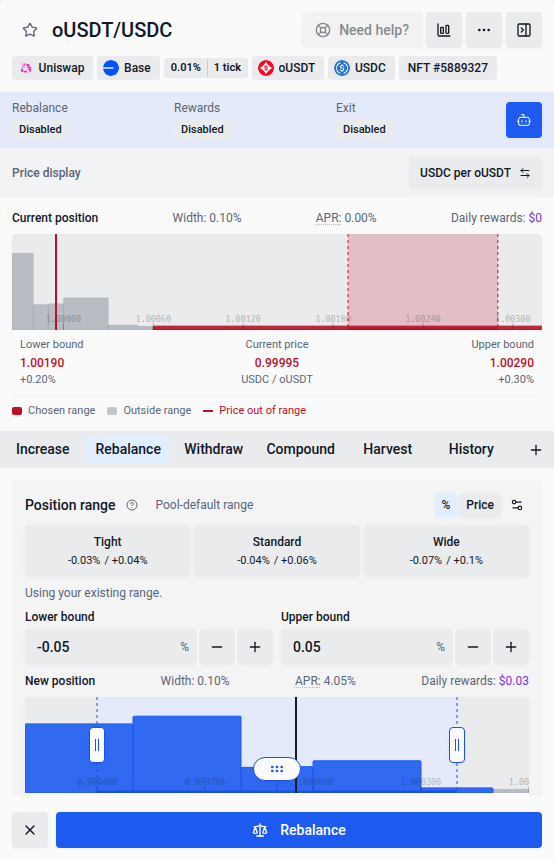
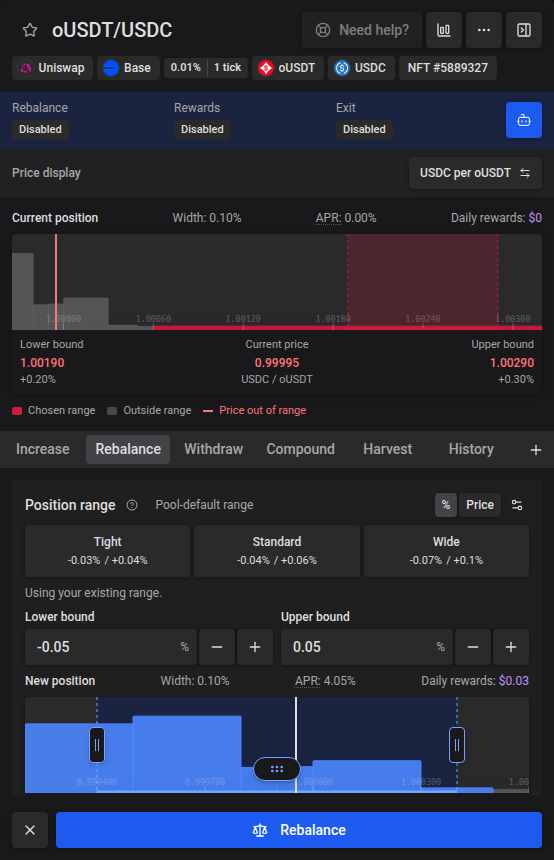
When auto-rebalance is off, the untouched manual target follows your existing range while the position is in range and recentres with the same width when it leaves the range. Selecting a preset or editing a bound preserves your chosen percentage offsets through price refreshes, even if they initially match the default. Opening another position starts with that position’s defaults.
Click into a new range bound to adjust it with the mouse wheel: scroll up to increase or down to decrease by one allowed pool tick increment, within the same limits as the + / − buttons. Wheel adjustment only applies while that input is focused.
In Increase, the Increase with picker stays inside the combined amount row when switching between one token and a pair. For a pair, the picker remains active but the shared amount, unit switch, and MAX are greyed out; use Auto Max or the two token amount inputs below instead. Switching back to a single token re-enables the combined row and resets its amount.
Increase and Withdraw show an Updated position box above the submit button, with the estimated position value, APR and daily rewards after the selected change. These estimates are also available for regular LP positions. A partial withdrawal estimates earnings on the remaining value at the current APR; a full withdrawal shows zero remaining value and earnings. Changing the amount leaves the current-position chart on the saved position. On short screens, scroll the widget to move the range chart and estimates out of the way and reach the amount and percentage controls. The submit button stays anchored while you scroll.
Bush (Balancer V3) pools hold two to eight tokens. You can deposit or increase with a single token, or select the combined pool-token option to supply every underlying token. LP pools use one amount input per underlying token; editing one pairs the others in the pool’s reserve ratios. You can select native currency instead of its wrapped token when it is an underlying asset, and Auto Max reserves the estimated network fee before calculating proportional amounts. Auto Max uses the largest proportional amounts your balances cover. Pool, position, and transaction details list every token, and withdrawing to underlying returns the pool tokens. Selecting existing Bush LP tokens (BPT) in Increase transfers them directly into the position and keeps its saved automation settings. Bush positions support Auto-exit; reward automation, compound, harvest, and moves between Sickle positions are unavailable.
Token choices in Withdraw, Harvest, batch harvest and automation settings use the same searchable dropdown as Deposit and Increase, including Liquidity Book positions. On desktop, the dropdown matches the full input row’s width; on phones, it opens as a bottom drawer. Choose a token or close the picker to return to the form. Withdrawal percentages and other form inputs stay as you left them.
For NFT positions that earn trading fees, Harvest includes the pool’s tokens alongside incentive rewards in the receive-as-is choice. Those tokens remain available when a historical fee estimate is unavailable, including Giga CL pools.
In Harvest, rewards worth less than $0.10 are normally delivered as-is, even when you choose a Token to receive. Turn on Also swap amounts under $0.10 to swap them as well. This adds gas and a small chance the harvest fails; a small reward with no swap route is still delivered as-is. Your choice is remembered for later harvests. The switch is not shown when you receive rewards as-is or for Liquidity Book positions.
In Withdraw, choose the asset and amount in the combined Token to receive field. The picker, amount, units, and MAX share one row, matching deposits and swaps. The slider still sets the percentage to withdraw. Choosing a different token keeps that percentage; choosing the position NFT itself withdraws the whole NFT without an amount field.
The form opens at 100% for a full withdrawal, including when you choose LP tokens or the combined underlying-token option. Selecting 100% on the slider and pressing MAX select the same full amount. For withdrawals with an amount field, a successful withdrawal or a switch to another position in the same form resets the amount and percentage together to zero; choose a new amount before continuing.
Withdrawal route previews identify NFT positions as Unstake NFT #…, matching rebalances. Regular LP withdrawals show the LP token amount instead.
For concentrated-liquidity positions with Auto-exit enabled, the current range chart above this field shows the saved exit triggers in rose-pink. Hover, focus, or tap a marker to read its price. Changing the withdrawal amount keeps the chart on the full position; disabling auto-exit hides it.
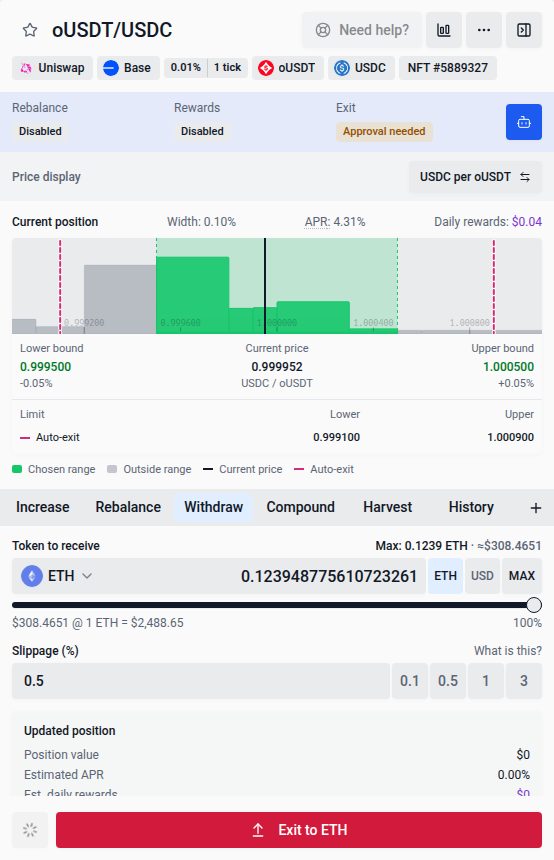
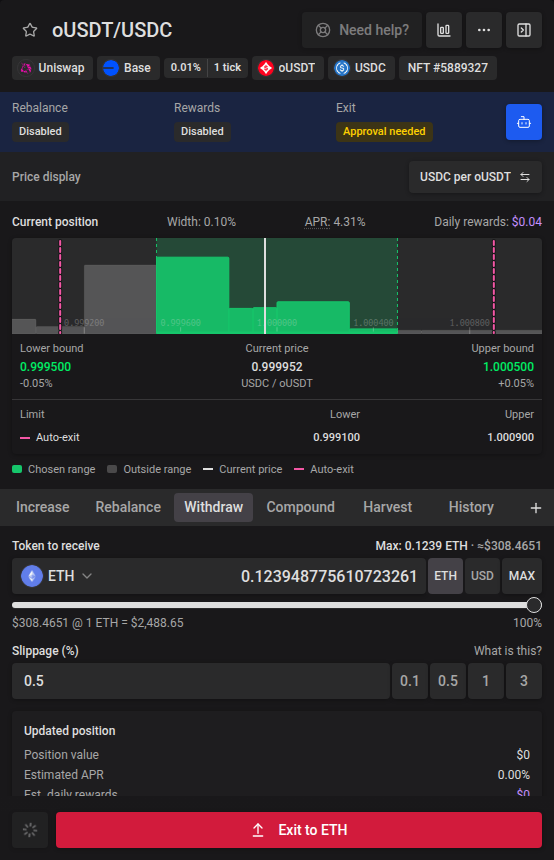
For NFT liquidity positions, choosing a percentage below 100% previews the partial withdrawal’s token output and fees before you select Withdraw. Changing the percentage refreshes the preview. At 100%, the button becomes Exit and the preview shows the full exit.
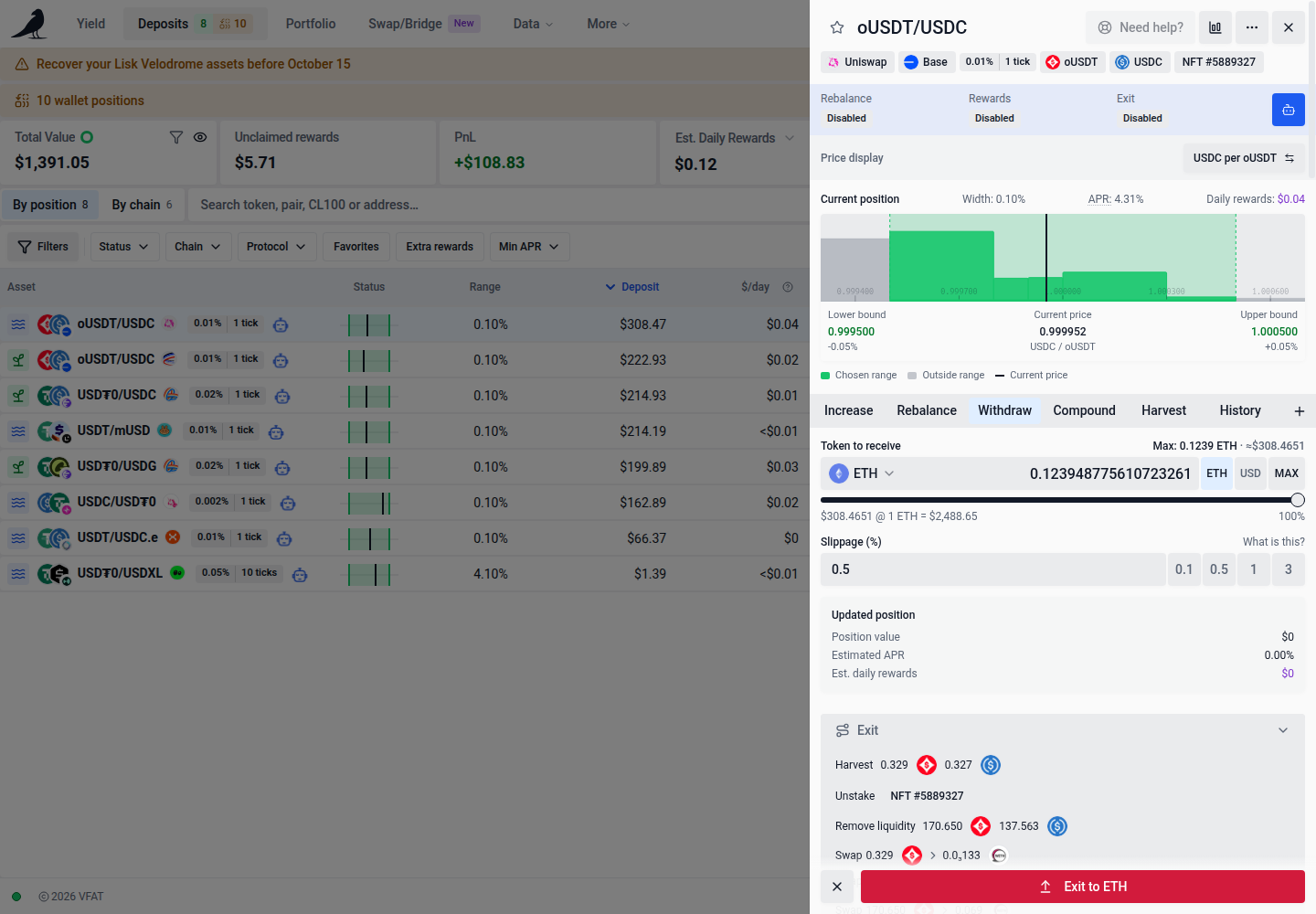
Liquidity Book positions show their range in bins. They use the same range widget and % / Price inputs as other concentrated-liquidity pools, with Tight, Standard and Wide suggestions using the same range fallback chain: usable history, an applicable pool default, then loaded liquidity distribution. Missing data leaves manual bounds available; fallback ranges provide no rebalance-time estimate. Existing ranges and keeper shapes are preserved until you choose a suggestion or edit a bound; saved Shift ranges remain locked in Rebalance. Suggestions wider than 256 bins are unavailable, with an explanation. Their action pane has Increase, Rebalance, Withdraw, Move and Automation tabs, plus Compound and Harvest when the pair pays hook rewards; swap fees accrue inside the bins and need no harvest. Deposit, Increase and Withdraw use the standard asset, amount and balance-slider controls; switching actions preserves entered amounts. Deposit and increase accept wallet tokens or the pair’s underlying tokens; importing bin shares is not offered. Withdrawing 100% exits every bin. Move shifts the position into another Liquidity Book pair. Bin positions are not included in chain-wide batch harvest, compound or move, or in multi-farm Auto-compound groups.
Range charts use the same compact layout as other concentrated-liquidity positions, showing indexed pool liquidity per bin in USD, green shading for the selected range, labelled price bounds and the active price. A dashed outline marks the current range for comparison. Nearby liquidity is cached so navigation stays smooth; exploring beyond the loaded area fetches more bins in the background. Drag to pan, or scroll or pinch to zoom; hover, tap or use arrow keys to inspect token reserves. Selected ranges remain visible when liquidity data cannot load. Indexed reserves can lag chain activity.
The Move picker loads matching pairs on the position’s chain. If loading fails, choose Retry to finish loading the available targets. Opening Automation with shift mode enabled preserves your saved entry-bin offsets even after the active bin moves.
The History tab has two views: Performance and Transactions. Liquidity Book history is specific to the position’s pair, including pairs that pay hook rewards. It opens on Transactions, which lists every action taken on the position: deposits, withdrawals, harvests, compounds, rebalances, moves and exits, each linking to its transaction in the block explorer. Filter by operation type or a date range. On concentrated-liquidity (NFT) positions, a compound row shows the value it added and, on wider screens, the token amounts; expand it for the transaction-wide rewards and fees, and whether gas was covered by the automation fee or charged to your prepaid gas account. Transaction totals may include other positions or wallets in the same batch. An automation icon (with a fuel icon when it drew from your prepaid gas account, see Sickle) marks actions that ran automatically rather than ones you triggered manually. When it drew from the gas account, the icon’s tooltip, the compound row on wider screens and the expanded compound show the amount charged, valued at the current native token price. Switch to Performance to see the position’s metrics and 30-day performance graph. Transaction filters and expanded rows are kept when switching between these views.
Tokens locked in their own pool
Some tokens let Uniswap move them only inside the issuer’s own pool. A position in any other Uniswap V4 pool holding such a token cannot claim fees or remove liquidity, so harvest, compound, withdraw and exit fail with Token locked in this pool. Exit NFT still works: it moves the NFT to your wallet without claiming fees, and the uncollected fees stay on the position.
When the issuer provides an exit for these positions, the position shows a recovery panel. The panel checks whether the NFT is eligible before offering Recover position. If the check fails, use Retry eligibility check; recovery stays unavailable until eligibility is confirmed. Recover position withdraws the NFT from your Sickle, approves the issuer’s exit contract for that NFT and redeems the position, uncollected fees included, in up to three wallet confirmations. An NFT already in your wallet shows a Recover button in its row instead and needs two confirmations. The redemption sets minimum amounts 1% below the position’s current amounts, so it reverts rather than accept a worse token mix.
CLAUS on Ethereum is covered: since 2026-10-09 it moves only inside its own pool, and its LegacyPoolExit redeems Uniswap V4 positions minted before that change. The CLAUS you receive can only be sold in the CLAUS pool.
Standalone Curve
Standalone Ethereum Curve LP holdings and direct StableSwap-NG gauge receipts have separate deposit modes and recovery actions. See Curve for multi-coin deposits, conservative CRV estimates, liquidity restrictions and wallet receipt recovery.
Stake DAO Curve vaults
Stake DAO’s ftUSD/USDC vault on Ethereum is a staked Curve LP position. Vault shares represent the same amount of Curve LP, and the position displays its underlying ftUSD and USDC balances. Sickle positions use the existing Increase, Compound, Harvest and Withdraw actions, with reward automation and auto-exit settings.
CRV is harvested and claimed through Stake DAO’s Accountant; extra reward tokens are claimed from the vault. Quotes require the complete reward-token list, so an unavailable RPC read can prevent an action until it succeeds. Extra tokens appear in pending rewards but are not included in the listed APR.
Wallet-held vault shares appear in Wallet positions. Migrating withdraws the LP from the vault and deposits it into your Sickle; exiting returns the pool’s underlying tokens to your wallet. For deprecated vaults, the position action pane also offers supported Exit and Remove actions. A reward claim can require separate Accountant and vault transactions.
Direct Stake DAO liquidity removal burns LP held by your wallet and needs no LP approval to the Curve pool. Exiting vault shares withdraws the LP first, then removes it. Router-based removals on other protocols still request approval when needed; approval details show the actual spender.
Migration
When your wallet holds positions, the compact Wallet positions warning strip above the KPI cards shows their count. It stays separate from any incomplete-balance notice. Select it to review holdings and their available migration or recovery actions. Holdings with unavailable protocol details remain listed with management unavailable.
A wallet stake on a deprecated farm cannot be migrated. Its Exit claims any rewards, unstakes the position and removes its liquidity to your wallet. Where VFAT can estimate removal amounts, it sets minimums 1% below them. Direct Stake DAO and Uniswap V4/BMX V4 removals currently use zero minimums. NFT migration, removal and reward claims are unavailable when the held NFT’s manager doesn’t match the farm’s details.
Aero concentrated-liquidity gauge positions retain their NFT manager and gauge when you import them. Import first unstakes the NFT to your wallet, then approves and deposits it into your Sickle. You can also unstake to your wallet without importing.
For Shadow and Ramses NFT positions that earn rewards without staking, Remove claims pending rewards first. Removing liquidity keeps the empty NFT in your wallet so rewards that become available in later periods remain claimable.
If Deposit NFT cannot check an existing approval, it includes an approval transaction before the deposit. Any required network switch appears in the transaction queue, where Cancel or Stop waiting stops the remaining steps.
The Deposits navigation item shows read-only tags for active positions (green), inactive or out-of-range positions (red), and wallet-held positions (amber). Wallet-held positions include holdings that cannot be migrated. While transactions wait for indexing, a separate amber tag with a spinner counts the positions that are updating. Their status colors stay the same on hover.
If your Sickle needs a one-time automation upgrade, follow the upgrade prompt in its automation settings or action pane. The upgrade preserves your existing settings.
Mento pools
Mento FPMM pools on Monad hold LP tokens directly in your wallet or Sickle. Wallet-held LP appears in Deposits and can be imported into your Sickle. Existing Sickle positions support adding liquidity, harvesting or compounding Merkl rewards, and withdrawing to tokens or underlying assets. A harvest claims the Sickle’s available Merkl rewards across its pools. Rewards earned by your wallet before import remain claimable by that wallet through Merkl.
Returning the raw LP token withdraws the full Sickle balance. Choose the combined underlying-token option or another output token for a partial withdrawal. If the live LP balance has changed, refresh the position before retrying the full return.
Mento prices use the oracle rate; reserve proportions are used for adding liquidity. Fee APR is unavailable. Sickle-held Mento positions support auto-compound, auto-harvest and auto-exit, with their settings and any exit delay kept separately for each pool. Auto-compound reinvests into the same position: Mento positions cannot send rewards to another position or receive rewards from one, and are not included in moves or chain-wide batch actions. When new deposits are unavailable, held Sickle positions retain the withdrawal and earned-reward actions; each quote checks whether its required contracts are ready.
Aero migration history links the source exit and each new NFT deposit to its matching position in the block explorer. These links identify the migration; they do not combine performance metrics across NFT managers.