App Settings
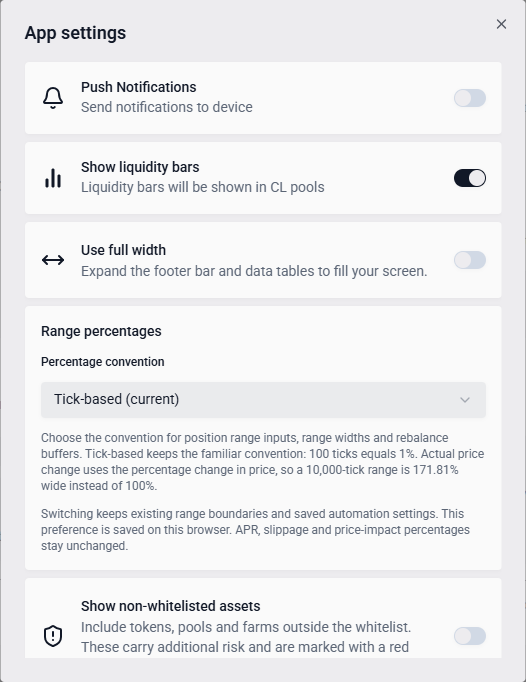
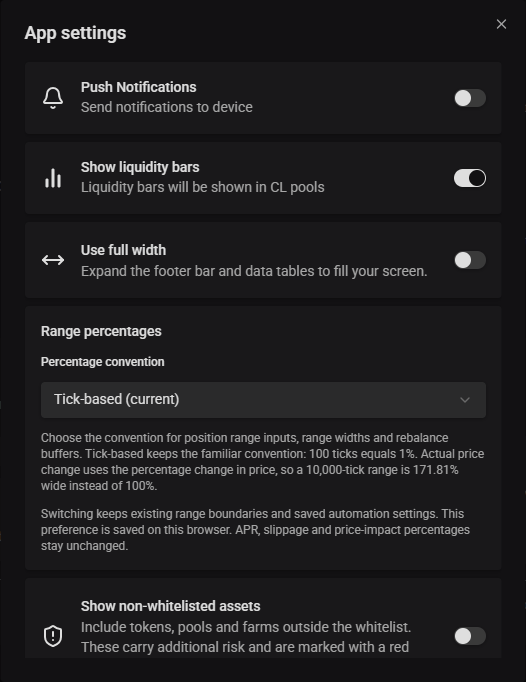
The settings button in the header opens App Settings: general preferences that apply across the whole app, separate from Sickle settings (which are per-wallet, per-chain automation configuration).
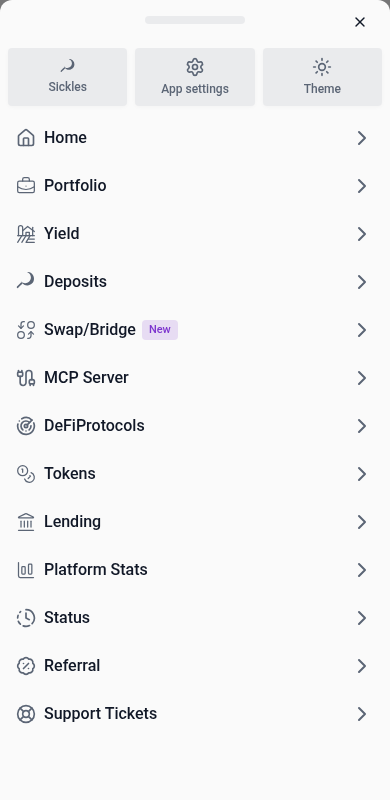
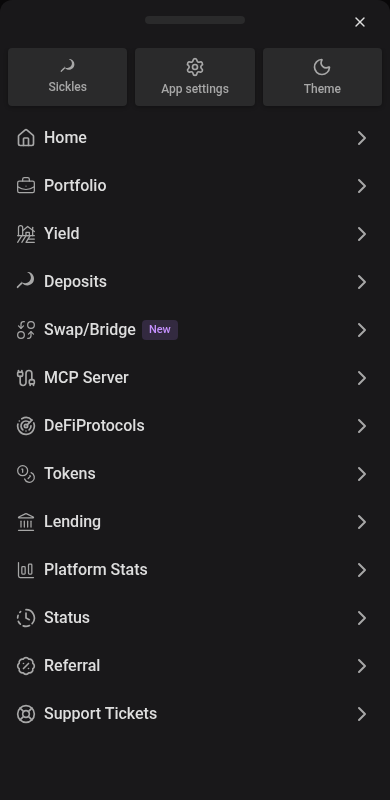
On mobile, tap Menu at the bottom right to open the navigation drawer. Scroll inside it to reach all pages, or choose App settings or Sickles. Both settings screens stay inside the drawer. Back stays visible while scrolling and returns to the menu. The device’s Back button dismisses the menu without leaving the current page. App dialogs, including settings forms and confirmations, open as bottom drawers. Swipe inside longer forms, including Customize columns, to reach the bottom controls. Close a drawer with its close button, by tapping outside, or by dragging the handle down. Desktop dialogs stay centered.
The Quick exit token picker opens in a searchable dropdown as wide as its input, or a bottom drawer on phones. Choose a token or press Escape to return to the same settings page; the drawer also has a Close button. Select lists and dropdown menus open above the settings form.
Preferences, currencies, RPCs and default inputs use the same borderless cards as the rest of the app. Small gaps separate sections on a neutral background. Currency selections use a soft light blue highlight in light mode and a brighter neutral grey highlight in dark mode, and keyboard focus remains visible.
Theme
Use the theme button in the header, or Theme in the mobile menu, to choose System, Light, or Dark. System follows your device’s appearance and updates automatically when it changes. It is the default when no theme preference is saved. Existing saved Light or Dark preferences are kept, and your selection is remembered in this browser.
Light mode uses soft off-white cards on a warm pale-gray background, and dark mode uses light gray text on warm charcoal surfaces. Cards, filled buttons and inputs share a subtle shadow, including KPI cards, attached action buttons and fields inside menus or cards. Combined token and amount fields keep one shadow around the field. Tabs and dense table controls keep flat surfaces. Surface shades and quiet dividers separate supporting details. Inputs use neutral surface fills without outlines when clicked or tapped. Tab navigation shows a subtle gray indicator inside the field, and invalid values keep their error highlight. Selected controls use a soft light blue highlight in light mode and a brighter neutral grey highlight in dark mode, with readable neutral text; selected table rows use a subtler shade so financial figures remain clear. Option cards, tabs and filter choices highlight the whole selection, with quieter neutral fills for unselected options and no selection outline. Keyboard focus remains visible. Action, reward and status colors keep the same meaning in both themes.
The connected wallet and Copy address controls share a flat surface without a shadow. Click the wallet to open its options, or the copy icon to copy its address.


Blue identifies primary actions, and purple provides secondary accents and marks rewards and points. Primary actions, automation settings and Connect wallet keep solid blue backgrounds. Transaction buttons retain strong colors for their action type. Supporting buttons, filters and colored tags use soft tints. Status badges and migration cards also use tinted backgrounds without outlines; fee and native-asset tags use neutral fills.
Search and view controls sit slightly above the table, with a small gap between them. In Yield and Deposits, the filter bar forms the top edge of the table, and a light grey header strip separates the column labels from it in light mode. Search fields and the adjacent toolbar buttons share a neutral surface, while applied filters use the theme’s selection highlight. Deposits chooses its view with By position | By chain; Portfolio’s Group by chain label appears to the left of its toggle inside a shaded card. Deposits filters status from a Status chip with All, Active and Inactive. Action buttons match their row’s surface, with small gaps between the softly rounded buttons instead of divider lines. Disabled actions keep the row surface with muted icons. Selection and hover colors extend through the pinned actions when scrolling sideways.
Expanded details use borderless panels, compact shaded value rows and matching analytics cards. Wallet holdings use the same separation by surface color and small gaps.
Desktop navigation marks the current section with neutral text and a subtle gray background. Mobile Yield and Deposits tabs use the same selection style as filters: soft light blue in light mode and brighter neutral grey in dark mode.
Season
vfat decorates itself for the time of year. Each season tints the page surfaces, puts an accessory on the vfat logo, swaps the loading indicator, strings a small garland along the bottom of the header and lays a landscape across the Home page, just under the introduction. Buttons, charts, gains, losses and warnings keep their usual colours. Seasons follow your local date, work with both light and dark mode, and never change your theme choice. Open tabs update at local midnight and check the date again when you return to them. Outside a season, the app uses its standard look.
On the days around each holiday (marked below), the Home page comes alive: particles drift behind the page, characters fly along the top and, with a mouse, the pointer leaves a short trail. On other pages the decorations stay at the header edge so they never cover tables, forms or numbers. On phones the garland runs along the top of the bottom navigation, and Home adds small hanging decorations in the top corners and, on the peak days, a little visitor crossing the top of the screen.
| Season | Dates | Peak days | What you’ll see |
|---|---|---|---|
| Bitcoin Genesis Day | January 3 | January 3 | A miner’s hard hat on the logo, falling block hashes, rising blocks and a Block 0 card with the genesis message |
| Lunar New Year | The eve of Lunar New Year through the Lantern Festival | The eve through the third day | Red and gold, swinging red lanterns, a firecracker string, plum blossoms, rising sky lanterns and the year’s zodiac animal |
| Valentine’s Day | February 13 – 14 | February 13 – 14 | Rose and pink, a heart balloon tied to the logo, rising hearts, candy hearts and Cupid’s arrow |
| St. Patrick’s Day | March 16 – 17 | March 16 – 17 | Green and gold, a leprechaun hat, a rainbow ending in a glowing pot of gold, falling shamrocks and rolling hills |
| Bitcoin Pizza Day | May 22 | May 22 | Falling pizza slices, a checkered tablecloth trim and a receipt for the 10,000 BTC pizzas with what they’re worth today |
| vfat birthday | July 28 – 30 | July 28 – 30 | A party hat on the logo, bunting, balloons, confetti and a birthday cake with a candle for every year |
| The Merge | September 15 | September 15 | Indigo and teal, panda ears on the logo, two chains joining, floating ETH diamonds and the Merge panda |
| Halloween | October 15 – November 1 | October 29 – November 1 | Pumpkin lights, a witch hat, a moonlit graveyard, ghosts, bats, cobwebs and a dangling spider |
| Christmas | December 1 – 26 | December 20 – 26 | Twinkling lights, a Santa hat, snowfall, a snowman, a decorated tree and Santa’s sleigh |
| New Year | December 27 – January 2 | December 31 – January 1 | Gold and midnight, a top hat, fireworks over a city skyline, the arriving year in neon and a countdown to midnight |
If Lunar New Year and Valentine’s Day fall on the same days, Lunar New Year is shown.
A few things are worth finding: click the accessory on the vfat logo, look out for a successful deposit, increase, harvest or compound, and keep vfat open as the clock strikes midnight on New Year’s Eve. On Halloween, empty pages have company.
If your device asks for reduced motion, scenes stay still and moving decorations, bursts and the pointer trail are hidden. Decorations never block clicks or taps.
To use the standard look instead, turn off Seasonal themes at the top of App settings. The switch appears there only while a season is running. Your choice is remembered in this browser and applies to future seasons too.
Inline toggles
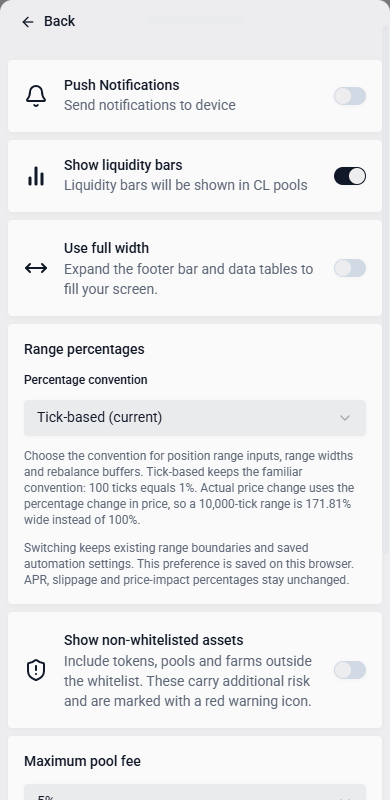
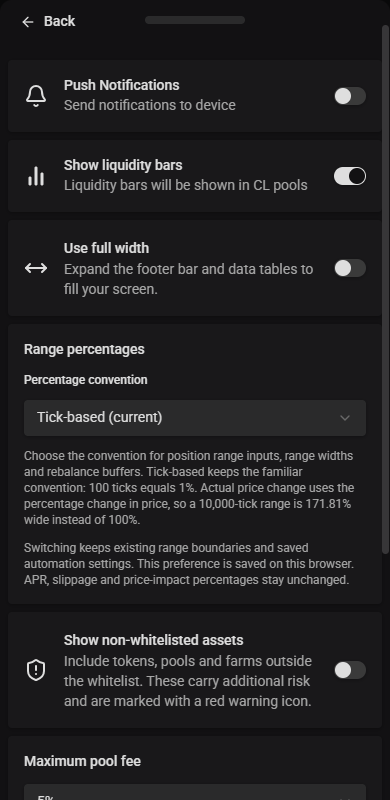
- Push Notifications: send notifications to your device
- Show non-whitelisted assets (on by default): include tokens, pools, farms and wallet holdings outside the whitelist. Turn this off to show only whitelisted assets. This preference is saved in your browser and applies across the app. Non-whitelisted items have a red shield warning; hover, focus or tap it for details. Verify contracts and understand the risks before interacting. Whitelist inclusion does not guarantee safety.
- Maximum pool fee (5% by default): hide pools whose swap fee is above this from pool and farm lists. Some pools charge 80% or more on every swap, which makes swapping through them or providing liquidity a loss. Pools with a variable fee stay visible. Choose No limit to list every pool. Your existing positions and favourites are never hidden. This preference is saved in your browser.
- Show liquidity bars: show liquidity-depth bars on concentrated liquidity (CL) pools
- Use full width (off by default): expand Yield, Deposits, Portfolio, Tokens, token liquidity, Lending Markets, Protocols, Stats and Referrals to fill your screen. Turn this off to keep these views centered within a maximum width of 2,000 pixels at the default text size. The navigation always spans the screen, with the logo and wallet controls near its edges. The footer status indicator stays at the window’s left edge in either layout. The preference applies immediately and is saved in your browser. Content on Home, Docs, Swap, individual farm actions, MCP, Support and Status keeps its width limits regardless of this setting.
- HyperEVM block mode (only shown once a wallet is connected): choose between Fast blocks (every transaction confirms in ~1s, capped at 3M gas) or Big blocks (up to 30M gas, but every HyperEVM transaction from this wallet waits ~1 minute). Big blocks require a Hyperliquid Core account for that wallet. If it doesn’t have one yet, the app walks you through creating one by sending a small amount of HYPE; the remainder stays in your Core balance and can be moved back to HyperEVM anytime.


Range percentages
Use Percentage convention in App Settings to choose how position range inputs, range widths, buffer margins and Custom rebalance offsets are shown and entered:
- Tick-based (current) is the default. It keeps the familiar convention of 100 ticks per percentage point. A 10,000-tick range is displayed as 100% wide.
- Actual price change uses the change in price. The same 10,000-tick range is 171.81% wide. Lower and upper percentages can differ because price changes compound across ticks.
The choice applies immediately and is remembered on this browser. Switching conventions keeps the underlying range boundaries and saved automation ticks unchanged; it does not submit a transaction. Values in valid open range and automation inputs are redisplayed in the selected convention. Incomplete or invalid text stays available to correct.
Yield’s Avg Range (%) and Deposits’ range-width filters use the selected convention. APR, custom APR simulations, slippage, price impact, and current-position boundary price-change labels retain their existing price-based meanings. Price input mode continues to use token prices directly.
Currencies
Search by currency name or symbol and pick the currency used to display dollar-equivalent values across the app.
Where balances show cents, nonzero USD and EUR values below one cent appear as <$0.01 or <€0.01. Hover or tap a value with details to inspect its amount. Other display currencies, including ETH and BTC, retain significant digits in both the main value and its explanation.
RPCs
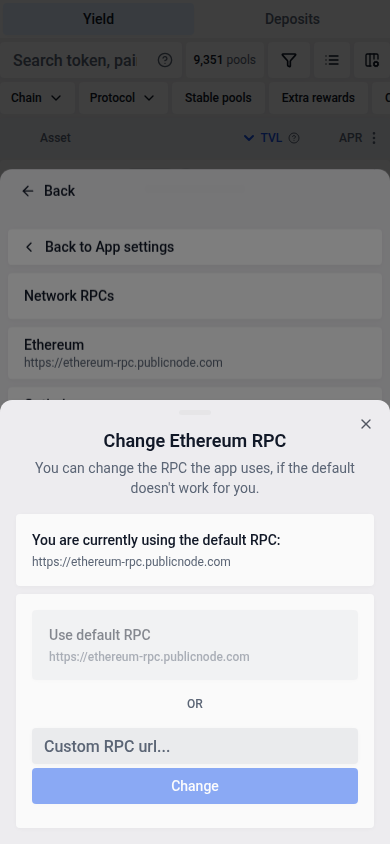
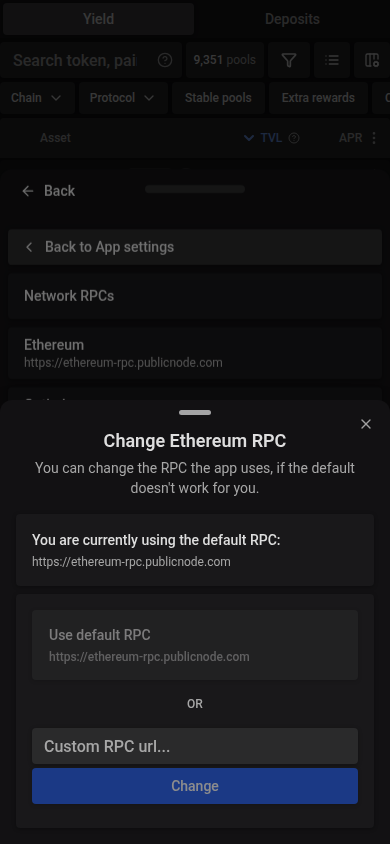
Every supported chain uses a default RPC. Open a chain here to switch it to a custom RPC URL of your own (validated against that chain’s actual chain ID before it’s accepted). Changing a chain’s RPC disconnects your wallet; reconnect to apply the change.
Default Inputs
Defaults used for manual, one-off transactions, not automation (see Automation for that):
- Slippage (%): the default tolerance between a swap’s expected and executed price
- Quick exit token: the token the Exit button on Deposits position rows pays out in, chosen per chain because a token address only exists on its own chain. Pick a chain, then a token. Chosen tokens lists the chains you have changed; reset one to return it to its native token. Chains without a choice exit to their native token (ETH on Base), as before. If a chosen token can’t be loaded or has no price, the row exits to the native token instead. The button’s label always names the token you will receive. The Withdraw tab and Auto-exit keep their own token choices.
- Max Dust (%): the maximum leftover token amount tolerated when manually adding liquidity
- High Dust Limit (%): how much leftover value a failed manual quote can accept from its recovery panel. The default is 50%. When a quote would leave less than this share of the position value unused, you can retry once with a higher max dust. At or above it, you can only retry the quote, or raise this limit first. Leftover tokens are not added to the position and do not earn. This limit does not change automation dust limits.
- Max Price Impact (%): swaps above this threshold prompt a confirmation before you can proceed. A lower setting means more warnings, a higher one means fewer.
Use the Up and Down arrow keys in numeric settings to adjust the value by one step. Keyboard edits update the setting and its validation immediately, just like typing.
From a failed transaction, select Raise high dust limit to open App settings above the transaction popup. Close App settings to return to the transaction and retry.
When token prices are unavailable, swaps selling the same token can still show a combined price-impact percentage weighted by the amounts sold. If swaps sell different tokens and prices are missing, VFAT uses the worst individual swap impact. An impact above your threshold still requires confirmation, which labels the dollar loss estimate as unavailable. If any swap lacks a reliable price-impact percentage, the transaction is blocked.
For manual Sickle actions, quotes at least ten seconds old are simulated again after in-app confirmations, before wallet submission. If an RPC reports a revert, the app checks the other configured RPCs. As soon as one succeeds, the transaction can proceed to wallet confirmation without waiting for slower RPCs. If none succeeds within the check’s time limit, or your wallet changes during the check, submission stops; retry to request and review a fresh quote. If the initial check times out or the RPCs cannot complete it without reporting a revert, the transaction can proceed to wallet confirmation. This check preserves the quoted route and minimum outputs. Ten seconds is only a trigger for an extra check: prices can still change during wallet confirmation or before mining, including for very narrow liquidity ranges.
Deposit Automation Defaults
Pre-filled defaults for when you turn on automation while opening a new position. These aren’t global limits, just the starting values shown at deposit time:
- Auto-rebalance: enable by default for NFT deposits, with its own reward handling (compound vs. harvest) and dust/slippage/price-impact limits
- Automate rewards: enable auto-harvest/auto-compound by default on new deposits